Why are my files deleted after uploading them

Sometimes, when you upload a file, the upload is completed but the file is deleted immediately afterwards. This is usually caused by one of the following issues:

The file is not in a htdocs folder

All websites files must be uploaded to either the main htdocs folder, or to the domain specific htdocs folder (like example.com/htdocs).

You cannot upload files to other directories on your account. If you try to create or upload files anywhere else, they will be deleted automatically.

The file type is not allowed

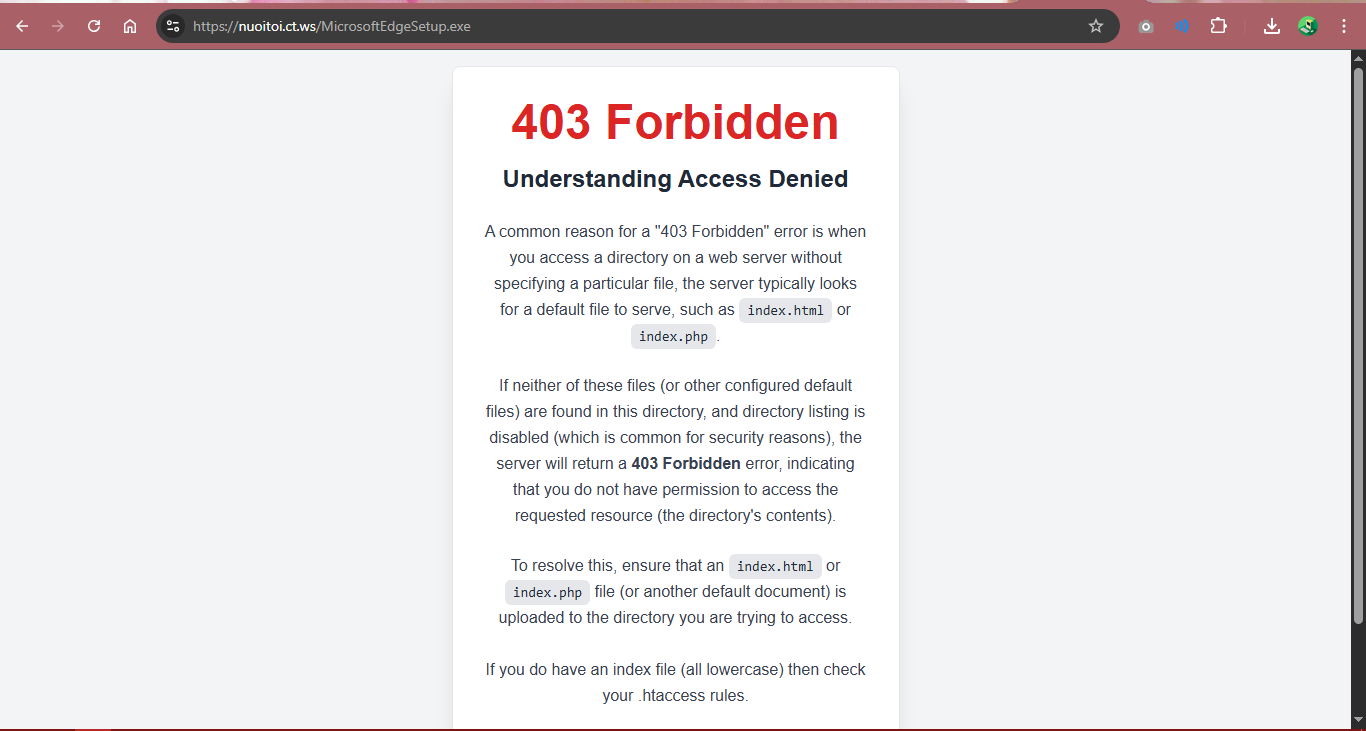
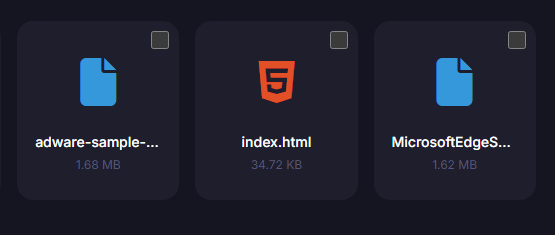
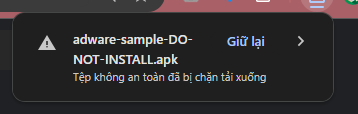
Certain file types, like .exe and .apk files, are blocked on InfinityFree for security and fair usage limitations. Regular website files are allowed, but other files may be blocked.

If you would like to offer something for download or embed a video in your website, please use a specialized file sharing service or video streaming service for that instead.

The file contains malware

Uploaded files are automatically scanned for malware. If malware is detected in a file, it’s automatically deleted to prevent damage to your website and your visitors.

The file exceeds the file size limit

The InfinityFree web servers have size limits for all files. If the file size exceeds the limit, the file is automatically deleted.

The size limits are:

  • HTML, PHP and JS files are limited to 1 MB.
  • .htaccess files are limited to 10 kB.
  • All other files are limited to 10 MB.

Please note that this is a file size limit, not just a PHP upload limit. All files on your account are subject to this limit, regardless of how you’re trying to get this file on your account.

How to make HTML and PHP files smaller

Depending on the contents of your PHP/HTML file, you may be able to reduce the file size in one of the following ways:

  • If you have a large amount of CSS and Javascript code in the file, consider moving this code to separate files and linking them from the same page. This will also help speed up your website, because separate CSS and Javascript files can be cached more effectively.
  • If the HTML page contains a lot of data to be displayed to visitors, you may be able to move this data to separate text files or a MySQL or SQLite database which can be queried from PHP.
  • If the file contains a lot of PHP code, you may be able to move some of this code to separate files, and use PHP include or require directives to combine the code in a single process. This also makes it easier to reuse code across multiple pages, and generally makes it easier to read and understand.
  • If the file contains a lot of HTML code, you can also use PHP include or require directives to combine multiple HTML files, like headers and footers, into a single page. However, note that having a very large HTML page means it may be very slow to load for people and use a lot of bandwidth, which is bad for (mobile) users. So you may also wish to consider to restructure your website so spread the content over multiple, specific pages.

How to make other files smaller

If you want to upload a large archives (.zip, .rar, .tar.gz), please see the article How to upload big files/archives for workarounds.

For text files, consider splitting the text across separate files, and either serving the files separately or joining them at request with PHP.

For media files, you may be able to choose different encoding (e.g. MP3 vs WAV audio), or apply stronger compression to reduce the file size. Alternatively, you could use a specialized photo/music/video/etc. hosting service to share the content and link to those services from your website.

How to make .htaccess files smaller

A large .htaccess file can negatively impact server performance which can slow down your website and the websites of others. So using large .htaccess files should be avoided in general.

Below are a few common use cases for large .htaccess files and ways to work around them.

You want to block bad bots from accessing your website

One common way to block bad bots is filtering and blocking access to specific User Agent information sent by the client.

Such .htaccess rules are typically of limited use and should be removed, for multiple reasons:

  • User agents are freely configurable by the client, and many bad bots pretend to be popular browsers on common operating systems, which can’t be caught by such filters.
  • Free hosting already comes with a security system to keep out bots, which works more effectively than a user agent filter.

So you can safely remove these lines and know that your website is already protected in more effective ways.

You want to restrict access to certain countries

If you want to restrict access to your website to certain countries (either blacklisting or whitelisting certain regions), one such way is to only allow or deny access to IP addresses in certain ranges.

You can deal with this by moving the IP blacklisting/whitelisting to PHP code, from where you can also filter IP addresses.

But it should be noted that using IP ranges for country restrictions is an inherently flawed method. IP ranges are assigned to network operators, who can then use those IP addresses wherever they want, or even use them in multiple locations at the same time. It’s impossible to have a definitive list detailing which IP address ranges belong to which country.

From PHP, you can also use a GeoIP service to get more accurate location information about specific IP addresses.

And finally, from your PHP code, it’s much easier to customize what people will see if they are blocked. With a .htaccess file, they would only see a generic “403 Forbidden” page.

You have a complex set of rewrite rules

If you’re written your own software, you may have a large set of rewrite rules to send specific URLs to specific pages. This is an acceptable way to handle routing in your application, but may lead to very large .htaccess files as your application grows bigger.

Most frameworks and CMS handle routing from within PHP. So all page requests are redirected to single index.php file, from where PHP code selects which code to execute for the requested URL.
8 Likes
My files just disappears
Upload error
How can I block access to my website to an entire country
How to enable uploading unsupported formats
Refresh required after website update
Video
Can't upload file from filezilla!
Ads.txt Management
I cannot be able to upload 50MB software to server via FileZilla
Laravel
Why are my HTML files deleted after uploading them
Website doesn't Working Upload
How many GB I have with free domain: ppskola.epizy.com
My website is not working
Uploading files is broken
FTP uploaded files disappear
Where is list of forbidden file types?
Show hidden files in free Flie Manager
Files Disappeared (After hitting save in FTP)
.WASM File not uploading
Uploading issue
Uploading my Laravel project on Infinityfree
HTML code chanes after upload
Ftp file size limit issue
Error
404 Not Found
403 Error
Ftp file size limit issue
Importing Demo Content is in Progress
Files disappear
Questions re: free hosting plan - before making the switch
Modifying settings.php
Error in my file memory
Index.html file disappears after 1 second
Unable to upload some specific files
Why cant i fully edit an file via FTP?
Blacklisted by Meta and disappearing .htaccess
How to create & edit my custom .htaccess file
Specific files getting removed
Why uploaded index file disappaear
Wordpress
Some pictures loading others not
Upload failed!
Delete files
FTP file transfer list incomplete on remote server, doesn't update new transfers
PHP: post_max_size - Unable to edit website
My .geojson file is getting deleted
When i am uploading zip file via ftp or browser it uploaded but not visible in file manager
Uploaded ZIP files via FTP are instantly deleted, and files over 20 MB fail to upload
It looks like my .htaccess file has disappeared
.htaccess file is deleting
When I upload via FTP, only the folders and no contents upload
Issue with uploading files through FTP
File upload not working
In the file manager the code not saving
Why file_get_contents is not woking on same domain, but https/facebook.com is success
Upload a website - Impossible
Error al subir archivo
Where is the FTP server name in my inifinityfree?
I am not able to upload my Wordpress Website files
Wasm file immidiately deleted after uploaded
Where is the FTP server name in my inifinityfree?
Config.php file disappears when I upload
Placing .env files ouside the htdocs folder
Cannot upload my files using your upload interface
I can't upload file in file manager
Upload a website - Impossible
Why I Can't Upload app.all.js?
Files uploaded onto FTP sever gets deleted immediately
Loading module was blocked because of a disallowed MIME type (“text/html")
First time domain/website creation
Assistance Needed with PDF Upload Issue on Remote Server
Php files not uploading
Problem Create New File
File limit
I there any option to upload zip file and extract them there?
FTP reports files uploaded but do not appear
Blank page display
Missing png's
Accés aux executables refusé
Unable to add the last 6 files for my website
My PHP files are getting auto deleted
I cannot create a file with the name Ruleset.php and Emoji.php
TotalVirus: infected plugin?
My Files are Being Deleted for a simple landing page
Site not working
Why can't I host my site
How to enable uploading unsupported formats
Index.html auto delete
Uploading a PHP file
What is the file/upload size limit
FTP connects but can't save changes
I cannot send a 22 MB pdf
.gif not showing
Fail to upload mp4 file into htdoc
The .htaccess file has been deleted and a 404 error message appears
Can't upload zip file
File size > 1MB
Console warning after installing SSL
How to enable uploading unsupported formats
Upload plugin error
When I upload something to ftp it just gets deleted instantly
How to upload backup.tar file to Wordpress?
Can't upload html file
.htaccess problem
HTML files disappear from filezilla upload
Can't upload files via FTP
I can't upload .wasm file
403 forbidden
FTP Problem
FTP Problem
All files deleted for no reason?
Adding wasm MIME type
Images uploded but not loading in my page
.htaccess file problem
Images uploded but not loading in my page
Uploading files to filemanager
FTP upload of large file failed
Monsta html not working
My .data files keeps getting deleted when I upload it
How to Upload Big Files
Website stuck on loading
Can't upload video to file manager
Page cant find problem
How can I restart my site?
Invisible content
Cant upload index.php file to ftp server
Your FTP account quota has been exceeded
Can't upload files bigger than 2MB
Htaccess file gone
Font Size
No gifs on free site?
File manage php file auto delete
Uploaded ZIP file from FileZila cannot be seen in the server
Can't upload file zip file
My file is deleted, can we recover the last edited file?
Cannot upload Wordpress zip file or directory
Okay, what am I suposed to do now?
Site not showing video background. works fine offline
Website leading to file directory
Where exactly the root folder
File Disapeared
XenForo emoji.php problem
.htaccess file problem
Rar, zip error
Exceed upload limit and install wordpress manually
My File Is Deleting After Upload
Uploading html files
Filezilla problems
Filezilla problems
Help I can't load the php files!
Mp4 upload to ftp
Some error on subdomain
Site navalforces.org
Unable to load a static website
How do i upload the files for the website?
How can I copy a file from the filemanager as link?
Download of file consistently stops at 9MB
When I go to the link of my site I see the directory list and the css is not displayed
Cant upload wordpress.zip
Issue regarding uploading file (.zip and .rar)
25mb limit
Dompdf
Limited size for HTML files?
Generate pdfs
Uploading Ruleset.php
Back Up Wordpress Site
Hosting provider has removed my wp-setting.php
Files randomly deleted off my server!?
Is there any way to upload an mp4
Javascript MIME Type Error
My .htaccess file keeps being removed!
Cant download tar.gz file through ft
Your FTP account quota has been exceeded
Issue with .htaccess File Disappearing Automatically
Importing website to Infinityfree
.htaccess deleted itself!
Missing files in file manager
Uploading zip doesnt work? (Monsta & FTP)
Server error
Cross-Origin Request : MQTT external access
Could not connect to the database
.flac files removed upon upload (size is ~8KB)
Disk Space Not enough
FTP Upload Error – "Quota Exceeded or Blocked by Security"
Autoload_static.php
File upload error
File upload
How can I change the max file size upload limit?
Files not accepting after the upload is done. Filezilla, or FileAI
Upload error You exceeded website size limit (100 MB)
FileManager issue
"Disk quota exceeded"
Getting 403 even after uploading my project files in htdocs
Uploading
Media wiki manual install common passwords error
Error on site because Infinity keeps deleting index file
404 Error
Unable to upload zip file using FileZilla and extract the zip file in server
File Manager Error
My external domain doesn't work when i add wordpress files
What is the maximum file size for uploading on free hosting?
I can’t upload files
Why i Cant Upload file wasm?
Pls help can' t upload php files
I cant use filezilla now
Introducing Our New Web-Based File Manager
Como hago para montar un archivo php
New interface of File Manager failed to upload index.html
System Isses
Unable to edit or upload files in subdomain directory
File manger & php
Http error 500
Web Games On Site
Uploading problem
Why does my htaccess file keep getting removed
Facing error 404 page from infintyfree
Follow up - Daily hit reduction
Files not transferring into htdocs folder
Error using "Royal Elementor Addons" plugin on WordPress - Freemi Issue
PHPMyAdmin Upload Error
Help me about the filezilla ftp client transfer picture
File upload hangs
Files auto-deleded after upload
Cant upload files I can't upload files through a file manager or ftp client that are larger than 10
All.min.js
I Want to host my larvel
Error has been fixed
Error when upload woff2 file
Files uploaded onto FTP sever gets deleted immediately
My inedx file keep getting deleted
Question about webhost/ftp
Problem with hosting my new test website
Do not upload files here
Failed to upload / 413
Wordpress restore backup problem
Ftp
Cannot upload 40mb index file
Error 413 Request Entity Too Large
One of my files is regularly deleted
Can't access softacolous, and change/upload php file will be empty when saved
Zip file upload issue
Why I can’t upload the .dat file
Some images not loading on my page
Why I can’t upload the .dat file
Ftp
When uploading zip, getting error of FTP Quota has exceeded
Ftp
Ftp
Error when creating .htaccess and robots.txt in root directory
My htaccess disappeared
Uploading problem
Files auto-deleded after upload
Filezilla ftp file transfer after removal
File automatically deleting issue
Ftp upload problem

Because of the fact that PDFs are blanket-banned, wouldn’t you want to state that in this documentation?

I thought that it was defined, but when I looked, it wasn’t there. Considering this comment on the topic:

It should be defined so that when someone is wondering why their PDF isn’t uploading, we can mention one topic instead of two.

Could be re-worded to:

Certain file types, including but not limited to .exe .apk, and .pdf files, are blocked on InfinityFree for security and fair usage limitations. Regular website files are allowed, but other files may be blocked.

  1. That’s a 2021 topic. Things can change.
  2. This article actually used to include PDF in it, but was changed to APK sometime ago. Because things did change — the restriction was lifted and it’s now possible to upload PDFs.

Of course, things might change again, and I’m not arguing with you — I’m just sharing what I know about this and why there’s no PDF in this article any more.

7 Likes

Are you sure? When I uploaded a 10KB PDF to the server, the file was immediately removed.

I’ve got two 104K pdf’s here, one is .pdf and the other is .zoltar (custom mime)
https://zoltar.eu.org/test/

the .zoltar was uploaded april last year and is still there
I just now uploaded the .pdf to test it still works

5 Likes

i think apk files are unblocked, tried to upload apk and exe file, able to upload both file but i can only download apk file

1 Like

I don’t think that’s intentional

2 Likes