Failed to create folder dan Upload failed: Uploads are only allowed to htdocs folders for security reasons. Tambahkan juga pesan sebelumnya: Upload failed: Extract path must be within an htdocs folder for security reasons.
Other Information
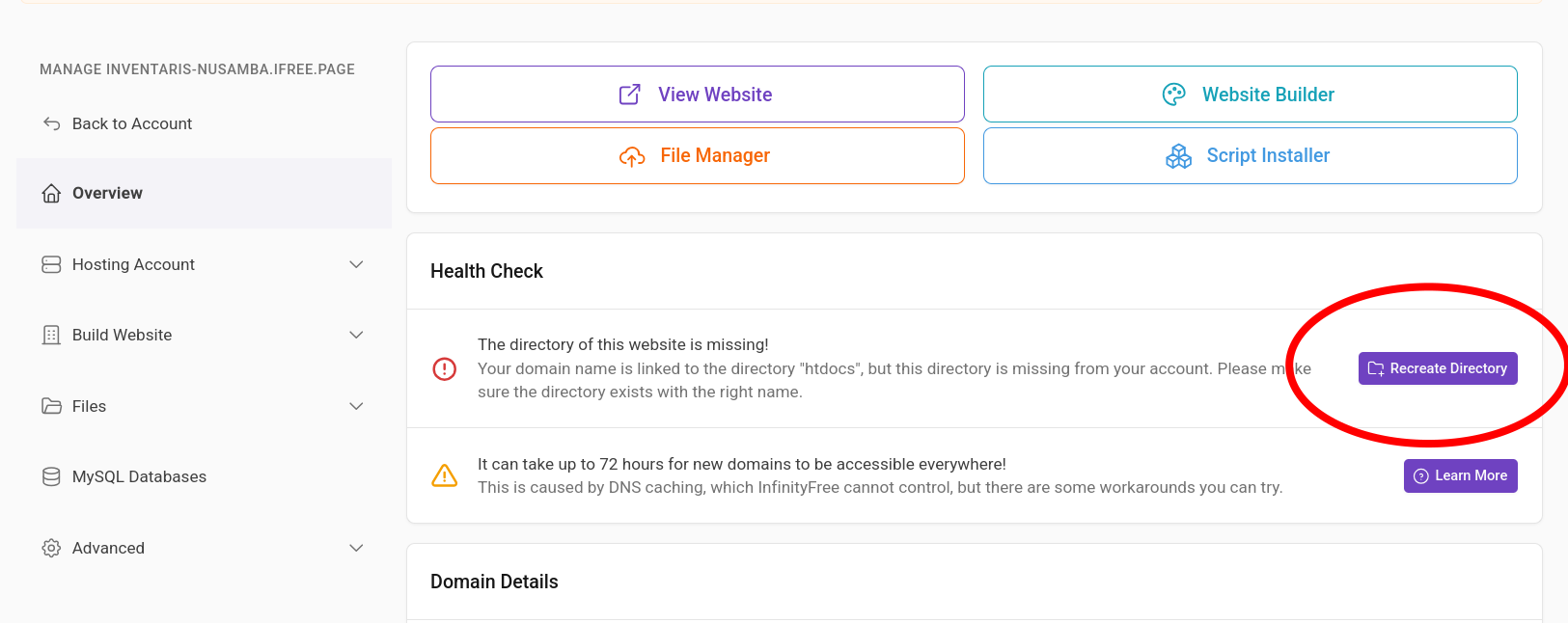
I was using the Online File Manager and may have accidentally deleted the htdocs folder or its contents. Now Home appears empty, htdocs is missing, and I cannot recreate it. The website has not been deployed yet. Please help restore the htdocs web root. I did not intentionally delete my MySQL database.
Welcome to the InfinityFree community forum! Good to have you here.
Most people answering here are volunteers. They’re often the fastest source of help. Admin (the only staff member) checks in about once a day for issues on our end.
Volunteers can’t see your account or website. Share what you actually see, like error messages and what happens when you try something. That’s more useful than your theory of what’s wrong.
AI tools often get InfinityFree wrong. If a volunteer’s advice differs from what an AI told you, please try the volunteer’s suggestion first.
Solving an issue is a joint effort. Try the suggestions you get and report back what happened.
Beep boop, I’m a bot! I dug through the forum to get you started. I sometimes get things wrong though, so do with this what you will until a human has a look.
I think the htdocs folder may still be there and just hidden in the File Manager. In an older topic, someone saw an “empty” account where htdocs wasn’t missing at all. They could open it in FileZilla by typing /htdocs into the remote site address bar. For a subdomain, the path was / followed by the full subdomain name.
Could you connect to the account with FileZilla and try that? If /htdocs opens there, the folder exists and the File Manager is only failing to show it. If it doesn’t exist, you’ll get an error. That tells us which of the two cases this is.
The errors you quoted fit the second case. As far as I can tell from the knowledge base, you can only upload or extract into an htdocs folder, so with no htdocs folder those actions fail.
An older topic had the same problem, a deleted htdocs folder. The answer there was to check in FileZilla first, to rule out a File Manager display problem. If the folder wasn’t there either, the advice was to create a new hosting account. Your site isn’t deployed yet, so you’d lose very little by doing that.
I can’t restore the folder myself, and I found nothing saying it can be restored from a backup. If FileZilla confirms it’s really gone and you’d rather keep this account, a person would need to look at it.