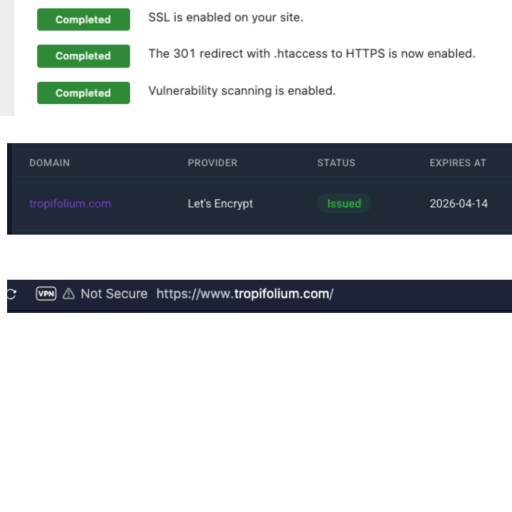
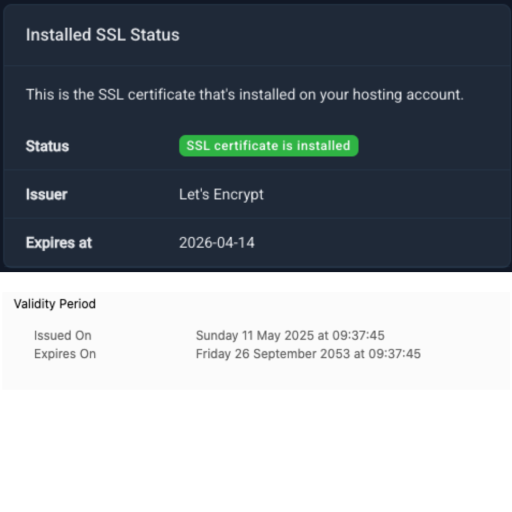
Hello, I really need some help, please. I finally got a working SSL installed on the domain, and it shows as Active and Issued in Infinityfree, but it still shows as not secure on the address bar many hours later.
I have tried to force the SSL with a WordPress Plugin (that normally works without a problem)
I have deleted all cookies and cache on the website and all my browsers
I have deleted the cache on the Elementor Plugin and made sure all the permalinks and the domain is correct in the General Settings of WordPress
I am using the Really Simple Security plugin at the moment.
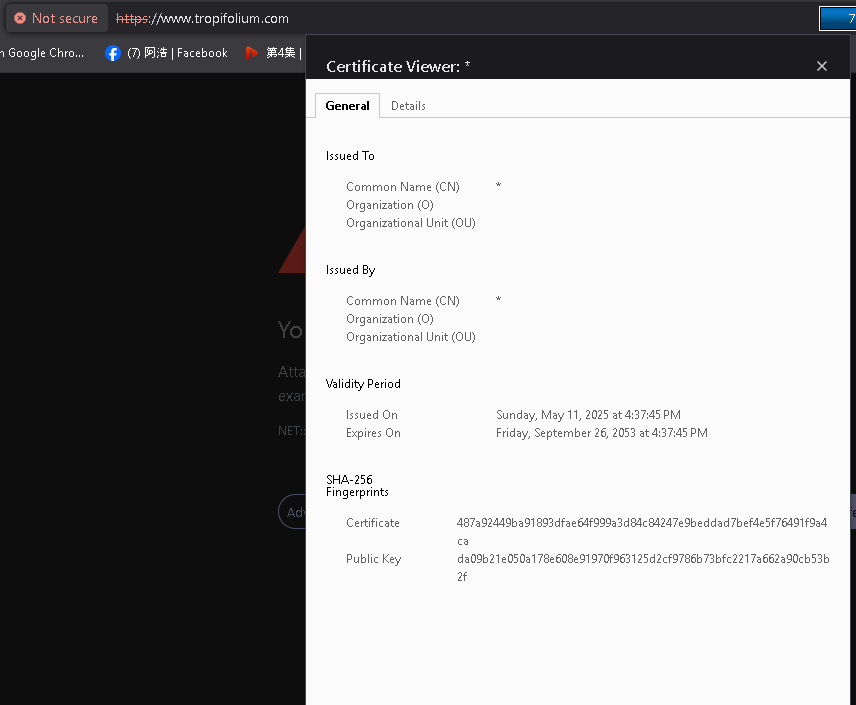
The website still shows as Not Secure, and the SSL shows as Not Valid
I honestly have no idea how to get the SSL showing as valid in the address bar, and I can not find any information other than everything I have already tried.
Any help solving this problem would be very much appreciated.
KangJL was referring to the origin server’s certificate. It’s the default, everyone has one, meaning your own installed was unsuccessful or not found. I also not sure but the system says you have Let’s Encrypt. Assuming you followed the video to the t and installed SSL successfully and waited for hours already, I would first try to disable/uninstall all the plugins and remove WP’s own cache. Temporarily remove any redirects or any force https. Then wait a few minutes by visiting your site on a pure WP without plugins. If you are successful (SSL read successfully by the browser) re-install your plugins one by one, revisiting your site each time with one new plugin, Elementor being the last. Hopefully, we can pinpoint the problem and post here if there are new development.
I have deleted all cookies and cache, on the website and browser, I have opened a private browser and tried from their as well.
I deactivated All the plugins, nothing happened, I deleted cookies and cache again, no change, I activated each plugin one by one, refreshing the browser and private browser after each move, no change.
The SSL stays the same with all the plugins deactivated so it can’t be a plugin conflicting with it.
I have been using wordpress on and off since version 2.8 so I am no stranger to its compatability problems with some plugins and themes but I have never had such a problem installing let’s encrypt before, and I am very confused, as I know I installed it correctly.
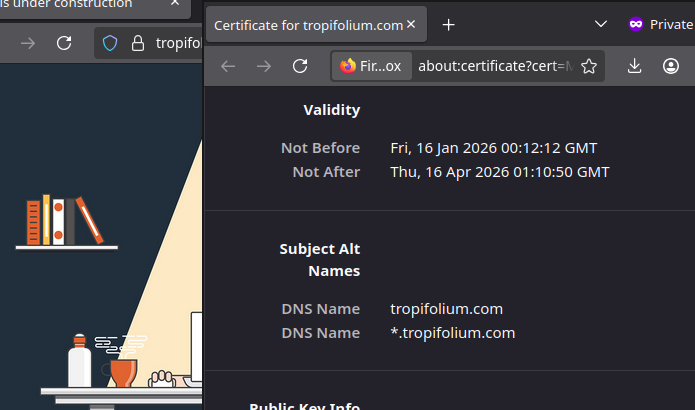
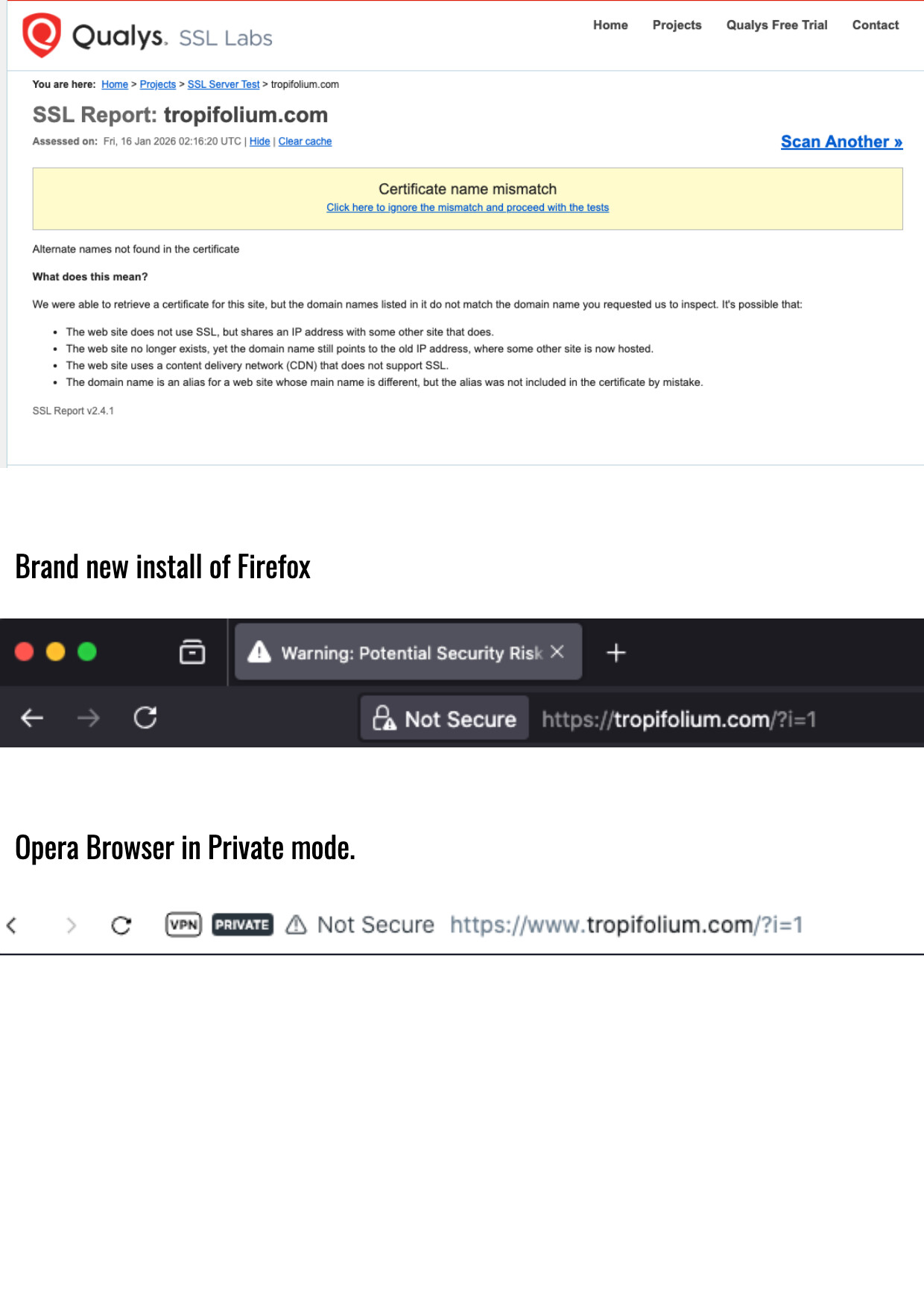
What this basically means is: yes, while your server has an SSL certificate installed, that certificate is not valid for your domain (tropifolium www.tropifolium). Browsers will always reject it because of this fact.
This has to be resolved by your hosting provider (InfinityFree). As soon as they install an SSL certificate on your server that actually covers your domain (tropifolium, www.tropifolium), you don’t have to do anything else in WordPress and the site will just start working over HTTPS afterwards.
I followed the SSL install video to the T so I have no Idea what went wrong when I installed the SSL on my infinityfree account.
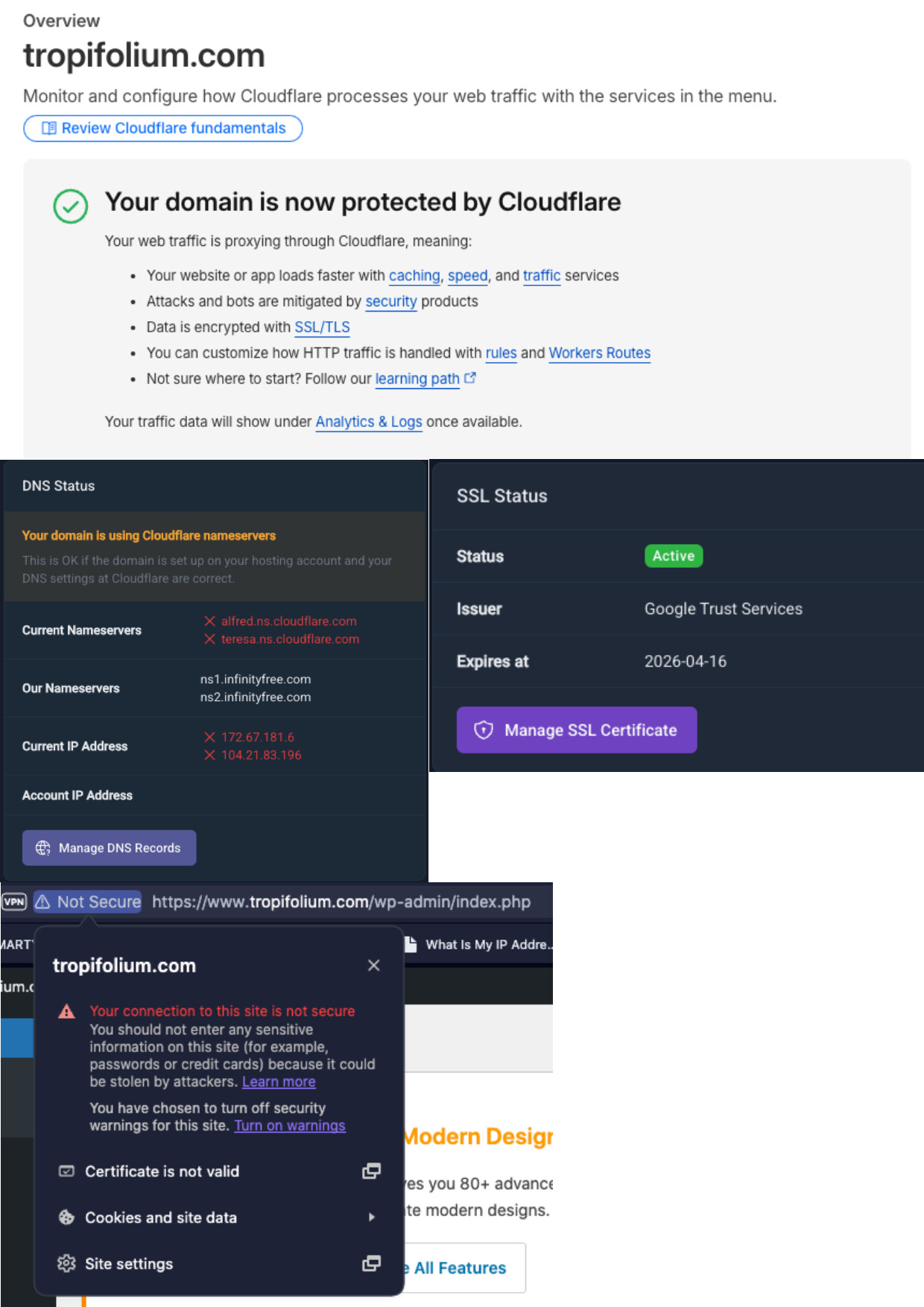
Updating the name servers can take a bit of time. So now anyone who’s seeing your site through the cloudflare name servers will see the cloudflare SSL. But anyone who’s still going through the old name servers it will show as expired.
Generally the update only takes a few hours, but up to 72 hours isn’t unheard of.
It was showing as secure on my Opera private browser, but not my normal Opera browser.
The website was clearly broken and was glitching out big time. When I looked at logs, it was clear there was a big problem with the Elementor plugin, and for some reason, I could no longer deactivate the plugin, all options had been removed from the plugin list for that plugin.
So I gave up and uninstalled the whole website with the script installer and reinstalled WP as a fresh install to start again.
It didn’t work, WP installed, but it is not usable, I am not able to upload any images or plugins or change the theme, and my website has gone back to being unsecure on all browsers.
I am really not having a lot of luck setting this WP up
It sounds to me like there are two different problems.
The second one is partially a hosting problem, but the first one is simply a configuration issue that could have happened on any hosting provider.
WordPress not working in general
I suspect that this is a website configuration issue. Cloudflare and WordPress don’t work perfectly well out of the box. Especially Cloudflare’s Flexible SSL feature tends to cause strange issues with WordPress.
There are a few different ways to fix it, but I recommend switching Cloudflare to Full SSL mode:
Note that you will also need to configure your website’s Website URL to be https://tropifolium.com/ instead of http://tropifolium.com/ (with https, not http).
However, you might want to avoid Cloudflare in general. You’re not using it now, and there is no need to use it on our hosting either. You can just setup an SSL certificate on our hosting direclty.
Big problems with the Elementor plugin
This is more or less to be expected. Elementor is an extremely heavy plugin and needs quite powerful hosting to work well. Free hosting technically does not meet the system requirements of Elementor.
WordPress works fine on our hosting, but I recommend using WordPress’ built-in editor, or at least something more lightweight than Elementor.