This domain has been suspended for reaching server limits or similar.
Please contact support in your hosting control panel if you have a query.
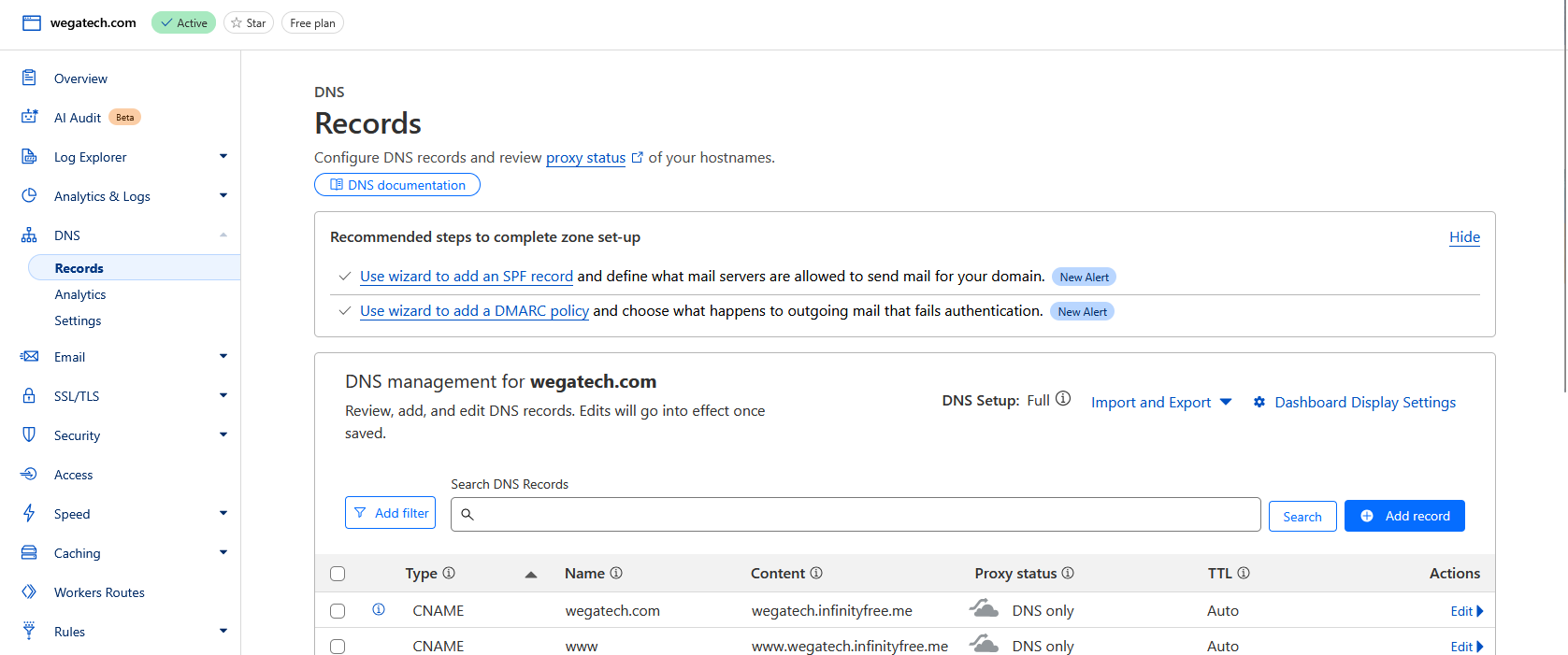
I had configured in Cloudflare with CNAME pointing to wegatech.infinityfree.me
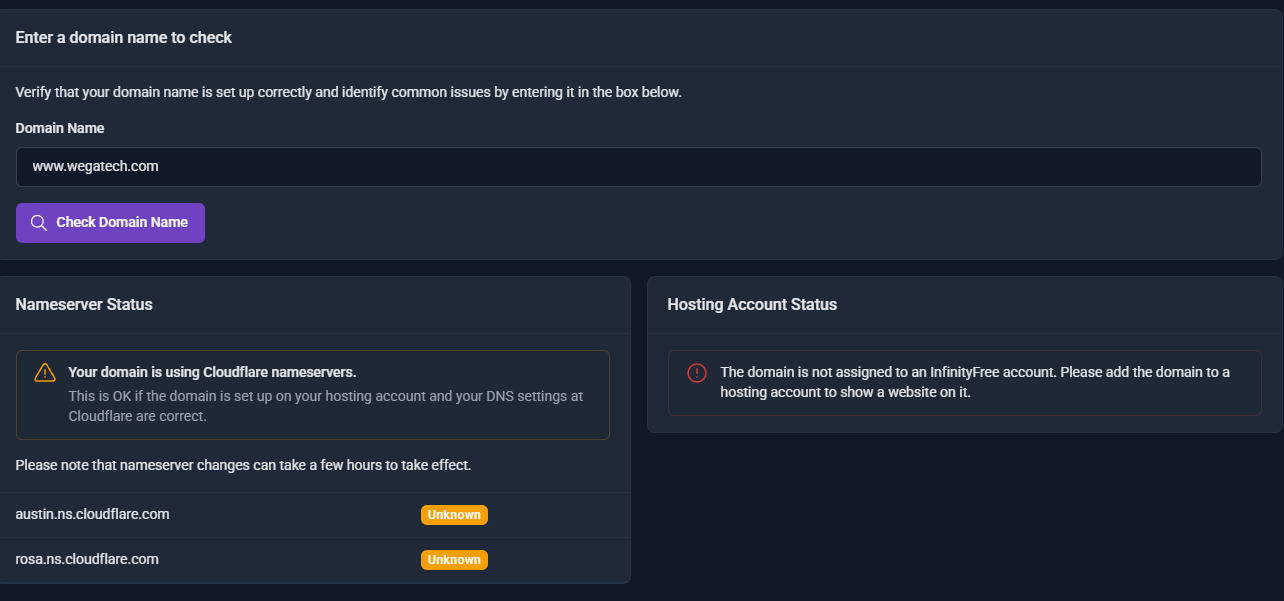
I think this is your problem. you’ve not added your domain to your account. so the server doesn’t know what page to serve when it receives a request for
https://www.wegatech.com
That would be the problem, you can’t use a custom domain that way. Please see the following articles.
While a free subdomain is a great way to get started, a website looks a lot more professional with a custom domain name. Fortunately, you can register your own domain name with an external company (like Spaceship ) and use it on InfinityFree.
Connecting your domain to InfinityFree is typically done by changing your domain’s nameservers to those provided by InfinityFree. However, there are instances where you might prefer or need to maintain control over your DNS settings, such as:
You require advanced DNS configuration options beyond what InfinityFree provides.
Your domain registrar doesn’t support custom nameserver settings.
You want to host only certain subdomains with InfinityFree.
You need to use specific features available onl…
Actually I already add the subdomain in the Cloudflare CNAME
As I said before, that’s not how you do it. You need to add the domain name to your hosting account on InfinityFree’s side. Trying to just redirect to your subdomain with a CNAME record will not work.
While a free subdomain is a great way to get started, a website looks a lot more professional with a custom domain name. Fortunately, you can register your own domain name with an external company (like Spaceship ) and use it on InfinityFree.
Previously i did add a custom domain to InfinityFree directly. But the https is not working properly as it is self signed and expire in about 3 months. That is why now I want to use Cloudflare to point to the subdomain hosted in InfinityFree. If this is not possible, how can i get a free SSL and not a self signed?
You can absolutely use Cloudflare with InfinityFree, but that’s not how you do it. Please refer to the following guides.
If you want to host your own domain name with InfinityFree, the default way to verify your domain is to set the nameservers first. However, there are cases where setting the nameservers ahead of time is not desirable (for example if you have an existing site which cannot go down) or if your domain provider does not let you set our nameservers.
Fortunately, InfinityFree now has the ability to host your domain name with us without having to change your nameservers ahead of time! This guide explai…
Hello,
I will show you how to easily set up Cloudflare, Edit Records, and Troubleshoot with images!
yoursite.com ) and with Custom Sub-Domains (subdomain.yoursite.com ).
A video tutorial can be found at the end of this guide, should you get stuck.
You must connect your domain to your InfinityFree account first. Read more here .
Dash…
You can do this without Cloudflare using the free SSL certificates tool in the client area, but only after you add the custom domain onto the hosting account.
If you’re using free hosting with your own domain or a subdomain, you’ll want to make your website work over HTTPS (SSL). Fortunately, InfinityFree provides all the tools you need to make it so. If you like videos better then text guides, scroll on down to the bottom of this guide.
This guide uses the control panel functions and the Free SSL Certificates tool provided by InfinityFree to get SSL up and running on your site.
This article only applies to custom domains
Free subdomains (like your…
I’ve configured the Cloudflare CNAME for the subdomain, but the issue remains
How recently did you make the change? its not instant so you may need to wait a little while for the change to propagate
Admin
August 14, 2025, 11:25am
10
What issue? And what’s the website?
If you need help with your website, please create a new issue. This topic was solved already I think. If your issue is not solved, it’s a different issue, so please create a separate topic.