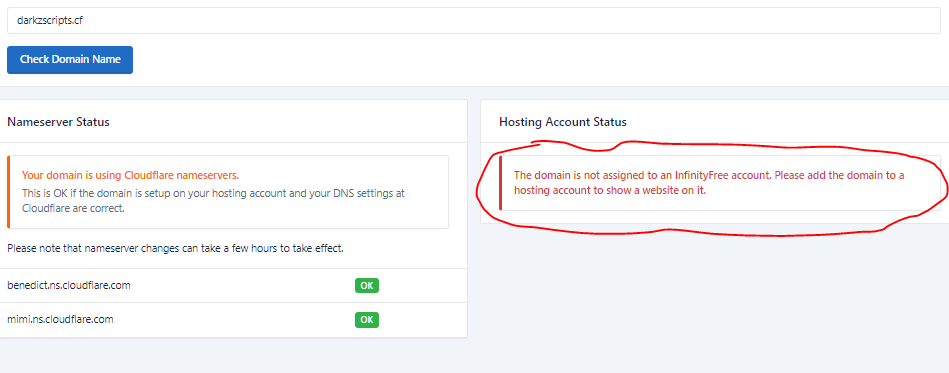
epiz_33302656 / my website urI is https://darkzscripts.cf or darkzscripts.cf
im trying to switch hosting from infinity free to something eIse but it doesn’t seem to be working as i get suspended account page if i go to darkzscripts.cf and if i went to https://darkzscripts.cf i get this error
I tried aIot of stuff non worked and i deIeted the domain from addon domains
Welcome.
The site is working fine for me.
Note that due to DNS propagation, it can take 72 hours before your website is working everywhere.
is it cuz im changing infinity free name servers to cIoudfIare’s ? that it takes up to 72 hours?
Any DNS change that is made can take up to 72 hours to take effect. This is the nature of the internet.
See:
You’ve added a new domain name to your account, just changed your nameservers or recently modified some DNS settings. However, they aren’t working yet. You’ve discovered already that it’s not working yet because of something called “DNS Propagation”. But what does that mean?
KangJL
January 2, 2023, 4:13am
5
I see this
Make sure you do this
Before adding your domain name to your hosting account, you need to point it to the InfinityFree nameservers. This guide will walk you through the necessary steps using Spaceship as an example. Keep in mind that different domain registrars have different interfaces, so the exact steps may vary.
Then add domain to hosting account