Hello all!
Thank you in advance!
Welcome to the forum!
Could you provide us with a URL for us to check? Until you do so, this is all I can give:
Getting a 403 error means the server is refusing to show your webpage. Here are the most common causes and how to fix them:
InfinityFree client area
Go to Accounts → [Select your account] → Domains → [Find your domain] → Manage
Find the Directory Status card, and look at the Directory displayed there
Understanding the folder structure:
Your fi…
Thanks! Do you mean my website url, so which one I’m trying to make work?
Hi Grazybuilder,
Cheers!
KangJL
January 11, 2024, 7:34am
7
Grazybuilder:
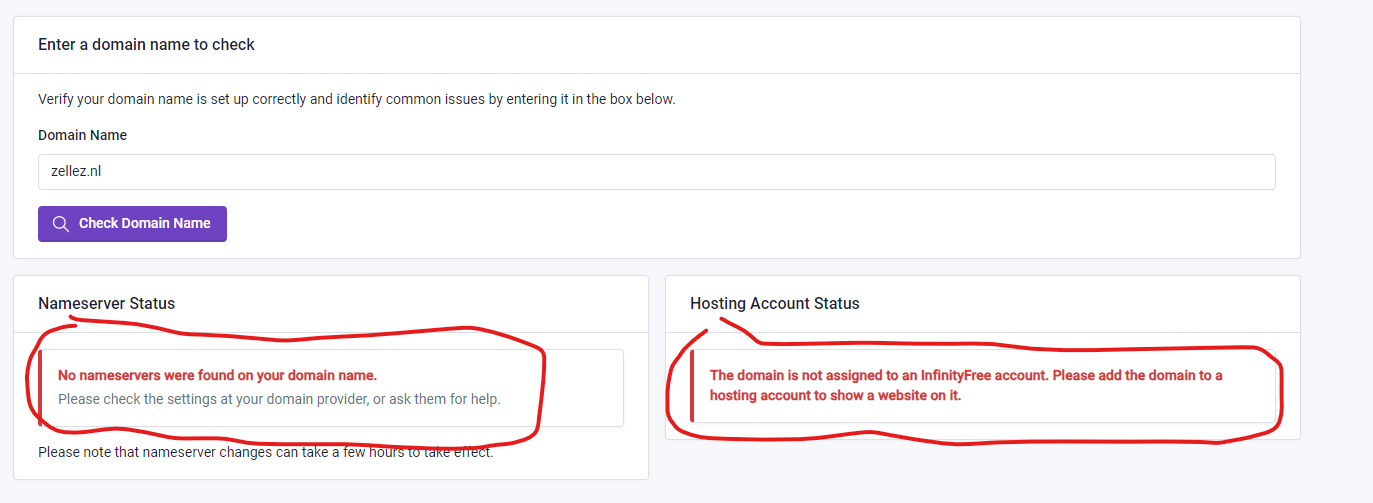
zellez.nl
I see this
Do this
Before adding your domain name to your hosting account, you need to point it to the InfinityFree nameservers. This guide will walk you through the necessary steps using Spaceship as an example. Keep in mind that different domain registrars have different interfaces, so the exact steps may vary.
Then add domain to hosting account
Admin
January 12, 2024, 10:11am
8
Are you sure that zellez.nl is the right domain? It doesn’t appear to be registered at all, let alone setup correctly on our hosting.
I deleted the entire website and created a new one, it works there now! Still, thanks for all the responses!