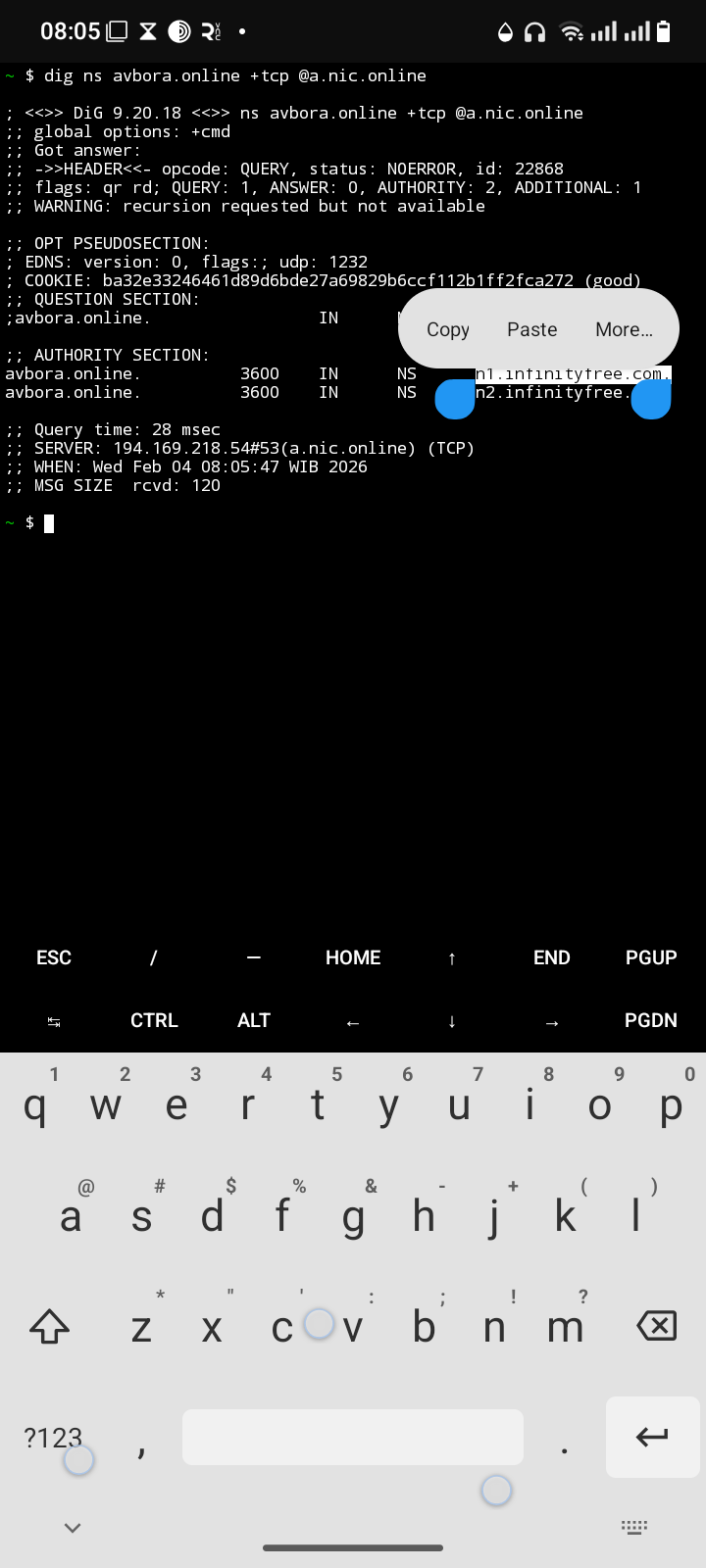
My domain has been suspended. I did not receive a clear explanation for the suspension.
Other Information:
I am the owner of this domain. Please clarify the reason for the suspension and let me know if it can be reinstated. I would like guidance on any actions I need to take to restore the domain.
“This domain has been suspended due to reaching server limits or a similar reason.”
Other Information:
I am the owner of this domain. I would like to know the exact reason for the suspension and if the domain can be reinstated. Please advise if there are any steps I need to take to restore it, or if upgrading to a premium plan is required.
Please take a look at the article you’ve already been sent. It’ll tell you what your options are based on if your suspension is temporary or not. Nobody here on the forum (including Admin) can do anything about a suspended account.
Do you not understand what a Client Area is? The reason is in your client area, NOT your domain. Visiting the domain really doesn’t tell you about the reason.
I couldn’t see the suspension message due to incorrect nameservers on your domain. It’s ns1 and ns2, you forgot the letter s. Can you correct it before suspecting it was a suspension issue?
I checked it, and the reason you don’t see your website is very simple: the domain is not assigned to a hosting account.
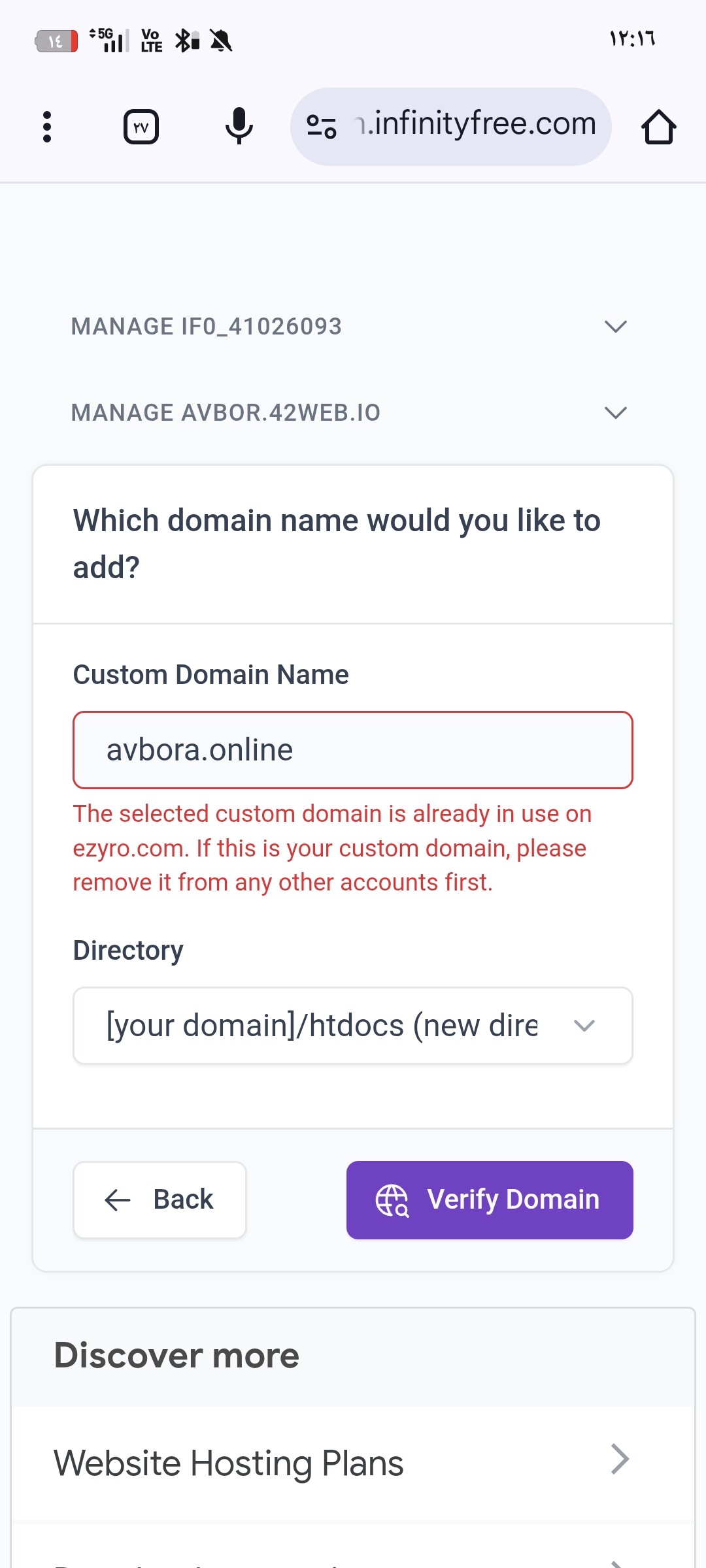
I see you tried to add the domain yesterday, and then removed and re-added it a few more times. Now the domain is not assigned to your account anymore, so it will not work.
The reason why you cannot see a suspension reason in the client area is because your account is not suspended, and has never been suspended.
Add your domain name to your hosting account again.
DO NOT TOUCH ANYTHING ELSE AT THIS POINT! Your website not working immediately is normal, mainly due to DNS caching. It can take up to 72 hours for your website to start working (but usually it takes less than 24 hours).
My domain is currently suspended, and I am seeing the following message:
“This domain has been suspended for reaching server limits or a similar issue. Please contact support through your hosting control panel if you have any questions.”
I would like to kindly ask for clarification regarding the exact reason for the suspension:
- Which limit was reached (CPU, bandwidth, inodes, or other)?
- Was there any specific file, script, or activity that caused this issue?
The website is important for me, and I would appreciate your guidance on:
- How to fix the issue and prevent it from happening again.
- Whether the domain can be reactivated after resolving the problem.
- If upgrading is the only option, please confirm if there are any alternatives within the free plan.
If your hosting account is actually suspended you will immediately know how to which doesn’t seem to be the case.
Going back to your original error message reveals that the domain is still in use on ezyro.com which translates to ProFreeHost.
If you deleted the domain there, then this means that you have never added your domain successfully.
If you are actually suspended there then you must contact them to get this issue resolved.