Website URL
Error Message
Other Information
What happened to CNAME verification? I know the qzz.io NS is f****d, but using CNAME always worked out through Cloudflare…
What happened to CNAME verification? I know the qzz.io NS is f****d, but using CNAME always worked out through Cloudflare…
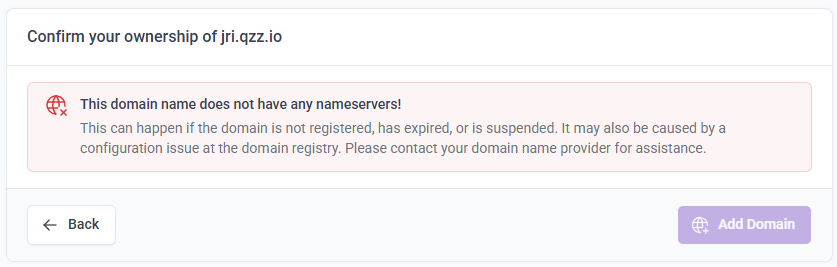
Yes, I made some changes to the domain verification flow. Specifically, if the client area detects problems with your domain name that should prevent you from completing the verification challenges, it won’t even give you the option to do so. It’s intended to be helpful, so you don’t waste your time trying to complete DNS challenges that cannot possibly be completed.
But I did not consider cases like qzz.io where the nameservers are absolutely not working as they should, but are functional enough that you could host a website on it.
I’m not sure what to do with this. I understand that you want to host your domain here, but I don’t really want to start building loopholes around checks like these because it creates more options that could cause more confusion if people ignore these warnings when their domain is really not working.
For now, you can add the domain through the control panel instead. It doesn’t have these additional checks so you can add the domain there. I’m only telling you this for qzz.io domains, if there are other cases where domains are incorrectly being blocked, I want to know so I can review the checks.
But I also want to suggest that you maybe try to reach out to qzz.io about this so they can fix their nameservers, or consider using a subdomain from a provider that has nameservers that work better.
Welp, had I known about this change before I started moving my domain, I would have just kept it on Jri Family 1. The client area was better with adding my domain, the control panel doesn’t seem to pick up the CNAME record the way the client area did.
Preflight verification is annoying. I get why it’s used, but still…I’ve already reached out to qzz.io’s provider…