Hi guys i upload all the files in the directory of htdocs and i move the file of index.php ffrom folder public to directory htdocs and nothing can u solve it please when i enter to this look what they show me

Can you please share your site’s URL like the topic template asks for? In the meantime, here’s the standard knowledge base article on your situation:
Do you have a .htaccess file in your htdocs directory? And does it have rules that could potentially affect in the server trying to load a different file other than the index.php file?
This is my website : slimeshop.ct.ws
Yes i have an htaccess file in my htdocs and there is another file htaccess beside the htdocs when u open a new file manager you will found it created so i keep it
i wanna know i created the website yesterday but he show ou 403 error forbidden do i need to wait 72 hours for show out the website ?
Thank you. I can confirm going to your site’s subdomain gets the 403 error page, but I’ve discovered that if I manually add “/index.php” or “/index.html” to the URL, I get a 404 error instead.

This implies that your index file is either missing, in the wrong directory, or is named incorrectly (InfinityFree’s servers run a Linux based OS, where file names are case-sensitive). This would also explain why you get the 403 error on the root of the subdomain, as that’s the default behavior on InfinityFree for when a directory has no index file.
No, what you’re likely thinking of is DNS propagation. But that can’t be the issue or your site wouldn’t be returning the server’s official error pages.

What does your .htaccess file look like? Also, I noticed the site builder status says you’ve created a site with it, but haven’t published it yet.
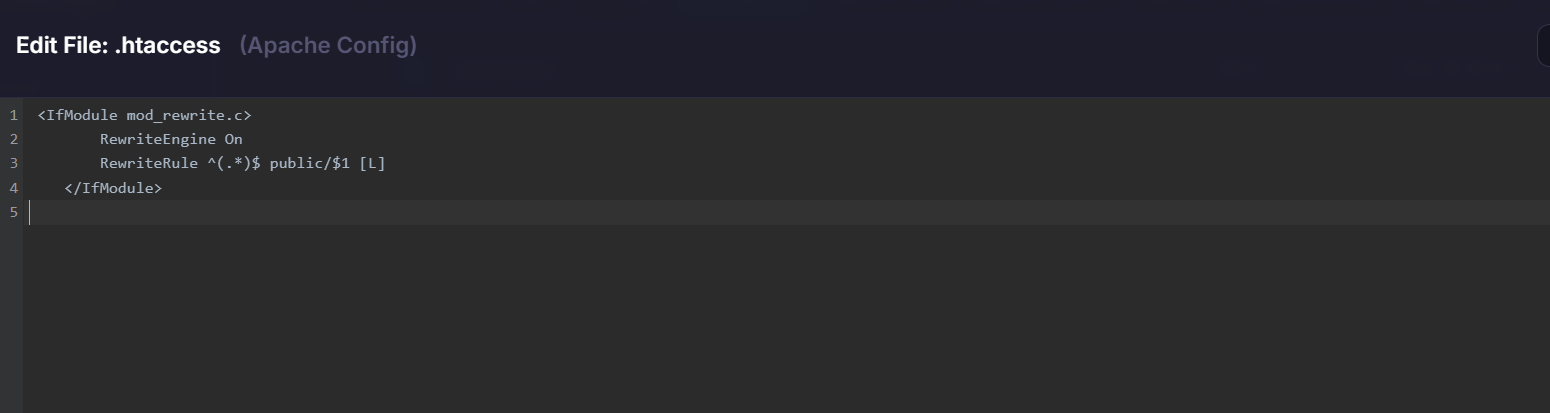
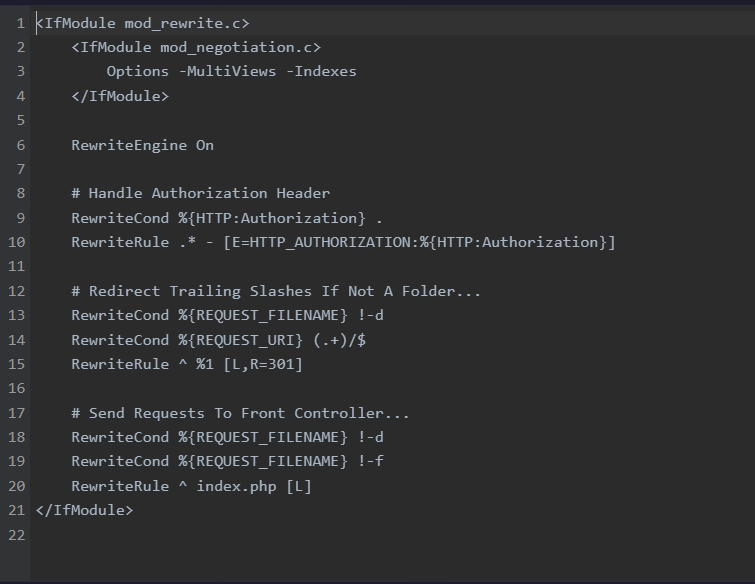
The first .htaccess redirects all requests to the public folder. So you should not move the index.php into htdocs. In other words, you screwed up.
You should put the index.php file back into public.
The client area check is very basic and cannot handle such situations so it’s normal to see a red cross after doing this.
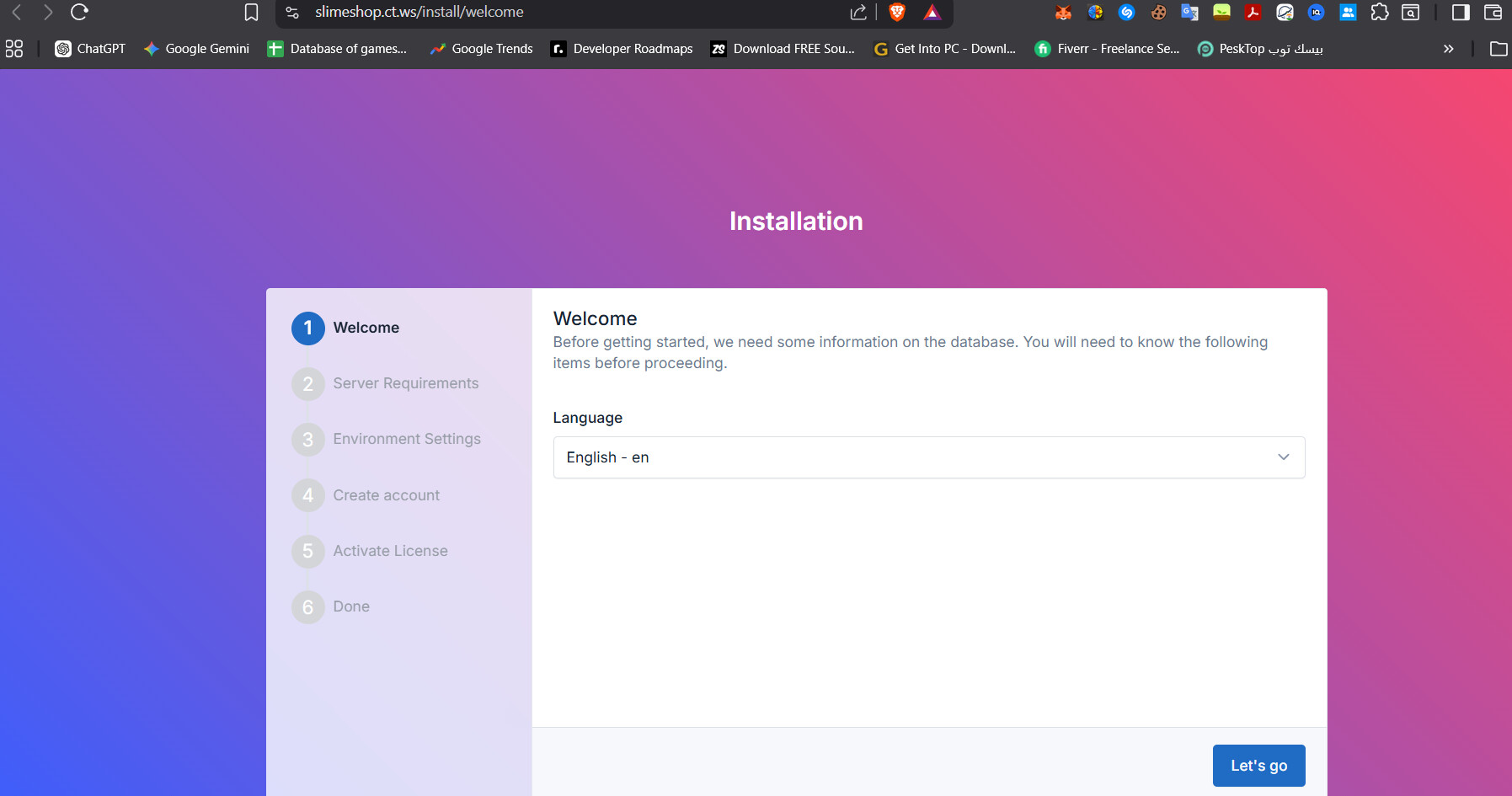
This means that your software is installed correctly.
At this point we cannot help you further because we don’t know what software it is. If you need help with the software, contact the developers of it.