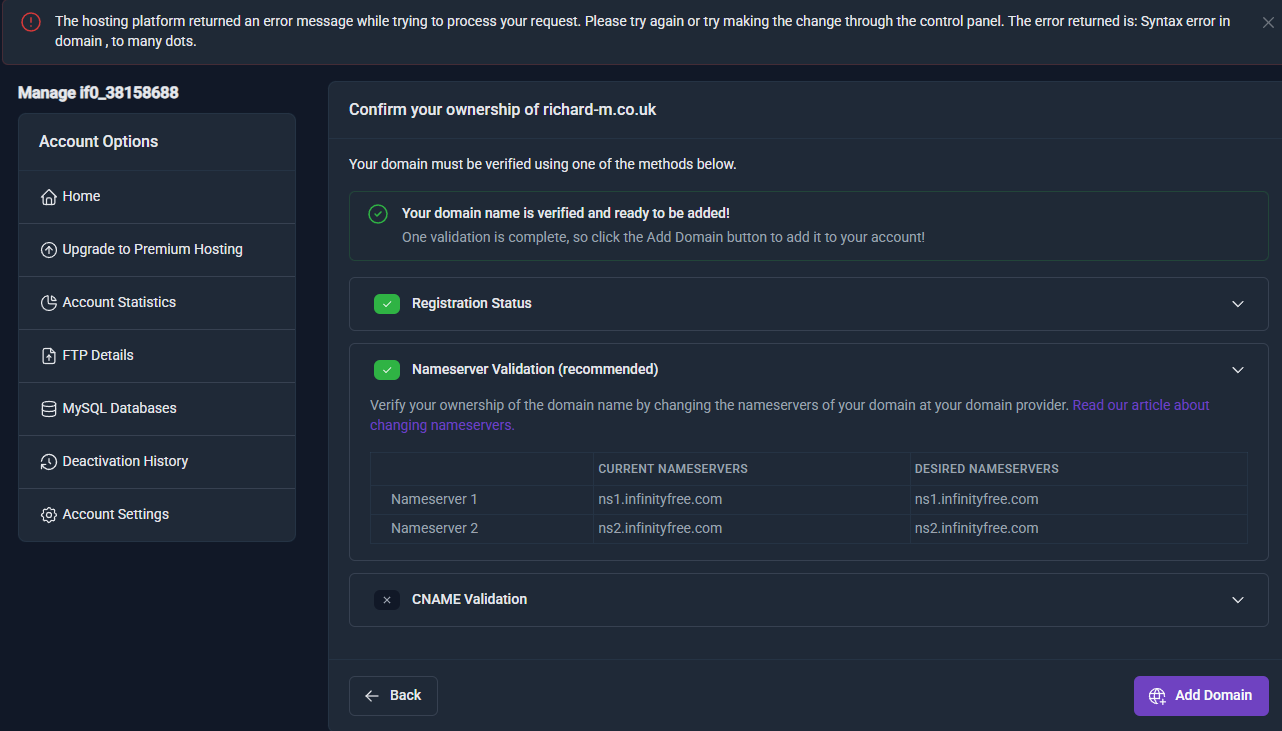
The hosting platform returned an error message while trying to process your request. Please try again or try making the change through the control panel. The error returned is: Syntax error in domain , to many dots.
Other Information
I’ve recently bought a domain and I wanted to add it to my infinityfree account. I did the nameserver verification, but when I go to add domain it gives me this error and I am unable to add my domain. There isn’t a way for me to “remove” any dots, as .co.uk is a legitimate domain ending and should be accepted.
This may seem like a silly suggestion, bit could you please try adding the domain in the control panel instead like the error message suggests? What happens if you do that?
Oh wow! This seemed to work: however, now I have a different problem, it automatically created a new folder in my file manager with my domain name, and I want all my files to be on my new domain, and any changes I make to my original folder (not the one just created) will also be updated on the other domain.
There is currently an issue with adding parked domains where it does not accept domains with multiple dots in them. It’s a known issue and iFastNet has worked on it but apparently this is more difficult to fix than expected.