After many attempts to fix this situation myself, I will truly appreciate your help.
I deleted my bodyearth.org domain and Wordpress installation from my hosting account if0_38879408 when its database seemed to interfere with that of my honoringhomer.net Wordpress installation in that same account. (The bodyearth.org files do remain in the files of that account—I asked whether keeping those files there would cause a problem and was told that there would be no problem with keeping them there.)
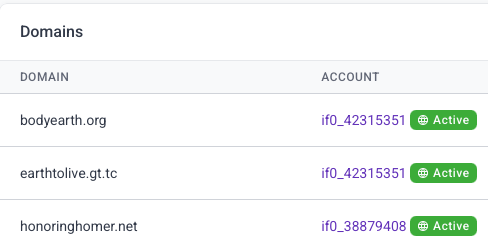
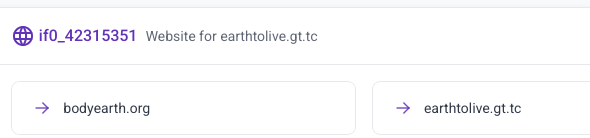
I added the bodyearth.org domain to another hosting account, if0_42315351 — which is also the account for earthtolive.gt.tc — and changed the nameservers to link with Cloudflare. Once that change was completed, I attempted to install Wordpress both manually and through Softaculouse, and only received the “404! We couldn’t find that page” page.
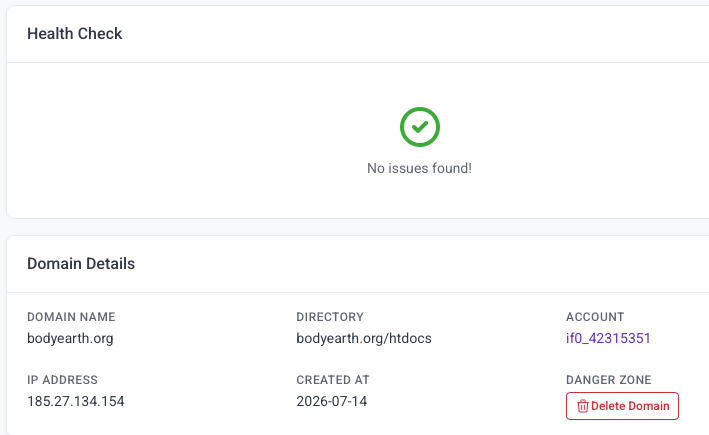
So I started over from scratch. I deleted the bodyearth.org domain from that if0_42315351 account, re-added it and reconnected it to Cloudflare.
I then uploaded a basic index.html file and some images to both bodyearth.org and to https://earthtolive.gt.tc Note that the two htdocs have the same exact files, the same exact .htaccess files. But the 404 error message continues to appear on bodyearth.org and not the other— the other loads perfectly.
I’ve also installed Wordpress in https://earthtolive.gt.tc/wp/ and migrated my bodyearth.org site to that directory, uploading and unpacking it through the Updraft Plus plugin (it’s a small site). What shows up on https://earthtolive.gt.tc/wp/ is exactly what I would dearly like to show up on bodyearth.org
I’ve checked the inodes and I believe they’re well within the recommended limits. I’m attaching some screenshots to illustrate the nuances here. Is there something I can do to make bodyearth.org operational, and is there any backend adjustment you might do that will help with that?
Again, I will thoroughly appreciate your help with this situation.