(please specify the URL of the site on which you are experiencing the problem)
Error Message
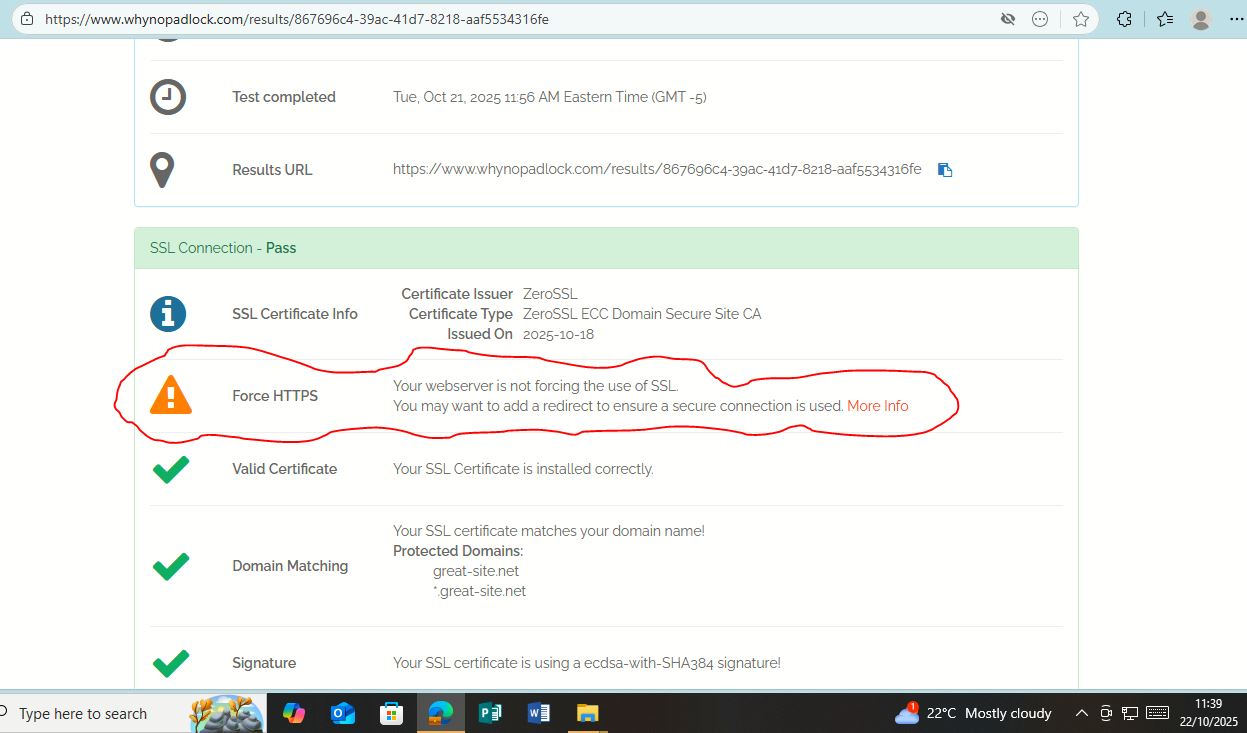
system wide ssl certificate not working on great-site.net since on most mobile phones the connection is being loaded as http by default instead of https even despite enforcing https rule via .htaccess. I went ahead and tested the hosted site on ‘whynopadlock.com’ , check results on attached photo
my domain is great-site.net but upon loading my site on various different mobile browserd i.e chrome it results to dangerous site warning and upon checking url i find site loading via http:// while on most desktop browsers it loads via https. Now how do i make the webserver to force use of ssl or how do i add redirect to enforce https? if the system wide ssl is active then why is it not enforcing https as indicated by whynopadlock.com?
Hi, i meant great-site.net might have issues when loading on mobile browsers since my site opens well in desktop but again when opened with a mobile browser especially chrome then it opens with http by default instead of https even after enforcing https via htaccess file thus flagging the site as unsecure and finally blocking access to the site. Despite system wide ssl claiming to work i ran atest on ‘whynopadlock.com’ and results are shown on the attached screenshot warning server not enforcing https (see attached screenshot).. kindly advice on this
I’ve tried several great-site.net sub domains on multiple mobile devices and it works fine. If you’d like help with your specific site, please share a link straight to your site, so we can see the error for ourselves.
if you redirect to https via .htaccess, then the browser still starts by connecting to the http version, unless youve specifically told the browser to go to the https version (this is the same on desktop browsers).
Can you share a screenshot of what you mean by this? Because what you described above sounds like googles deceptive site warning, rather than an SSL warning.
as Meshin said, services like whynopadlock.com don’t work properly because of the security system. As such, it wont see the redirect thats enforced by the .htaccess file.
If you want a reliable way around this, your best bet is to get a domain like .pp.ua and use Cloudflare to force all traffic to use https
We have chosen not to enforce HTTPS by default. All free subdomains support HTTPS by default, but it’s up to you to decide if you want to use it, and if and how you want to enforce that.
We have some pointers in this article:
I don’t see any reason to suggest that our hosting is not working, and whatever issue you’re having is probably specific to how you’ve configured HTTPS in your website. If you would like us to help you troubleshoot that, it would help a lot if you could start by sharing your website URL.
I checked that URL and it seems to be working perfectly for me. The website is using HTTPS, I see no errors, and if I try to access it over HTTP, I am redirected to the HTTPS version.
Is this one of the domain names that’s not working for you @zangaICT? Because it seems to be working perfectly from here.