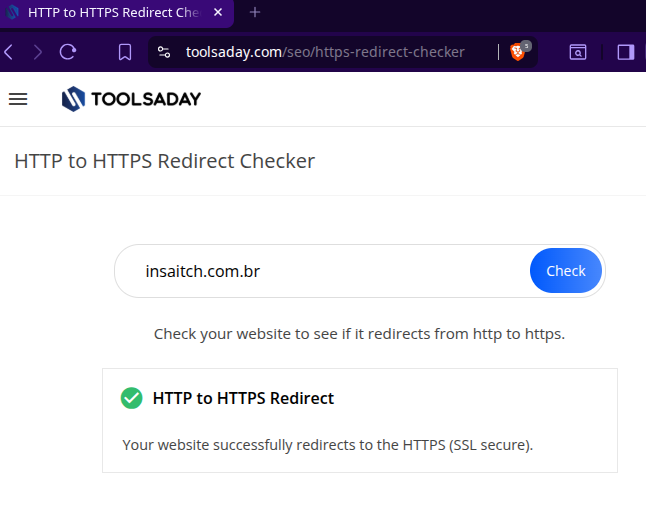
Ssl

I came to stir things up on the forum! Hello, brothers :slight_smile:

I’m experiencing the same problem with the SSL on my blog (insaitch.com.br). I’ve had the certificate installed since December 2025.

Now I’ve started paying attention to the blog again to solve this quite noticeable problem, but I can’t. And in my searches I came across you guys.

I’ve already tried forcing it through the .htaccess file with about three different codes and nothing.

(InfinityFree)
RewriteEngine On
RewriteCond %{HTTP:X-Forwarded-Proto} !https
RewriteCond %{HTTPS} off
RewriteCond %{HTTP:CF-Visitor} !{“scheme”:“https”}
RewriteRule (.*) https://%{HTTP_HOST}%{REQUEST_URI} [L,R=301]

(Host2B)
RewriteEngine On
RewriteCond %{HTTPS} off
RewriteRule ^(.*)$ https://%{HTTP_HOST}%{REQUEST_URI} [L,R=301]

(WhyNoPadlock?)
RewriteEngine On
RewriteCond %{HTTP_HOST} insaitch.com.br [NC]
RewriteCond %{SERVER_PORT} 80
RewriteRule ^(.*)$ https://insaitch.com.br/$1 [R,L]

Before contacting you, I also tried the famous WordPress plugin “Really Simple Security”. It didn’t solve the problem for me either.

Now, addressing the Owner Administrator of InfinityFree:

"There was a problem on our end that caused the SSL certificates sent to not take effect correctly on some sites, including yours.

This problem has now been fixed and your new SSL certificate is now available on your site!

Of course, this doesn’t matter much if you’re switching to Cloudflare. You’ll still have to wait for the DNS cache for this."

My question is: have you fixed this for all sites, including those from December and earlier? Could you check the case of my domain (insaitch.com.br) to see if we can reach a resolution?
Don’t hijack other people topics.

Your site is correctly redirecting to HTTPS for me. Please try using different browser, there is probably a caching issue on your side somewhere.

9 Likes

I’ve checked your site, and it seems to be forcing to https

If you’re not seeing that on your end, try using an incognito browser to see if it’s potentially a cache issue

8 Likes

I apologize, I didn’t intend to do anything “wrong,” I was sincerely seeking help for the same problem that was being discussed in the open forum.

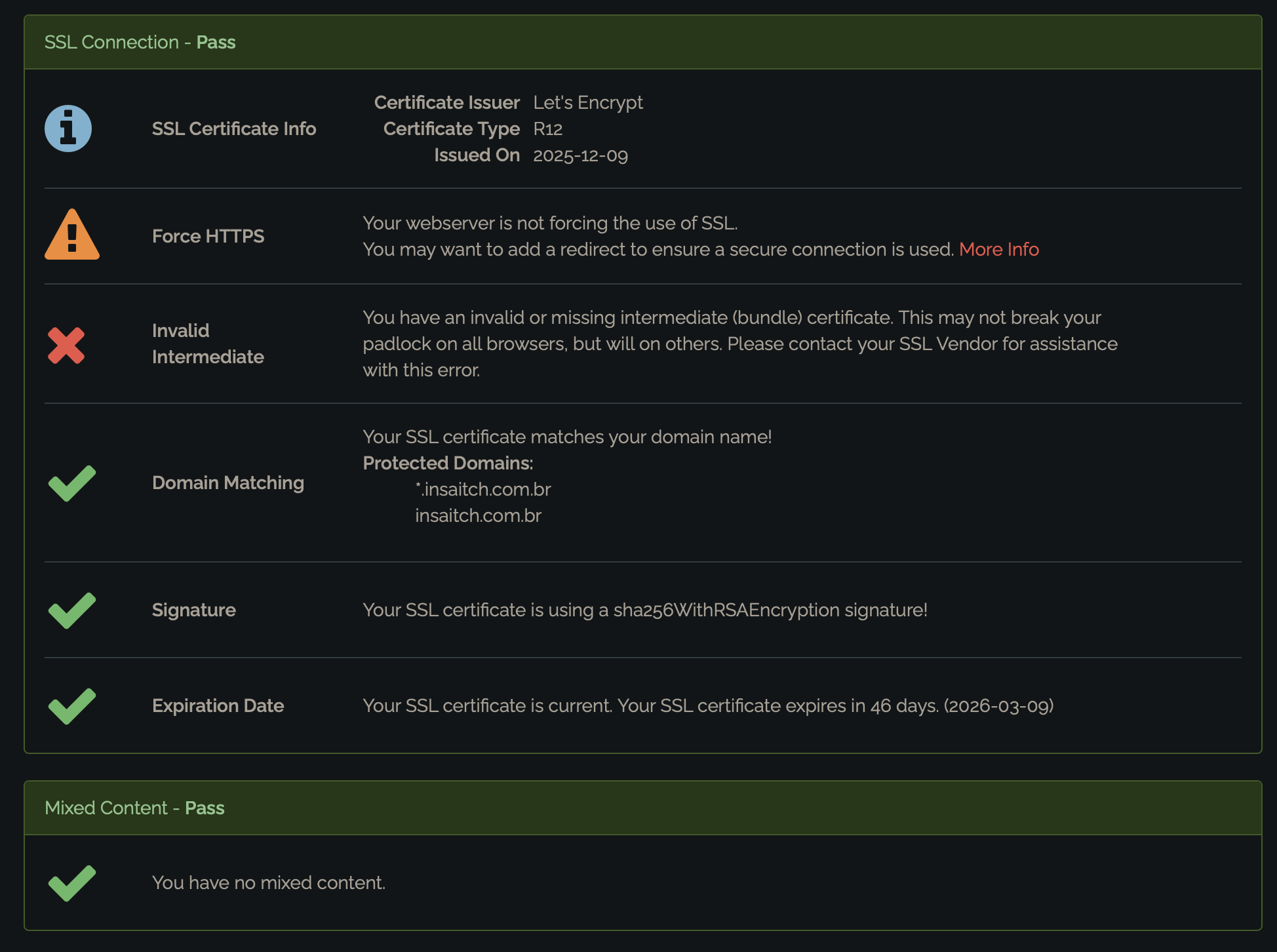
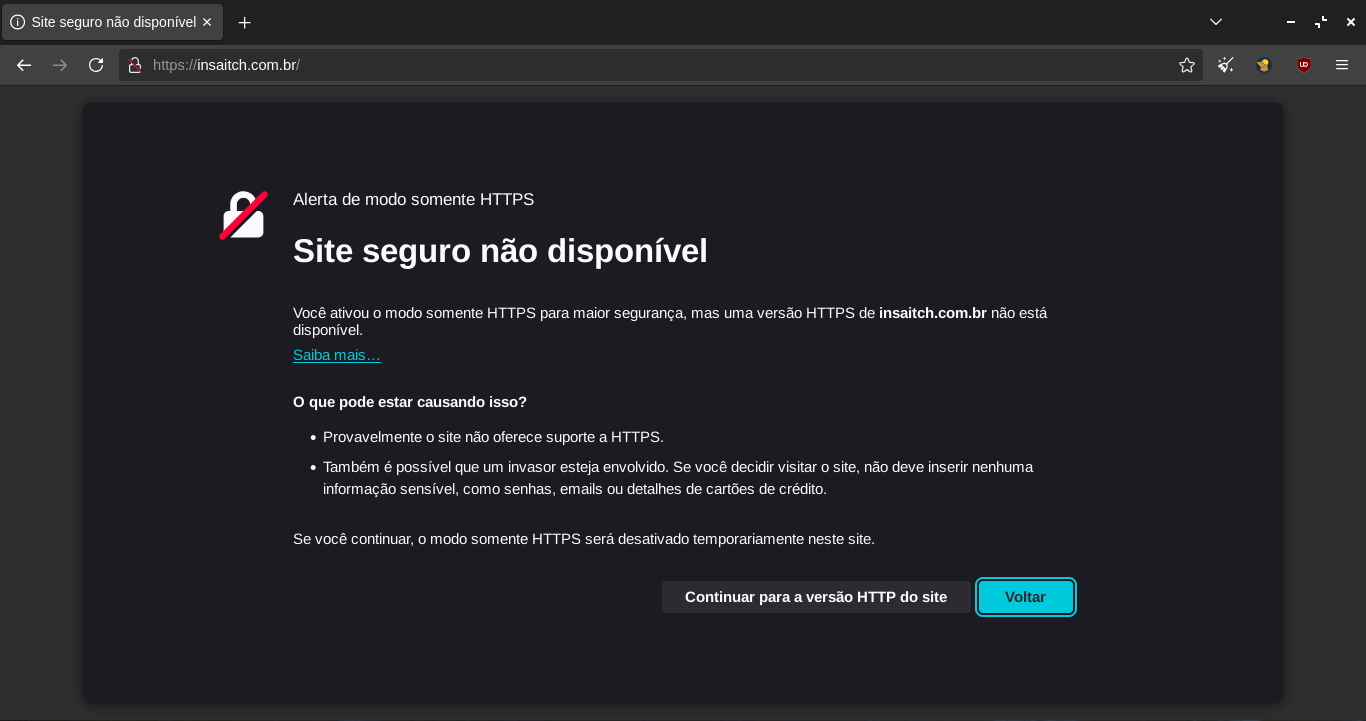
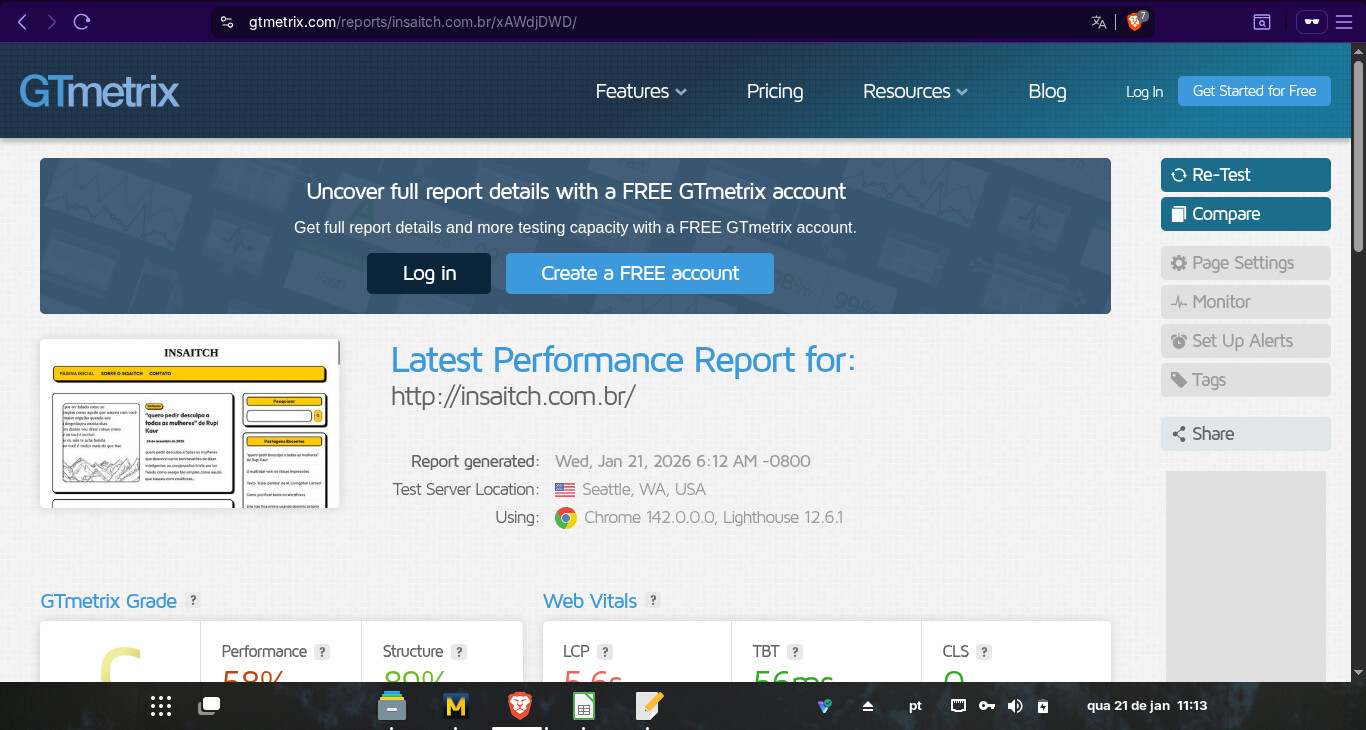
The site cache is cleared regularly. The problem is noticeable on verification sites like: https://www.whynopadlock.com/; https://gtmetrix.com/; and occurs even in incognito tabs.

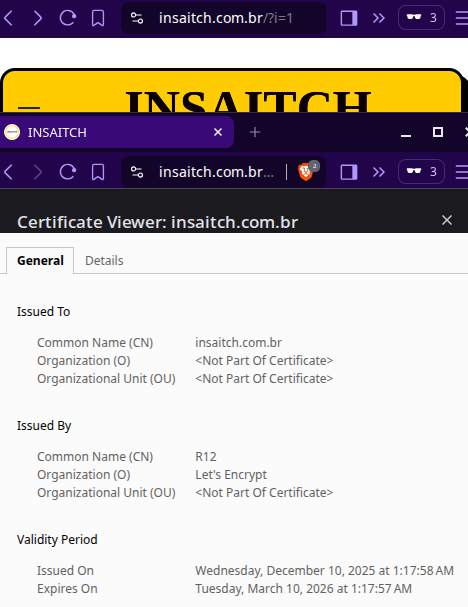
Here are some screenshots (I could only attach one - I added an incognito window test).

Thank you, Dan, for your time and cooperation.

The problem occurs even in incognito tabs; I tested it. So, it’s not just a full cache in my default browser. The problem is explained on verification websites such as: https://www.whynopadlock.com/; https://gtmetrix.com/

And the website’s own cache is regularly cleared with the WP Rocket plugin.

I don’t think it’s my browser’s cache. Some browsers—yours, the moderator’s, and a few of mine—work fine, but not all of them, and that’s the problem because HTTPS isn’t functional and isn’t being forced for everyone.

If you have any other instructions, I would appreciate it and am open to possible new solutions.

Verification sites like those usually fail all websites on free hosting because they are looking for a type of certificate that free hosting does not support. You can’t use those sites to reliably test if a website is secure.

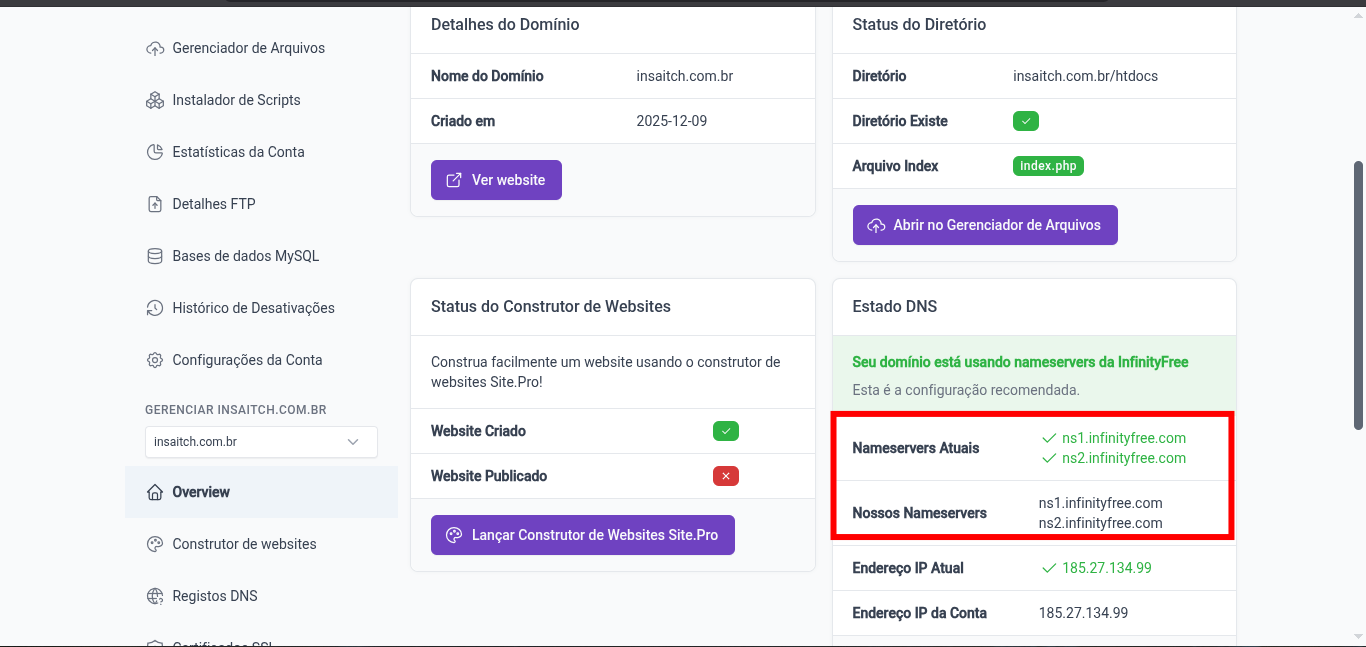
But right now you don’t have any nameservers on your domain, so your website is not working at all. You should fix that first with your domain registrar.

8 Likes

Thank you for this information and clarification regarding these sites, Green.

However, apparently I have the name servers configured correctly on InfinityFree with the domain registrar. Apparently, at least. Here is a screenshot of the configuration screen.

I will continue investigating.

Or, when you say name server in my domain does it mean something different from this?

Your SSL loads successfully on my side as well.

The world sees you having this record:

screen-insa02

If you are still having messages of not forcing SSL, can you please share us the complete contents of your current .htaccess file right inside the htdocs folder?

Also note that in some setup, WP can overwrite your .htaccess file regardless and generate a new one dynamically.

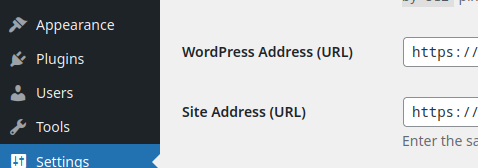
Additionally, make sure your Wordpress and Site Addresses both use “https” in Settings → General.

1 Like

I see that you are using Mullvad browser which is a highly secure browser. I just tested in Tor browser (For context Mullvad is just Tor browser without Tor) and it fails as well.

This is because these specific browsers actually look for intermediate certificates which free hosting doesn’t support.

So unfortunately there’s no way to get this issue sorted out for these browsers. It won’t work, unless you are willing to upgrade to premium hosting.

For everyone’s interest, the results from whynopadlock is accurate. It is a Pass and it do break on some browsers.

8 Likes

This is driving me nuts and saw this earlier thread : SSL Certificate is invalid or missing intermediate (bundle) certificate

My target custom domain sites were giving me different results, and the reason was, simply:

Yes, apparently the broken chain is normal. It is what it is. You can switch browser or upgrade as said earlier. Or you can keep your browser still and setup an account with Cloudflare.

The not forcing HTTPS in whynopadlock is informational and least of your worries. The htaccess instructions posted earlier from IF and Host2B return status 301 and the More Info from whynopadlock return 302. Pretty sure the browser redirects but why did whynopadlock report otherwise? I have no explanation but maybe the server receiving the request is different from the server processing it? Maybe whynopadlock cannot go beyond that initial step.

I used other ssl checkers online but whynopadlock only was “No Force HTTPS”. If you use a different one, you’ll get a different result:

All in all, these words still hold true:

4 Likes

This topic was automatically closed 7 days after the last reply. New replies are no longer allowed.