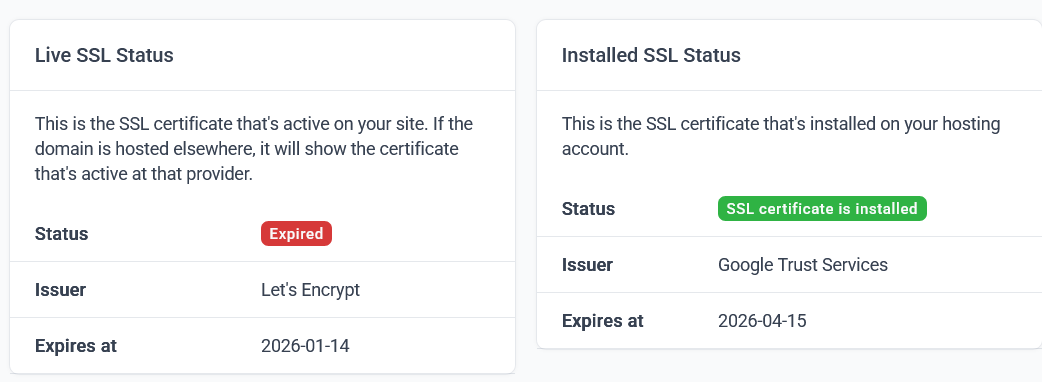
My previous SSL certificate has expired and I’ve installed a new one, but I’ve waited more than 24 hours and the server is still using the expired certificate, so the website shows a certificate error.
In my InfinityFree panel, the notice “Installed SSL Status” shows that the new certificate is correctly installed, but the “Live SSL Status” notice still indicates the expired one.
¿How can I solve this?
Welcome to the forum
What’s your domain so we can try and help.
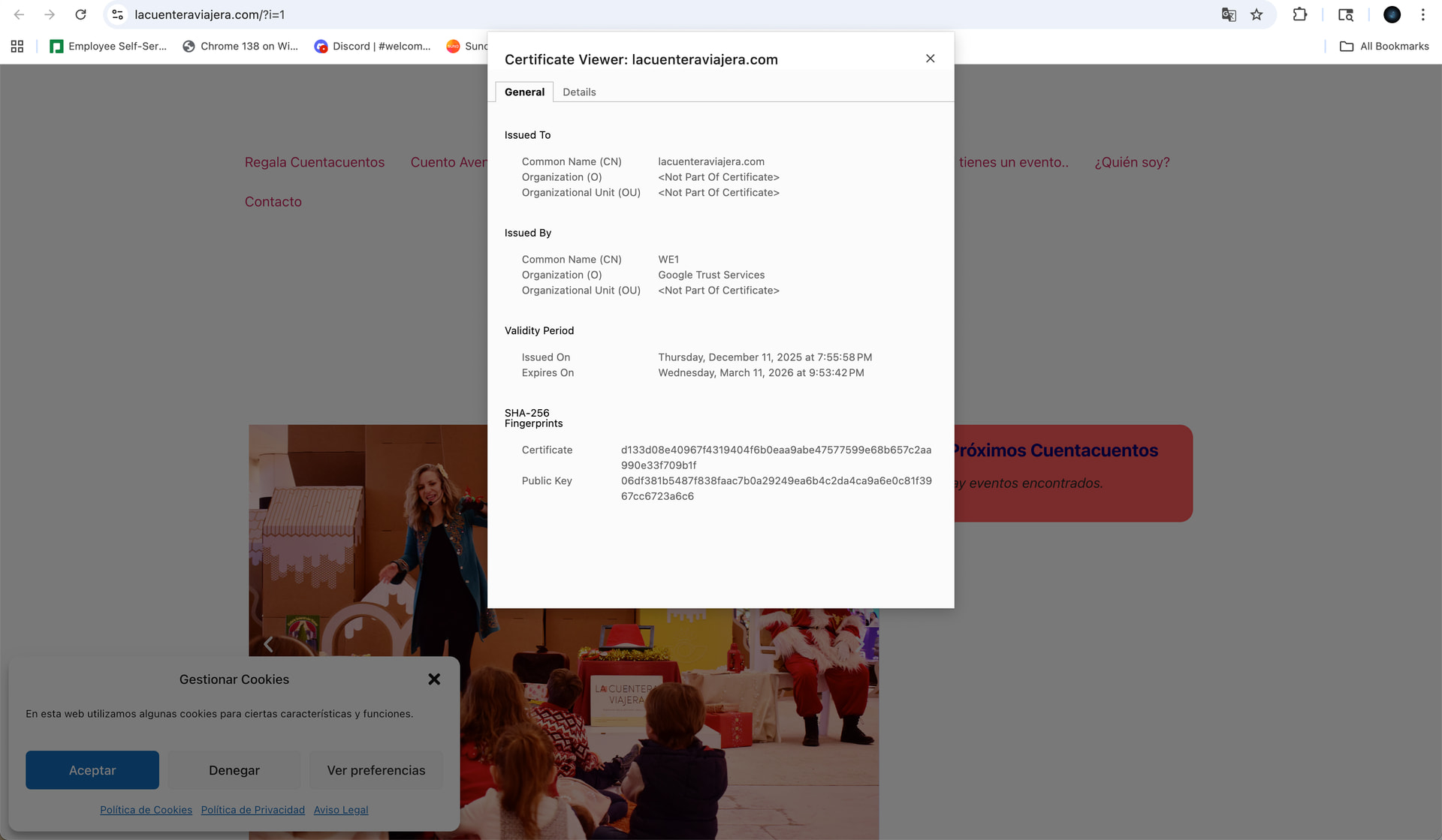
As you can see in my website the certificate is still the expired one
Thanks @dan3008
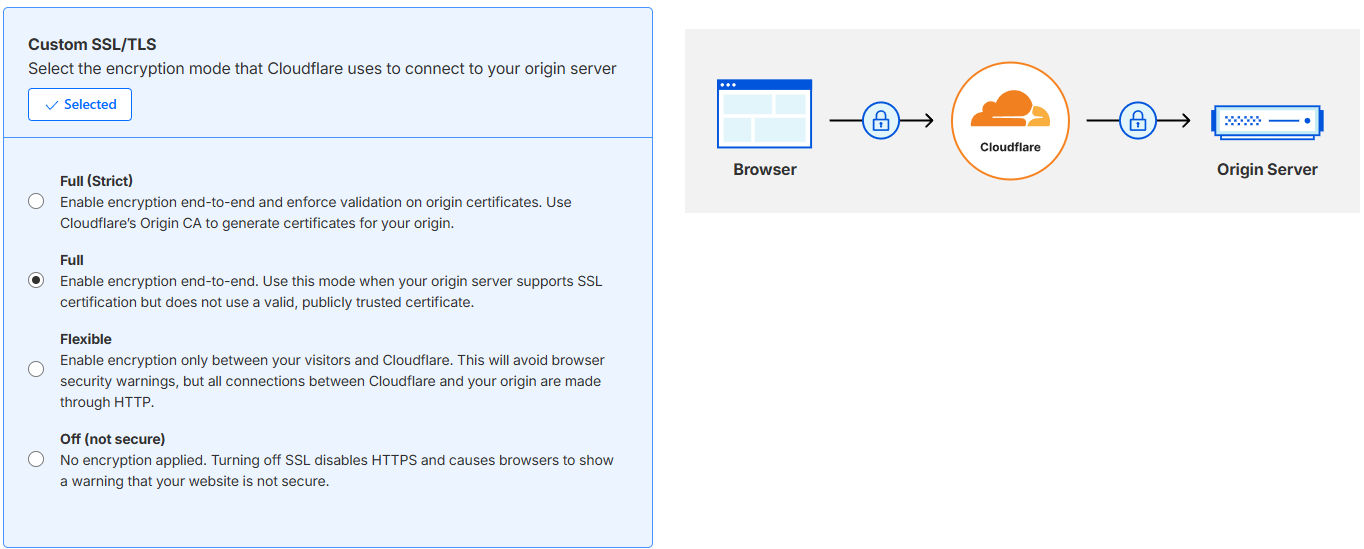
I was using Full (Strict) and it was working from time ago with the SSL expired certificate (previous to expiration) and all the previous certificates.
Now I’ve changed to Full by your suggestion and now it’s working, but i don’t know why it doesn’t work in Full (Strict) mode like before.
I don’t know if i can use the Cloudfare Origin certificate with InfinityFree for not to need to renew certificate every 3 month.
On full, I’ve not had to renew my certificate at all  That’s why I recommend it
There was an issue on our end that resulted in uploaded SSL certificates not properly taking effect on some websites, including yours.
That issue has been corrected now, and your new SSL certificate is now live on your website!
I’ve try to install Origin Cloudfare certificate at infinityFree but It don’t seem to work.
If I try to install it using the buttom “Add SSL certificate” it said it’s not valid because don’t point to my domain name and point to Cloudfare and don’t allow to install it.
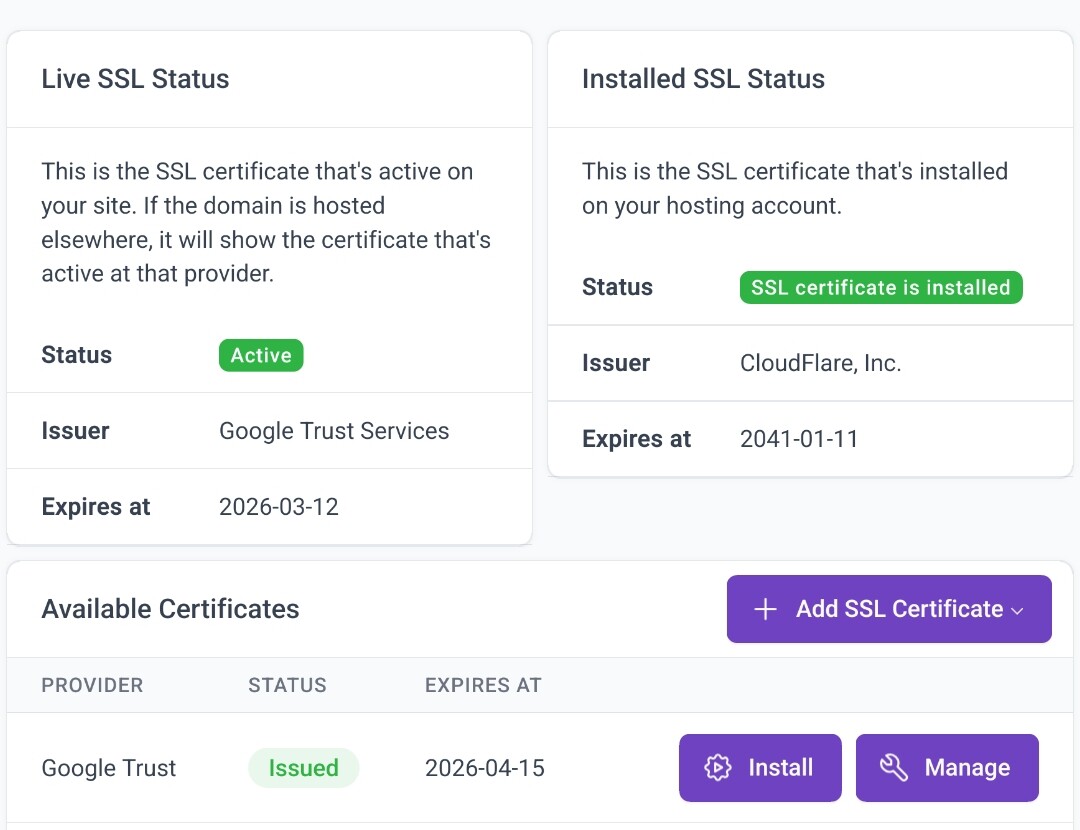
So I’ve install ir thru Control Panel. But… now it said it’s installed but the Live SSL Status is still the Google Trust Certificate and don’t change to CloudFare 24h left…
It’s there any different way to instal Origin Cloudfare Certificate?
Or maybe it’s still the same problem in your side?
Thanks in advance.
Sigh…
That’s excatly how Cloudflare works.
Cloudflare is a full Cloud service with CDN being one main selling point, not just a DNS.
When you serve your site through Cloudflare (they call it “proxied”), your certificate on the server will be masked by a certificate Cloudflare automatically manages for you (which is a Google Trust one).
So the outside world can only see a Google Trust certificate. And it’s a good thing, because Cloudflare Origin Certificates are NOT TRUSTED, except Cloudflare themselves so that they can verify the connection to your origin server is secure.
Ah, right. Until fairly recently, the control panel also didn’t allow uploading Cloudflare Origin Certificates and the client area checks currently still align with that. I forgot about those, so thanks for bringing it up, I’ll look into getting that fixed.
As for the SSL certificate inconsistency, like @Meishin said: that’s working exactly as designed. As you can see in the description text:
If the domain is hosted elsewhere, it will show the certificate that’s active at that provider.
For the purposes of the SSL check, your domain name is hosted with Cloudflare, so it will the see the certificate used by Cloudflare to secure the connection between your visitors and Cloudflare. And Cloudflare uses Google Trust for that.
So the Live SSL Status sees a Google Trust Services certificate. But very importantly: it’s not the same as the Google Trust Services SSL certificate that you obtained through us.
Thanks @Meishin and thanks @Admin for your answer, now I understand better how it works. And I’ve now solved the problem with SSL.
I didn’t quite understand the message about the SSL certificate related to hosting with another provider, as I understood the hosting was with Infinity Free. But now I understand that the Google Trust certificate refers to the one served by Cloudfare when I use the Origin Cloudfare Certificate.
Thanks @dan3008 :
I have changed the Cloudfare ssl/tsl setting to “Full (Strict)” and now it works propertly with the Cloudfare Origin Certificate installed. I believe that problem was related to the non-renewal of the expired certificate that was happening at that time. I believe the “Full” option bypassed the expired certificate without showing an error.
Thanks