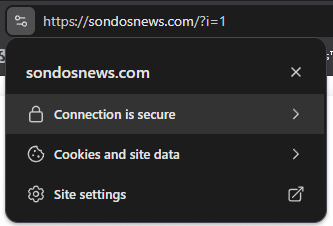
I issued a Let’s Encrypt SSL certificate through InfinityFree, and the dashboard shows its status as “Issued”.
I also used the automatic SSL installation option and received a success message.
However, the SSL verification section still shows “Not Found”, and when I visit my website using HTTPS, the browser presents an invalid certificate with Common Name “*”, rather than the Let’s Encrypt certificate for my domain.
I have checked DNS propagation, and the A records resolve to 185.27.134.160.
Could you please help me determine why the correct SSL certificate is not being served and whether there is a hosting configuration issue?
Thank you!
Other Information
The domain was recently connected to InfinityFree using its nameservers.
Welcome to the InfinityFree community forum! Good to have you here.
Most people answering here are volunteers. They’re often the fastest source of help. Admin (the only staff member) checks in about once a day for issues on our end.
Volunteers can’t see your account or website. Share what you actually see, like error messages and what happens when you try something. That’s more useful than your theory of what’s wrong.
AI tools often get InfinityFree wrong. If a volunteer’s advice differs from what an AI told you, please try the volunteer’s suggestion first.
Solving an issue is a joint effort. Try the suggestions you get and report back what happened.
Beep boop, I’m a bot! I dug through the forum to get you started. I sometimes get things wrong though, so do with this what you will until a human has a look.
This is probably just the delay after installing. The “How to install an SSL certificate” article says it usually takes a few minutes for a certificate to take effect, but it can take longer than an hour. Until then, Live SSL Status and Verify Installation show “Not Found”, and browsers may show a self-signed certificate. That matches what you describe, though I can’t tell yet that it’s your case.
How long ago did the automatic installation finish? If it was under an hour or two ago, give it a little longer. If it was longer ago, check the domain in an SSL checker, as the article suggests, and tell me what it reports. Re-running the installation may also help, according to the same article.