Hello, I pointed the nameservers to Infinityfree, uploaded the Wordpress site but it is not working. When I try to login from here http://clinicaleondejuda.com//wp-admin
I get a directory that it’s not the one from the Wordpress site.
Don’t know what’s wrong. Could someone help me please?
Looking at the errors and the directory listing, I would guess that some files were not transferred (successfully) from your own installation.
Please make sure to use a desktop FTP client for the transfer. Web based file managers tend to break down if you try to upload a lot of data with them.
Hello, I reuploaded the site, without errors and it’s not working. I really don’t know what’s happening. If you could help me with further assistance I will appreciate it a lot
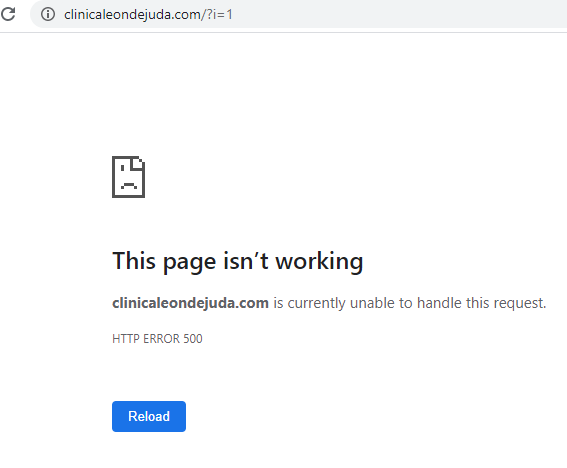
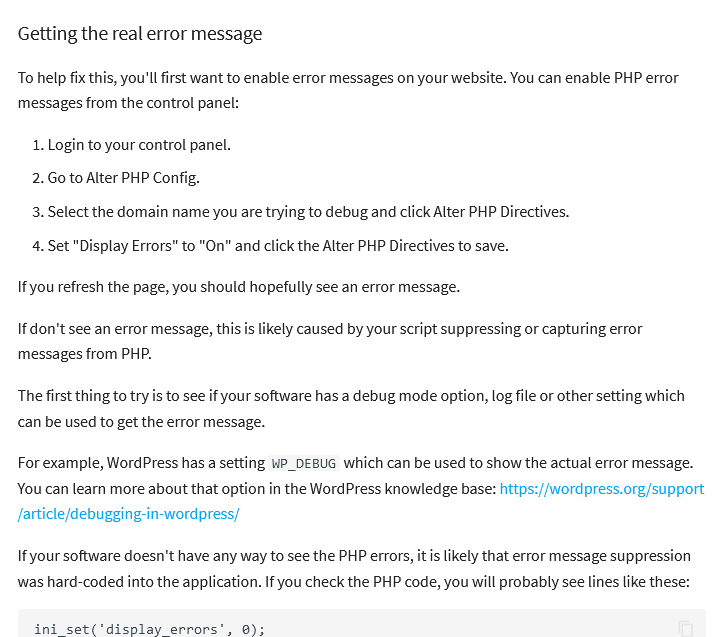
If a website is returning a HTTP error 500, it means the code is crashing. To see why, you can enable Display Errors for the site:
I just tried it and got this error:
Warning: require(/home/vol1000_7/epizy.com/epiz_28042655/htdocs/wp-includes/version.php): failed to open stream: No such file or directory in /home/vol1000_7/epizy.com/epiz_28042655/htdocs/wp-settings.php on line 33
It would seem that there are still files missing from your website. Specifically, WordPress expects a file at wp-includes/version.php which is missing from your site.
Can you please verify the file exists in your local installation, and then upload it (and preferrably any other missing files) again?
Hello, I uploaded the file but still not working. It’s really weird because I don’t get any errors uploading the files through ftp. The version.php file was missing though.
Do you know where I can see the errors and files missing? My browser doesn’t show any error details. This issue is driving me crazy for real
Yes I did read that. Read my message saying that I uploaded the missing file described by the admin. However he said there could be more missing files. That’s why i asking which ones because I don’t see any or my browser doesn’t show any errors in detail
I didn’t know that was a link. Thanks for the help. I activated it and got this error:
** Fatal error : Uncaught Error: Call to undefined function wp() in /home/vol1000_7/epizy.com/epiz_28042655/htdocs/wp-blog-header.php:16 Stack trace: #0 /home/vol1000_7/epizy.com/epiz_28042655/htdocs/index.php(17): require() #1 {main} thrown in /home/vol1000_7/epizy.com/epiz_28042655/htdocs/wp-blog-header.php on line 16**
Any ideas what it is?
This site is working perfect local and on the previous hosting. Don’t know why it’s not working here
search the internet - there are plenty of results
( just remove the generated irrelevant path from the search /home/vol1000_7/epizy.com/epiz_28042655/htdocs/ )
and since it’s php I don’t see the source code (line 16)
You see that you are not alone because on the link I gave someone else has such a problem and he is not from this server
This is frequently an issue after WordPress or plugin is updated and the content of your wp-config is deleted. You need to reinstate the content of wp-config
One bad combination of plugins and their updates is enough to make a problem
Afer trying different things for hours the site is up and running however it is not possible to access the admin panel. I’m getting this error. Also has been trying for hours to fix it without success:
Fatal error : Cannot redeclare add_option_whitelist() (previously declared in /home/vol1000_7/epizy.com/epiz_28042655/htdocs/wp-includes/deprecated.php:4081) in /home/vol1000_7/epizy.com/epiz_28042655/htdocs/wp-admin/includes/plugin.php on line 2158
There has been a critical error on this website. Please check your site admin email inbox for instructions.