Website URL
Error Message
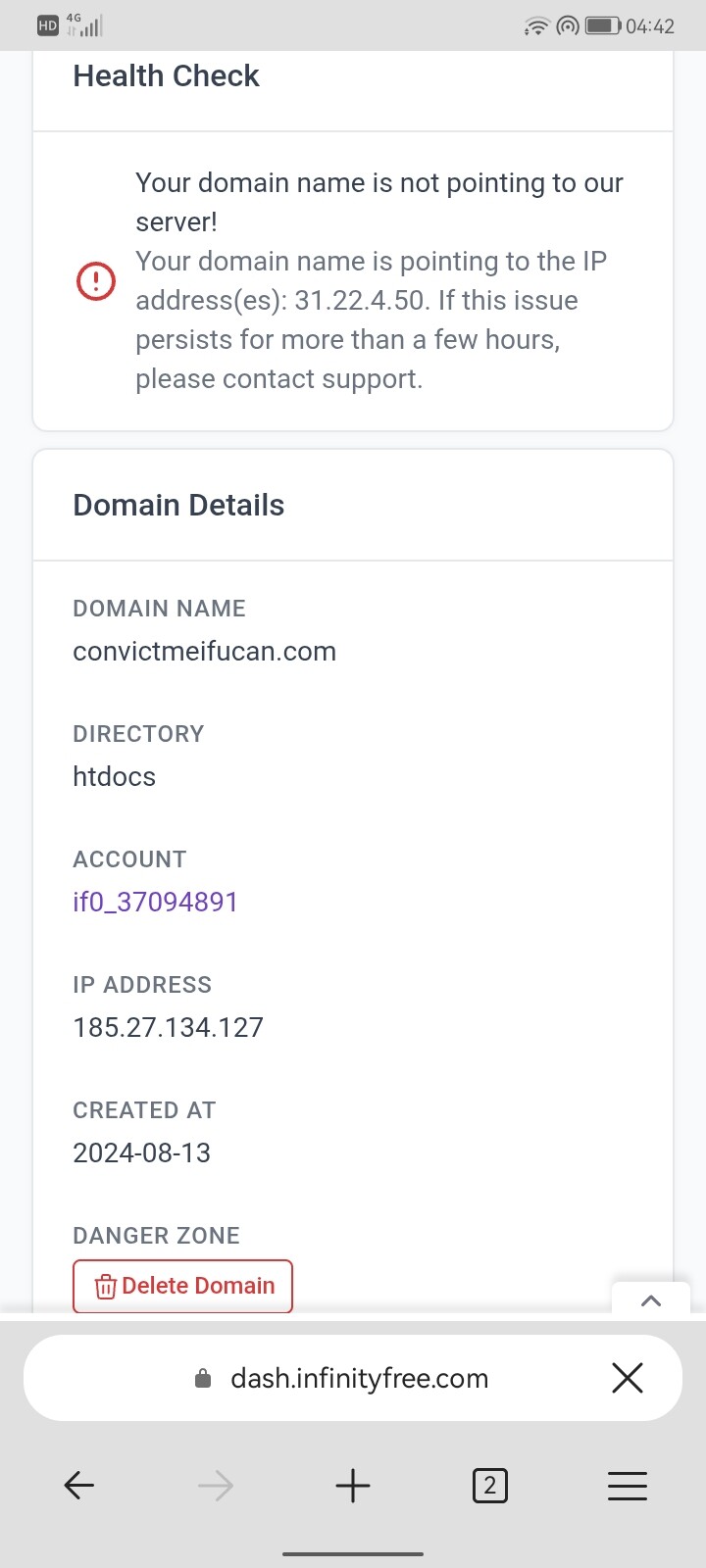
it says your domain is not pointing to our server
Other Information
it is pointing to 31.22.4.50 please help
Given it’s a custom domain, you need to set the name servers/IP address with the domain provider.
This isn’t something we can help much with.
That said your site seems to be working
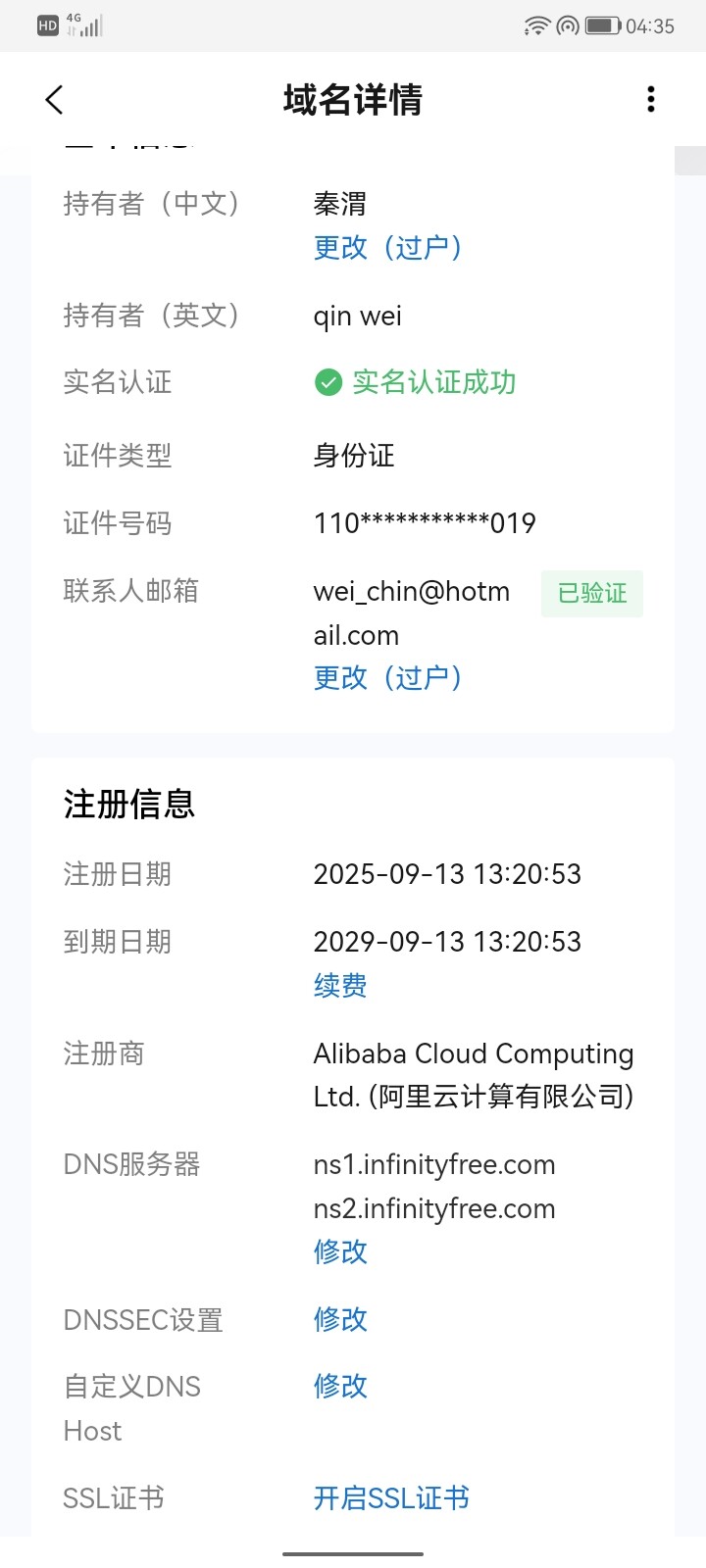
hi afew days ago my website was shutdown saying my traffic was over the limit. so i paid 80 dollars. then my website wasunlocked. then yesterday it became being hijacked. i checked my aliyun and the name server is still pointingto ns1.infinityfree.com and ns2.infinityfree. that’s all can be done in aliyun so something must be wrong here on infinityfree platform
does this 31.22.4.50 ip address belong to infinityfree platform?
InfinityFree cannot change the name servers of your domain. Only you can do that
can you help me letting my website point back to infinityfree server then
I have no more power than you do. This is a community forum. Apart from admin none of us work for infinityfree or iFastNat
how do i contact infinityfree admin people then thx for your help
what is the relationship between infinityfree and ifastnet
is there a way i can get help from the infinityfree help desk
The IP address your domain name points to is something you have to change at your DNS provider. When I do a dig lookup on your domain, I see that it in fact has an A record that points to 31.22.4.50. That’s something you’ll have to get rid of in the domain name’s DNS settings yourself. There is nothing that InfinityFree (or iFastNet for that matter) can do. Your domain registrar’s customer service might be able to help though, if you’re not sure how to remove the record, or are having trouble doing so.
That’s a premium hosting IP. If you are using premium you can (and should) ignore all warnings infinityfree is showing.