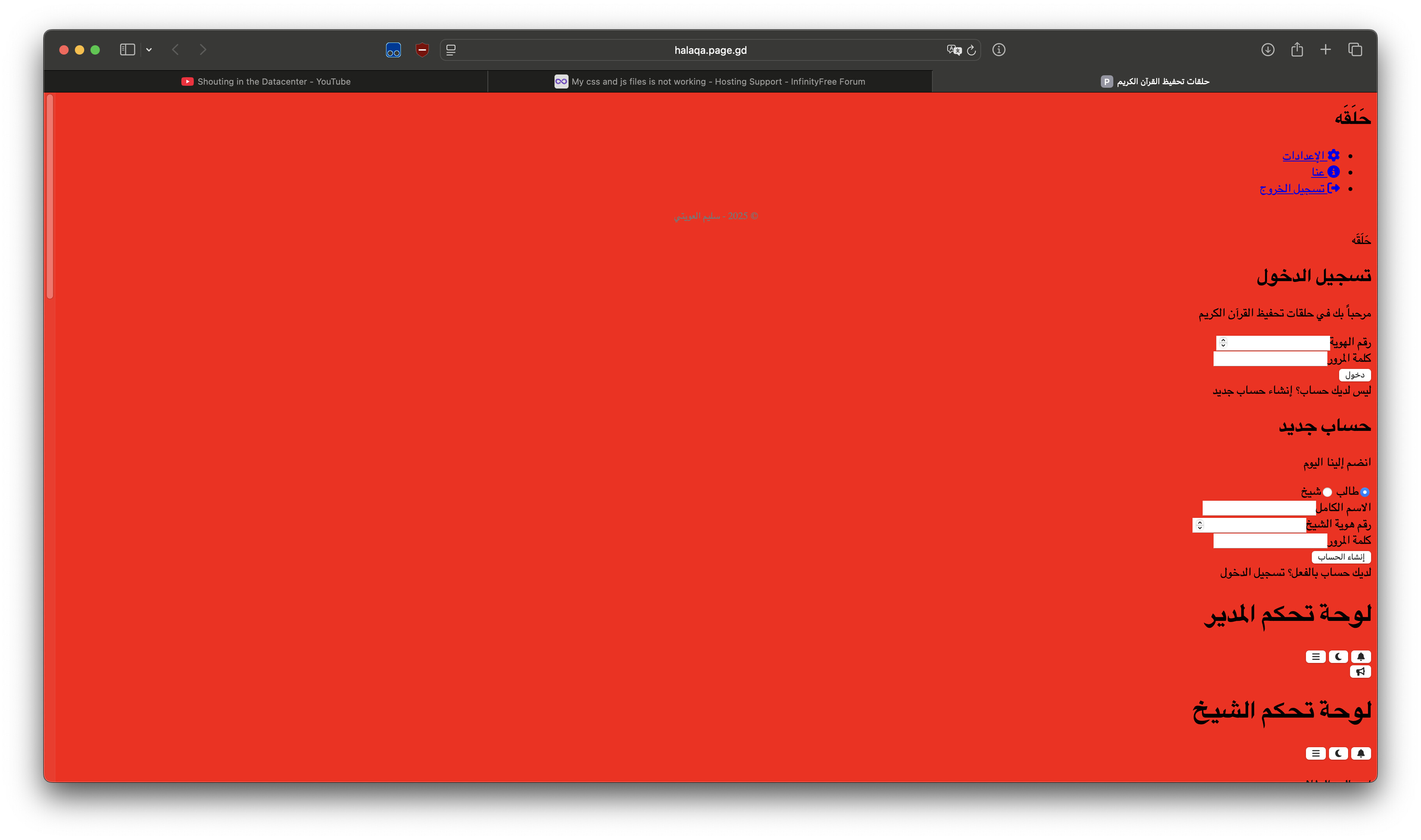
Website URL
Error Message
(no error message)
Other Information
(The site was working normally, but suddenly there was a problem with the site, not with the files, but with the hosting server, which does not accept css and JavaScript files.)
What error message do you see exactly? What exactly you are trying to upload? “Hosting server rejects css and js files” are too vague to troubleshoot.
Hello,
My website at https://halaqa.page.gd/ is not loading. When I try to
access it, I receive an empty response from the server.
I have investigated the issue using the curl command-line tool, and the
specific error is:
`curl: (52) Empty reply from server`
The verbose output from curl -v shows the following:
* A successful TCP connection is made to the server IP (185.27.134.139)
on port 443.
* The TLS/SSL handshake completes successfully with a valid certificate.
* An HTTP GET request is sent to the server.
* The server closes the connection without sending any data in response.
This indicates that the issue is not with the DNS, the SSL certificate,
or the client’s connection. It appears to be a server-side configuration
problem that is preventing the web server from processing the request
and sending the website’s content.
Could you please investigate the web server logs and configuration for
halaqa.page.gd to resolve this issue?
Thank you.
curl is blocked on free hosting, that’s normal, and is not an issue if that’s all you are experiencing.
Are you experiencing this as well in browsers?
The new file manager is indeed buggy.
I think your website’s files get corrupted because of the file manager — but to clarify, it’s not because the servers are actively rejecting the files.
Please try using a desktop FTP client like FileZilla.
I shared the article above to tell you that you cannot collect error messages with curl, because it will not reach the actual issue.
Ok I will do it thank you
Make sure you re-upload the problem files after connecting with FTP
I don’t see any problems, but I also want to remind you that your current issues are likely caused by this buggy editor.
Did you re-upload the problematic files already?
Yes I have re-uploaded the files to the site and it happened fine without any errors and the problem is still occurring
Yes you are right but it is a scary thing because before I slept everything was fine I don’t know what deleted the data anyway I will rewrite the file thank you
The editor in the new file manager is extremely buggy so please just avoid using that, it probably caused your data loss.
Always use a desktop FTP client.
Yes i see thank you