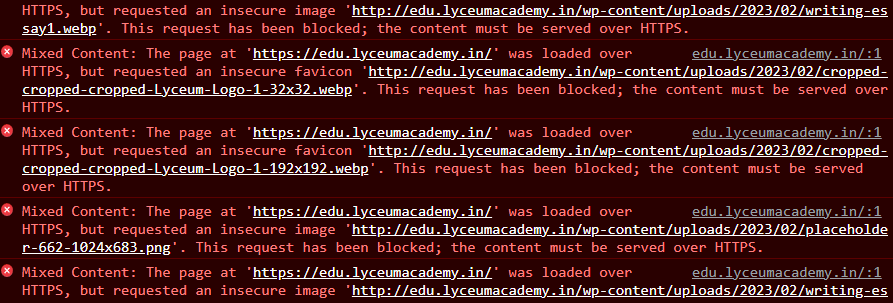
edu.lyceumacademy.in
I followed the steps in the previous thread.
Thanks. It worked. Iam able to publish my edits. But there is an issue.
[image]
The login page looks like this & when I enter into the dashboard, it is the same:
[image]
Please help.
But my issue was not rectified. Please help.
I have previously installed this plugin. It was okay for some time. But later the issue continued.
KangJL
March 1, 2023, 6:28am
4
Did you try to re-install plugin?
The plugin is still there. These are the current settings.
KangJL
March 1, 2023, 7:14am
6
If simple does not work, use content mode.
Oxy
March 1, 2023, 11:00am
7
I see you are using Cloudflare
This indicates that the redirect was made by your site
Depending on what mode you use, maybe this article will help you
WordPress is a great and very popular website building tool, and Cloudflare is a great way to get HTTPS on your website for free. Thanks to Cloudflare’s Flexible SSL system, you don’t even need to manage SSL certificates to use it!
However, getting WordPress to show a padlock and make all pages work can be a bit tricky. This article explains a good way to configure your website correctly with Cloudflare Flexible SSL.
Heads up! Instead of making WordPress work with Flexible SSL, you can also c…
Oxy
March 1, 2023, 7:11pm
8
Now I quickly looked/visited all the pages and it looks like you succeeded
a few are still on HTTP
although some parts of the menu lead to the domain but that’s probably on purpose