The order of the images in html is top left (project), bottom left (magazine), top right (animatie), bottom right (STOB).
What do u mean with using tables?
With tables you can make as many columns as want, and rows. Syntax is like this.
<table>
<tbody> <!-- The tbody isn't exactly nescessary-->
<tr>   <!-- This tag is a row-->
<td>  <!-- This tag is a column-->
Insert something here.
</td>
</tr>
</tbody>
</table>
Although there is some problem with accesibility readers, or screen readers.
Oh, you’re looking to my online website. That is the version without the masonry thing. I’m now working in brackets because i want a second row that is connecting to the first row. I uploaded the version i’m working on online.
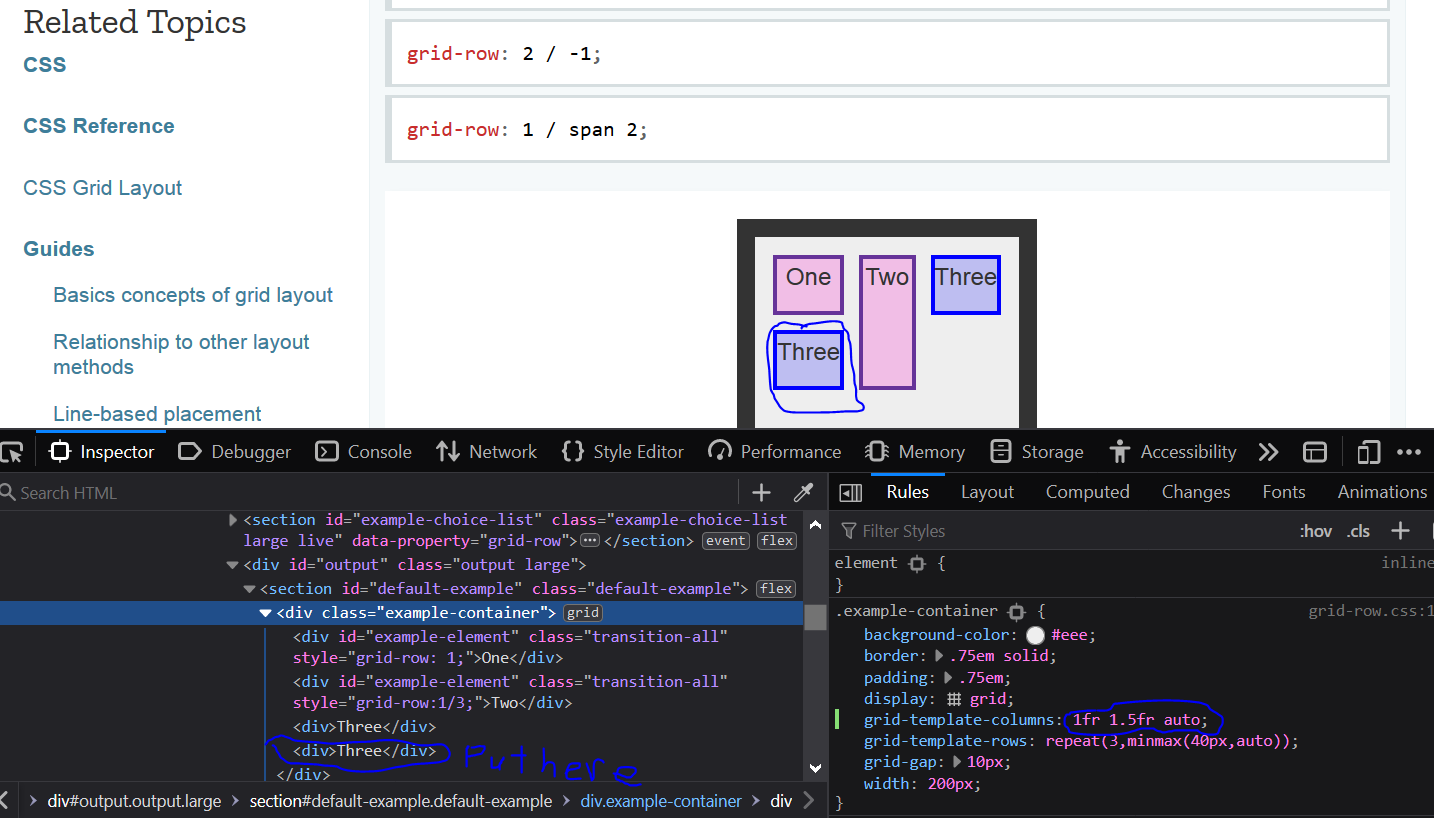
You will need to identify which row is it, then adjust the css code to put it there. Firefox inspector can help with this. They have built tools for this to show the grid lines. grid-template-columns: (insert three values here, to make three columns
The trick is to put that image right after the third image. (In the code) Then, keep everything thing the same and the image should wrap around to the other side and go there. This screenshot might help (this is an example, which I edited after exprimenting with mozilla code).