I'm attempting to upgrade my SSL certificate but they ask me to add the CNAME records on CloudFlare

Username epiz_30921126 or Website http://HELMORT.COM

ERROR:

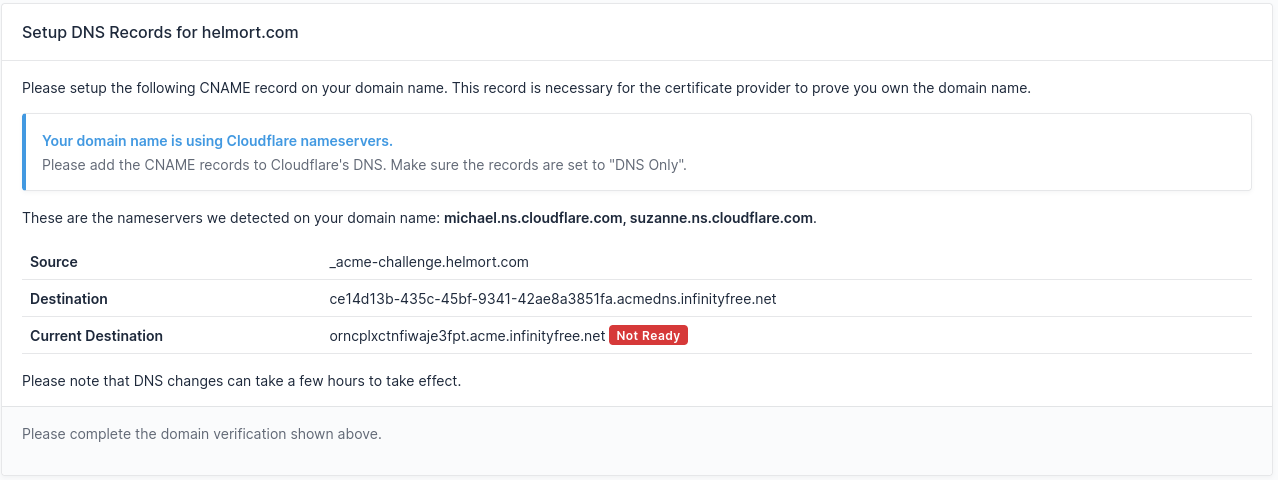
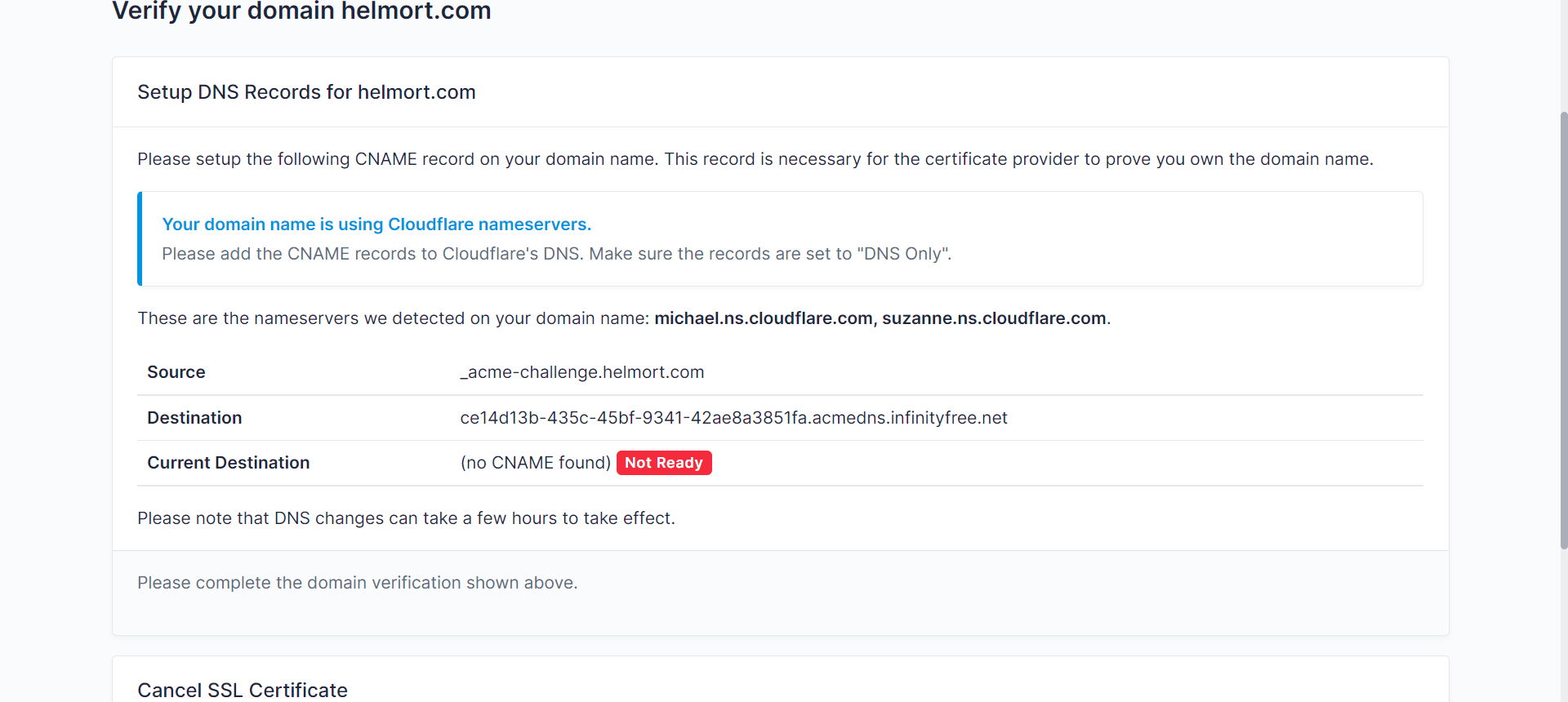
Setup DNS Records for helmort.com

Please setup the following CNAME record on your domain name. This record is necessary for the certificate provider to prove you own the domain name.

Your domain name is using Cloudflare nameservers.

Please add the CNAME records to Cloudflare’s DNS. Make sure the records are set to “DNS Only”.

These are the nameservers we detected on your domain name: michael.ns.cloudflare.com, suzanne.ns.cloudflare.com.

Source _acme-challenge.helmort.com
Destination ce14d13b-435c-45bf-9341-42ae8a3851fa.acmedns.infinityfree.net
Current Destination (no CNAME found) Not Ready

Please note that DNS changes can take a few hours to take effect.

Other Information

Hello to everyone. As I’ve mentioned many times, I’m not an expert, so small details can be difficult. Today, I’m having trouble upgrading my SSL certificate since this message appears when I make my request, and the true problem is that I’m not sure what to type in the empty spaces of CloudFlare DNS records; could you kindly assist me? Thank you very much!


1 Like

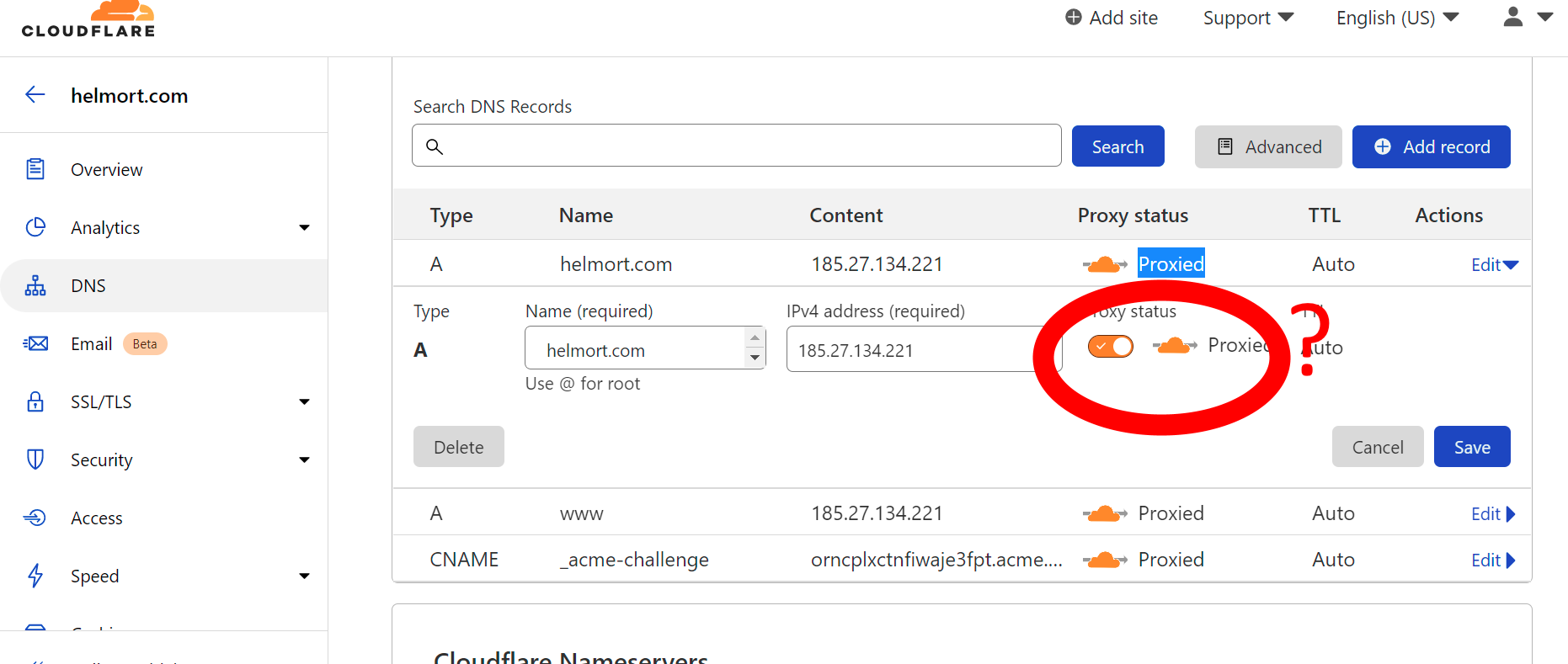
You forgot that part. In CF, click “Edit” and change the cloud to grey.

4 Likes

Thanks but I’m sorry, but I’m not sure what you mean: Do you mean to click and deselect the proxy status on recorded DNS?

Yep!

1 Like

Yes, but only on the _acme-challenge record. That record needs to be a regular DNS record, not a Cloudflare proxy, or the domain validation will not work.

Whether you want to use Cloudflare on your website is up to you. As long as you keep Cloudflare turned off for the DNS validation record, it will just work.

6 Likes

Okay, I done it, but it’s still not functioning; perhaps I should wait 24 hours, right? Thank you for your response!

Thanks for the information, however as I previously stated to GreenReader, it is still not working.

If you check the Current Destination now, you can see why it doesn’t work:

In your Cloudflare settings, you can see you’re currently using a CNAME destination that ends with acme.infinityfree.net. But in the client area, you see the correct destination is different.

So please update the current CNAME record with the destination shown in the client area.

4 Likes

Yeah! It’s finally working! Thank you very much, Admin and Greenreader!

Guys Honestly, as I have said before, I am quite grateful for your services because you have always assisted me for free! Thanks! You’re the greatest! Have a wonderful day!
:heart: :heart: :heart: :heart:

5 Likes

This topic was automatically closed 7 days after the last reply. New replies are no longer allowed.