My account is currently using the .rf.gd as the first directory, and I want it to use my custom domain instead. Is there any way to do this?
Also, another question: are we able to make a global .htaccess?
Due to the nature of domains there’s not really a way to “change a domain to another”.
However you can add your custom domain as a parked domain/alias of your existing domain.
Unfortunately no.
6 Likes
Doesn’t the htaccess in the base IFO/sitename/htdocs/ directory apply to everything beyond it unless another htaccess exists there?
1 Like
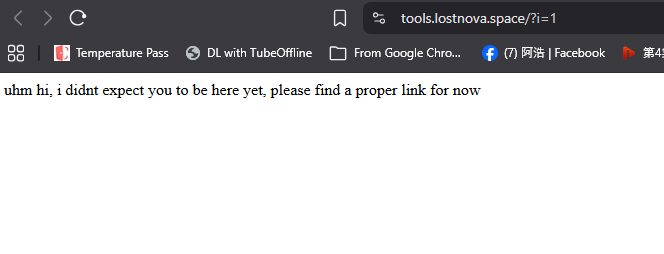
my website (lostnova.rf.gd) (lostnova.space) use a single .htaccess, which applied to a subdomain (novabank.lostnova.space), but doesn’t apply to the new subdomain (tools.lostnova.space). Also why doesnt the SSL apply? i set it up already and it’s still unsecure
That’s not global as I understand, because it only applies to one site, not other sites that have a different directory.
3 Likes
Every .htaccess file is only applied to the folder it’s in (and it’s subfolders). You can link your custom domain name to the folder of an existing website, including a free subdomain, so that’s how you can get them to share a .htaccess file.
Any subdomains of your own domain are always setup in different directories. So it’s not possible for the same .htaccess file from lostnova.space to also apply to novabank.lostnova.space. If you want the same rules to apply to both websites, the only way to do so is to copy the .htaccess file to both directories.
Please note that:
- Every subdomain needs its own SSL certificate.
- After the SSL certificate has been issued, it must also be installed.
- It can take an hour for a newly installed certificate to be active on the server
- Installing an SSL certificate only makes your website capable of using HTTPS. If you want visitors to use it, you will need to setup code to enforce it.
4 Likes
It must be my browser with old cache then, thanks for checking
1 Like
one of the page (novabank.lostnova.space) doesn’t have a .htaccess in it’s folder, yet it follow another folder’s .htaccess. Unless I’m getting it mixed up, may you confirm it
nevermind, I figured it out, I just had to create a .htaccess to fix the issues, since .htaccess are unique to each folder.
Also can’t re-layer directory
2 Likes
I mean everything in that directory, including all directory’s in that directory, not all subdomains. Admin said here what I was trying to say:
1 Like
This topic was automatically closed 7 days after the last reply. New replies are no longer allowed.