Help with pointing a domain

Website URL

Error Message

I am trying to point my domain to your hosting so I can get cpanel I am doing the free one but I want to point my domain to your host

Other Information

I got the domain off go daddy website if someone can please help me I just need to verify my domain but its not letting me.

okay my domain is pointed now I just need this stuff fixed Health Check

It can take up to 72 hours for new domains to be accessible everywhere!

This is caused by DNS caching, which InfinityFree cannot control, but there are some workarounds you can try.

No SSL certificate is installed

An SSL certificate is required for your website to support HTTPS. You can get one for free.

No index file was found for your website!

Your website needs a file with the name index.php, index.html or index.htm to work, located in the website’s htdocs directory.

I mean all of these messages are quite self-explanatory…

You need to upload a website, get an SSL certificate, and potentially deal with DNS propogation.

is it possible you guys can upgrade my plan so I can use File zilla on my desktop please and also my mybb theme is messed up.

You don’t need premium to use FileZilla???

Instead of making wild assumptions can you please tell us what’s wrong when you try to use FileZilla so we can help you?

it wont let me log into my file zilla on my desktop using the information provided

this is the information i am trying to log in with

okay Never mind i have figured it out can you at least reset all my files and remove mybb software please I want to upload that my self.

okay now can you see if my files for mybb and everything is installed correctly please I am logged into my file zilla on my desktop not sure if I uploaded them correctly and can u make sure my domain is sett up also.

This is free hosting. Unmanaged. We can point you at the correct direction but not do stuffs for you.

You probably uploaded the MyBB files into a wrong location because your website is currently showing a 403 forbidden error.

Okay what location should the mybb files be in then ?

All website files should be in your htdocs directory or subdirectories in there

Also make sure your file/page names don’t include the word chat (there are other blocked words too, but I only remember chat)

Okay nothing seems to be working can u possibly check to see if all files are correct

This is a community forum. We can’t access your account

I did have a quick look at your account. Your website seems to have a single “hello world” PHP file, which is also what I see when I visit your website, and there doesn’t seem to be anything else.

I don’t see any traces of a MyBB installation, except for the internal bookkeeping of the MyBB website you deleted before.

What did you expect to see at this point?

If you want to install MyBB, you can either upload it yourself or install it through Softaculous. And using Softaculous is the easy option.

I am installing mybb software my self what folder should I upload it to if it says hellow world when I click my link

You should upload it to the Htdocs folder. But if you use the script installer it will be a lot quicker and easier since that’ll set up the SQL database too
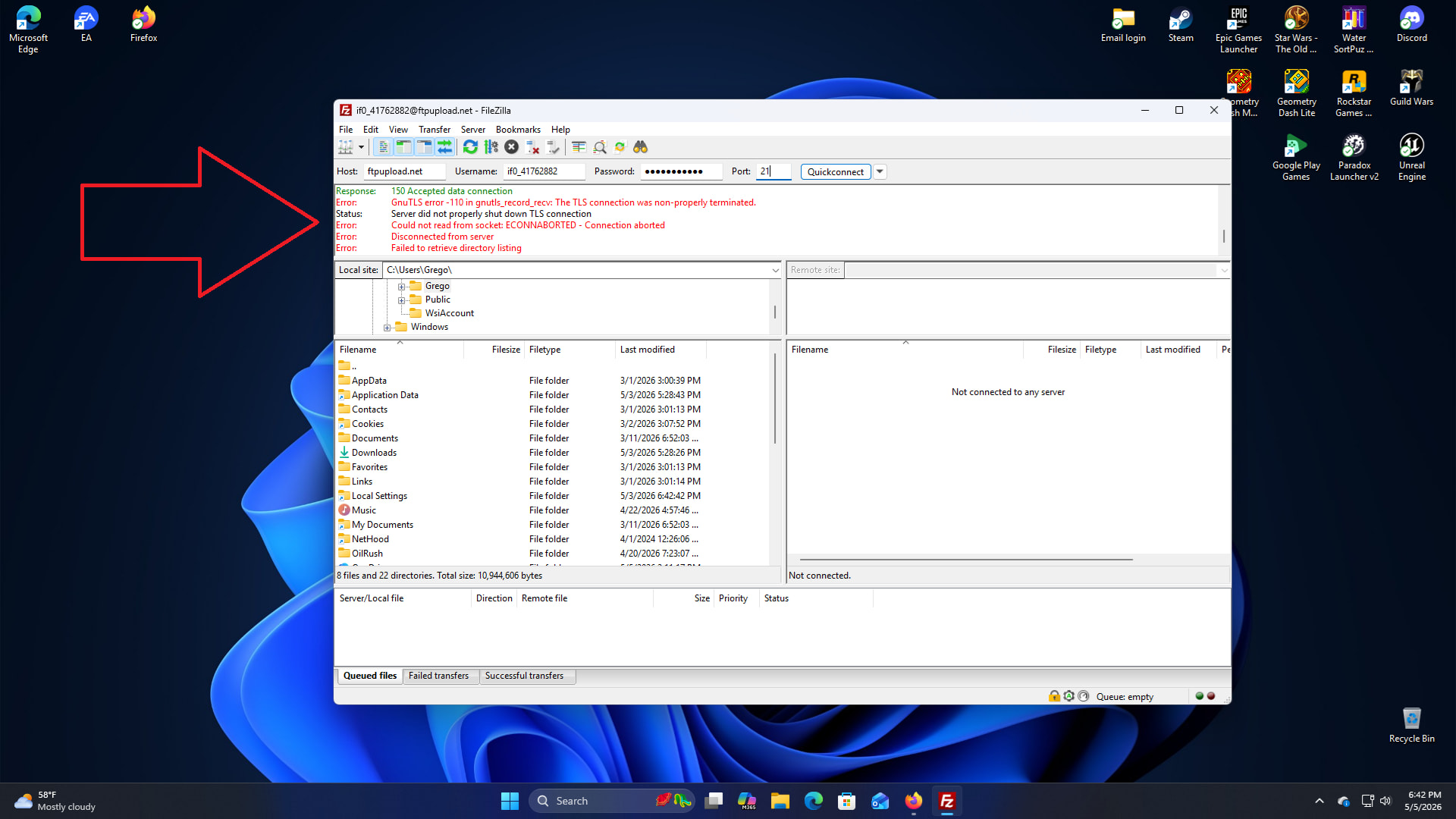
I have figured it out if you can check my link now https://topgamingzone.com/install/index.php

Why do you need us to check? Is it working for you?