Website URL
https://geocaching.wuaze.com/
Error Message
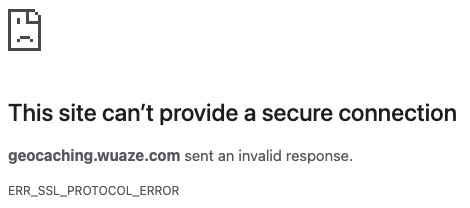
This site can’t provide a secure connection
geocaching.wuaze.com sent an invalid response.
- [Try running Windows Network Diagnostics](javascript:diagnoseErrors()).
ERR_SSL_PROTOCOL_ERROR
Other Information
This error is happening on my Windows 11 computer with Thorium browser. It works fine on Chrome and Edge. It also does not work on iPhone Safari or Chrome browsers. It worked on Thorium browser just fine for 2 weeks up until today when it suddenly stopped working. I have tried everything on my end that I could find on the internet to fix it but nothing seems to work.
Well, there is an issue. I’m still getting an error on Thorium on Windows 11. I am also getting the same error on Chrome, Safari and Edge on my iPhone. But, on windows 11 it’s working in Chrome and Edge.
Try clearing the cache on Thorium.
If its working on other browsers this would suggest that Thorium is loading a cached version of the page that still has the error
5 Likes
Your website is working for me as of now.
1 Like
@Gavin12342 is that in Thorium?
@dan3008 that’s not it. I’ve cleared cache and cookies multiple times but no luck. And that wouldn’t explain why it isn’t working on my iPhone. I didn’t even try to open it on my iPhone until it wasn’t working on my computer. I just tried the phone to see if it worked there after I started having the problem. I just don’t get why it worked every day for 2 weeks and then all of a sudden stopped working.
Given that its working for most of us, but not for you (on some browsers), that would suggest its not a hosting problem, but a problem on your devices…
Do you have any kind of privacy or ad-blocker plugin? While unlikely that could be causing a problem…
If you use an incognito window in Thorium does that let it work? (this will revert to the browsers default settings)
3 Likes
Nope. Incognito doesn’t work either. I’ve tried disabling, firewall, antivirus, all browser plugins, etc…
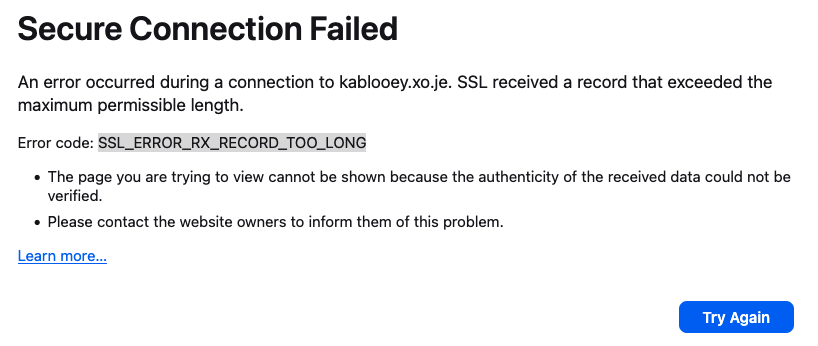
I just created my account and I cannot get anything to display (https://kablooey.xo.je/). I tried loading this site as well (https://geocaching.wuaze.com/) and I get the same error. Maybe it’s something that my internet provider (T-Mobile) is doing? Or is it related to the problem CachingKid is having?
That was on Firefox.
I get this error using Chrome:
Okay, I found that it doesn’t work on Mac (Chrome, Firefox) or iPhone (Safari, Chrome, Opera), but it does work on Android (Chrome).
Have you tired using another network or a VPN? It’s possible this may be on your network’s end, or caused by your ISP.
5 Likes
Interesting, with ExpressVPN it times out on all browsers
And now that I’ve disconnected from the VPN it no longer works on Chrome or Edge. This has to be something on my computer causing it. Very frustrating.
Ok, I’ve rebooted and now it’s back working on Chrome and Edge so that’s good. I’m still poking around trying to find any setting I can to try and fix it.
No, it is in Chrome so maybe Thorium is do something.
Maybe the SSL record is too long as it says “SSL_ERROR_RX_RECORD_TOO_LONG”
I figured it out! My wifi router was blocking it. Not sure how it was getting through to Chrome and Edge but now it appears to be working. Thanks for all the help everyone!
2 Likes
It does seem to be something to do with the ISP. I turned off Wi-Fi on the iPhone, and I’m able to load my page. I haven’t tried to connect the laptop directly to the router yet (I’m not even sure how I would do that, I’d probably need an adapter).
@CachingKid Did you have to change something in your wifi router configuration? I still cannot access your site from my web browser; so I wonder whether it will affect other users.