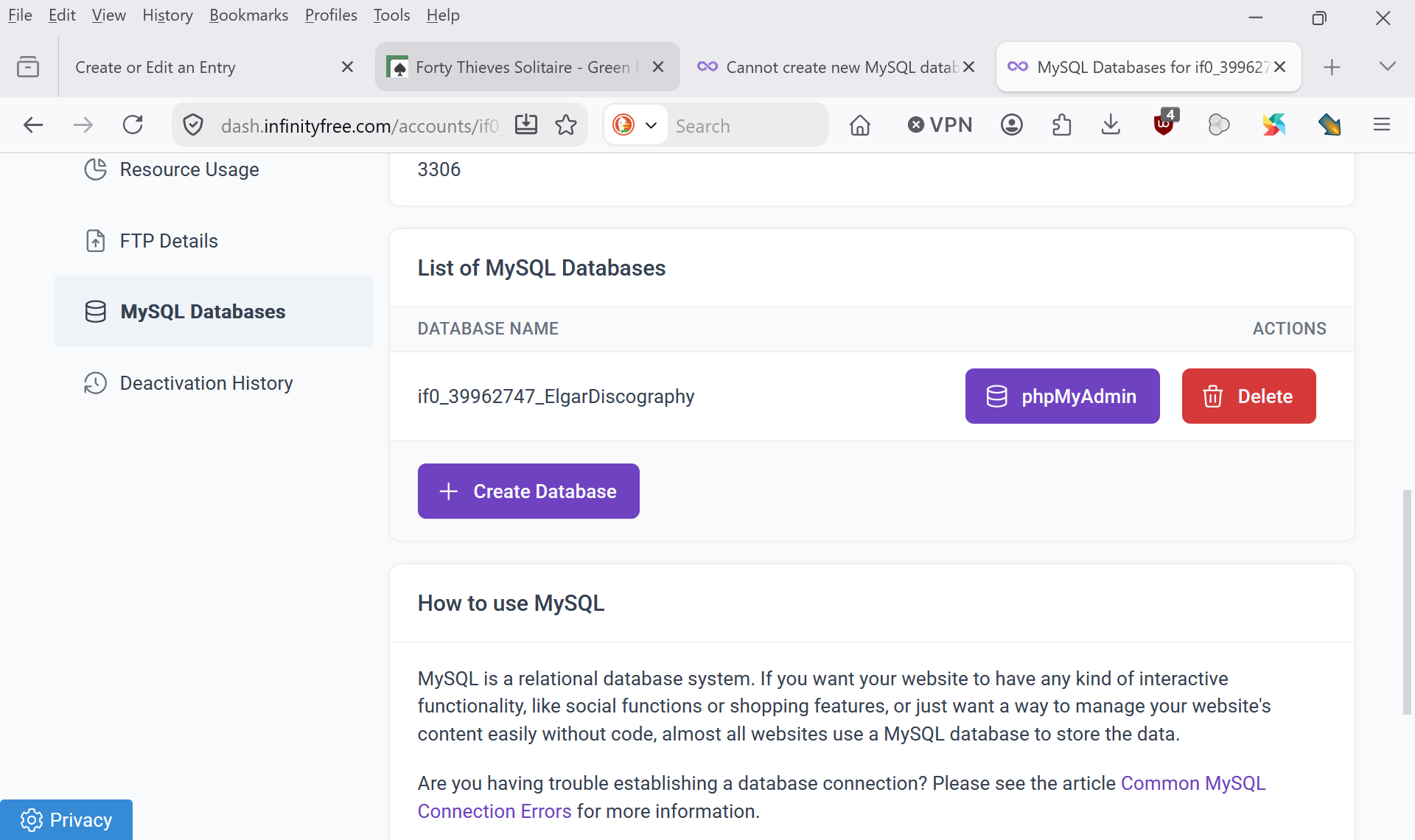
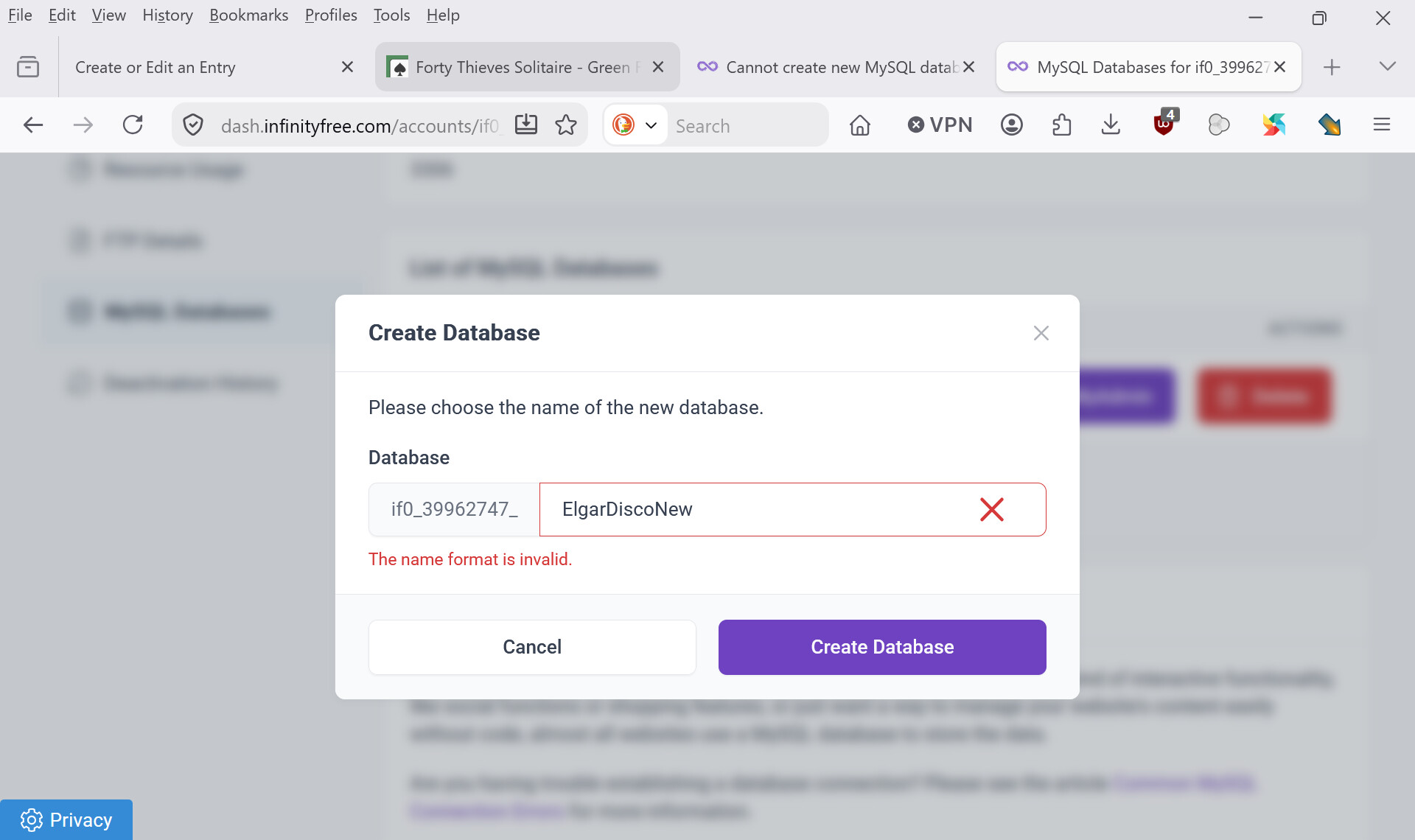
I previously deleted a MySQL database, but the control panel still seems to think it exists. I now only see one database listed, but when I try to create a new one, every name is rejected with the message “The name chosen is invalid”.
I believe the deleted database is still attached to my account in the backend (a “ghost” database). Because of this, I cannot create a fresh database, and my remaining database no longer allows INSERT or UPDATE queries.
Please remove the deleted database from my account so I can create a new MySQL database with correct permissions.
I don’t think your ghost database theory is correct. It is possible for databases to exist that do not appear in the control panel, but then creating the database will not produce an error, and just bring it back.
The I’m pretty sure that the message The name chosen is invalid means that the name you have entered is not acceptable, which is checked before database creation is attempted.
Can you please share the name of the database you’re looking to create? Ideally by sharing a screenshot of the control panel showing what you’ve entered in the field.
The only reason I’m trying to create a new database is because the existing one does not allow write access from a php file. If that can be changed, I won’t need to create the new database anyway.
The frustrating thing is that I was able to amend the now deleted database, which was the same as the existing one apart from having some extra test data. The only thing that I’ve changed is to point the php file at the other database.
When you log into infinityfree, that’s the client area. Go to dash.infinityfree.com then you select "hosting accounts at the top. Click manage account on the correct account and then it’ll be in the menu in the left.
You has to go through this are to get to control panel
The control panel does allow uppercase letters, the members area did not.
Note that these are two different interfaces. Both interfaces expose basically all account functionality, but they are structured differently.
I can’t, and you would.
I’m 99.99% sure that your already have this access, and I cannot enable something that’s already enabled. I’ve never seen this go wrong for individual databases. It could happen in theory, but it’d be a first.
And the only thing we know right now is that your code is crashing. There is an EXTREMELY long list of reasons why that could happen, the overwhelming majority of which is more likely than a database permission issue.
So let’s just focus on actually troubleshooting this issue and figuring out what exactly goes wrong, instead of going straight to speculation on never before seen issues.
You can change the settings from the control panel or the members area.
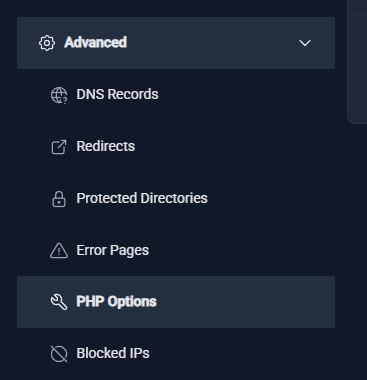
In the members area, go to the Hosting Accounts page, and click on your domain on the page. Then, in the sidebar, is an Advanced section where you can find the PHP options.
In the control panel, the option is called “Alter PHP Options”.
Thank you. Admin, and apologies if I’m being a pain. I’m trying to get this thing working as painlessly as I can, but there is a lot I don’t know. If I understand you correctly, you’re saying that my existing database does in fact allow write access and that the problem lies with my script. I am quite prepared to believe that there is plenty wrong with my script, but it worked with the earlier database (now deleted) which was a copy of the existing one in all respects other than the addition of some test data. So it did seem reasonable to suppose that the permissions of the existing database are different from those of the now deleted one.
In PHP settings have now set display errors to ON, but I am not seeing any error messages. Where should they appear?