[SOLVED]
I’ve been building an academic car rental website with laravel (https://car-test.free.nf) but at some point I could no longer access it from any other device or location, there’s always a timeout error. In the account management interface I checked the IP blocking section out of curiosity, and there’s a rule I can’t delete that is blocking all IPs trying to access the website. However, the website is accessible from the devices I originally used for development and testing before the rule appeared; all others can’t access it due to a timeout error.
Is this caused by an error in my configuration files, or did I exceed the limits of my free account or unknowingly violate some of the service’s policies?
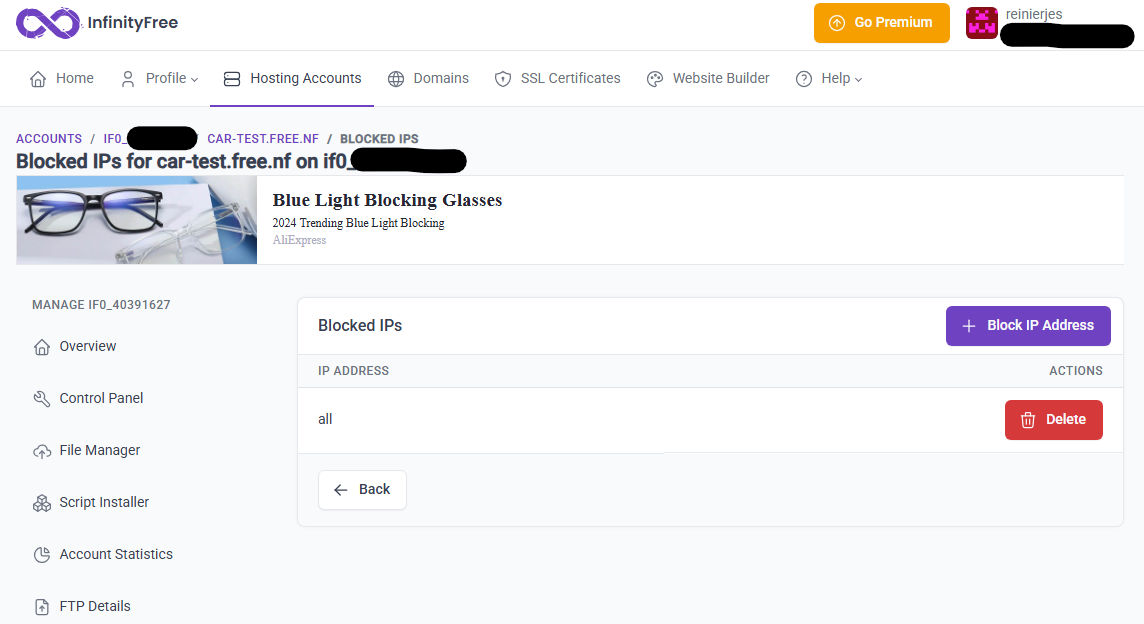
this is how the blocked ip addresses section currently look and it doesn’t matter how many times i click delete it doesn’t get deleted
(if i move my own devices to any other network i can access the website but from another device i cannot access it)
Feel free to ask me anything about my code or config files, I have no sensitive data there is just an academic project (however it will be a messy mix of variables and functions names of english and spanish without any name convention strictly enforced)
If it were to block “all“ connections it’d need to be *.
The site works on my side, maybe their ISP is blocking it? Or their connection is way too slow? Or their browser is bad? Either way, the “all” block is certainly not blocking anything
Like European Rat said, it’s not blocking “all” IPS, as I can access it too. It’s possible your IP range has been blocked due to suspicious activity, or your isp is blocking the page.
Can you try accessing the page via a VPN or a TOR browser? See if that works
OK, so the blocked IP listed there is not actually the case, but rather the client area misreading your .htaccess file. Specifically, it finds the “To prevent access to .env and other files” .htaccess rule.
It’s a bug in the client area, but it’s not the cause of your issues. You can safely ignore that entry.
If you get a connection timeout issue, it’s not something you could possibly do with website configuration. A connection timeout means that there is a network level block. That could either be caused by your IP address being flagged on our end or it being blocked on your network.
Yes, indeed the error was most likely an ISP block (several ISPs in this case), however some VPNs did not work initially so I assumed the error had to come from my side. Thanks