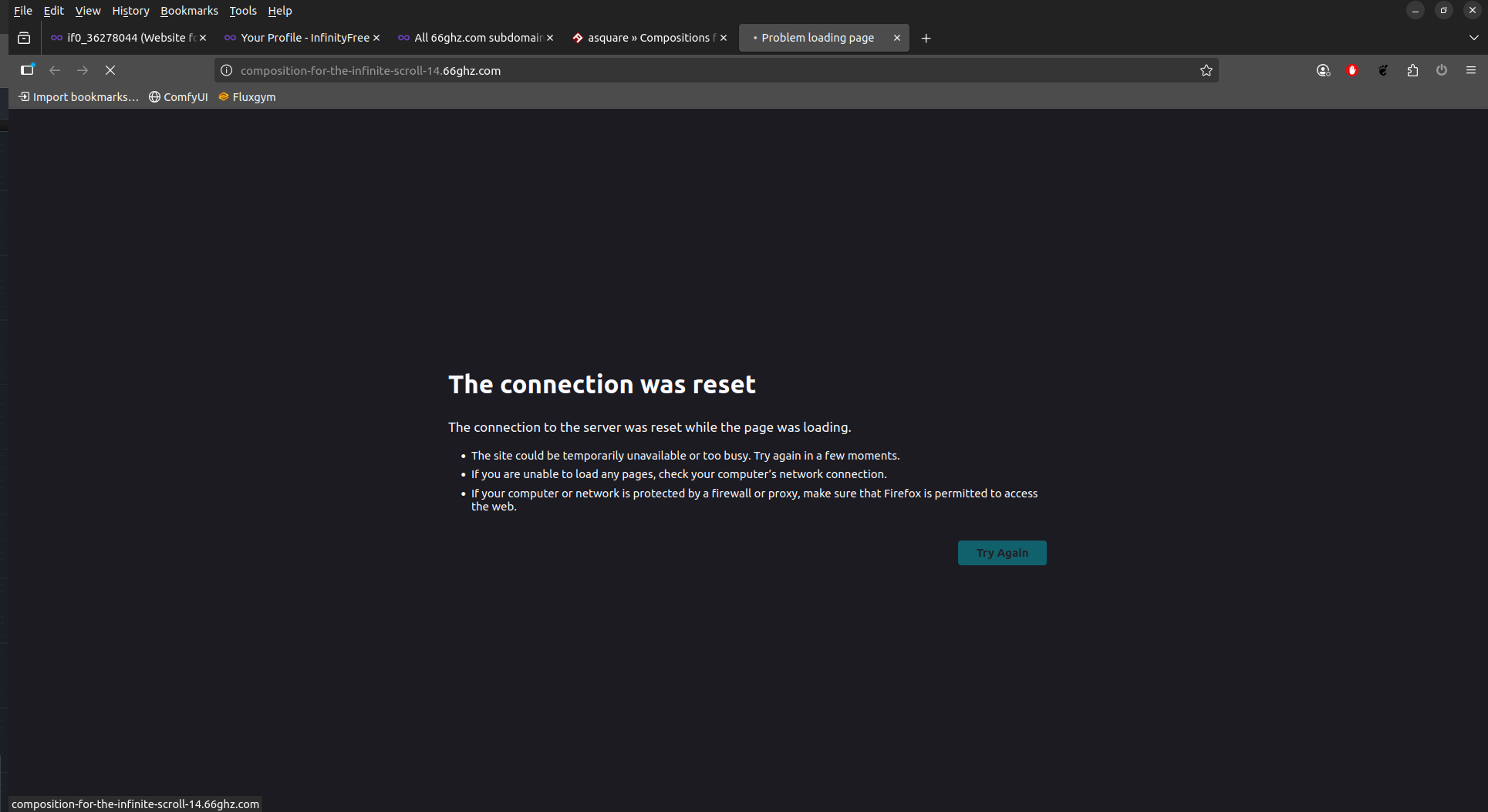
Hi Thanks for your replies. I had a colleague in the US test it this morning and it works from there. Good to see that another UK based user (Frank419) can access it.
and they are all inaccessible from here. It’s not my browser, it’s not a browser extension, it’s not my operating system (have now also tested from a Ubuntu machine) and it’s not my provider as I have rule all of these out in testing. The site have been up and working since April - working with no issues so it’s not a newly uploaded issue. I did notice at one point in June that Google was blacklisting the a few of my sites so I filled out the requests to remove it from the blacklist and this never happened again. At a loss as to what might be causing the issue.
opps sorry, copied the wrong name - it was your profile I was referring to. I tried through Tor a few hours ago and it would not load. I’ve just tried through another VPN and the same, connection reset. Everything points to something local here but beyond browsers/extensions/OS/computers/network I’m stumped as to what it could be.
If you used the actual Tor browser, then that’s expectable. It’s built in NoScript functionality prevents the security system from recognizing you as using an actual web browser.
It’s also not unheard of for some websites and networks to block inbound connections from Tor exit nodes because of abuse rates, though I don’t know if InfinityFree’s provider does this or not.
What regular VPNs have you tried? This is very odd, because using any true VPN with a standard web browser should overcome all forms of blocking from your ISP or your local government, but everything points to this not being an issue on InfinityFree’s side.
Do you think you could please try doing a traceroute to your URL and posting the results? It’ll always terminate because InfinityFree’s servers block ping requests, but in this case it would allow us to see where in the chain of events your connection is being blocked.
I meant from your own computer, via the terminal or command line. Using DNS Checker won’t help because then it’s doing the check from its own server, instead of your network.
You can find instructions on how to run a traceroute on Windows here:
It terminates after reaching a gateway with internal IP address, which would seem to indicate that something on your network, or your PC itself, is terminating your connection, or your DNS resolver is preventing it from resolving.
That too would seem to indicate a DNS issue. There are other examples of forum members running into this problem.
This happens because, unfortunately, the free hosting gets abused quite a bit and some ISPs and DNS providers will block entire base domains for the free subdomains.
That seems to be exactly what’s happening here, though I admit I’m not sure why using a VPN doesn’t bypass it in your case. This can also be caused by software on the PC, such as an antivirus, preventing the connection for the same reason.
Your website seems to be working fine from here, and I’m not aware of any ongoing issues on our end.
The initial error message you shared and the screenshot you shared later are different errors though: one is a DNS error and the other is a connection error.
The connection reset error can also be DNS related though: if something in the middle is manipulating DNS results, then it’s possible that your browser is trying to connect something other than our hosting to find your website, and unable to do so.
So my money is on this being a DNS level block on your end. I suspect that your ISP or DNS provider may be blocking access to the 66ghz.com domain.
It’s strange though that using a VPN didn’t help, because it should. However, an incorrectly setup VPN connection may result in not all traffic being routed over the VPN. If DNS traffic does not go through the VPN, it would still be blocked by your ISP.
As a first step, I would try to configure your computer or router to use Google DNS (8.8.8.8) or Cloudflare DNS (1.1.1.1) instead of the current nameservers to rule out any blocks.
What did you do exactly to rule out a provider problem?
Contacted my ISP this afternoon and yes indeed they had blocked 66ghz.com domains. No reason why but they seem to have unblocked it now and I have access again so problem solved. Many thanks all for your responses.