How does one go about adding security headers for a shared hosting account?
.htaccess can’t be read by NGINX and I don’t see a user config file.
How does one go about adding security headers for a shared hosting account?
.htaccess can’t be read by NGINX and I don’t see a user config file.
I took a peak at How can I add necessary security headers and resolve certificate issues on my website without coding - #5 by Admin
and Browser Security System - Features and Limitations
That definitely provided some more insight.
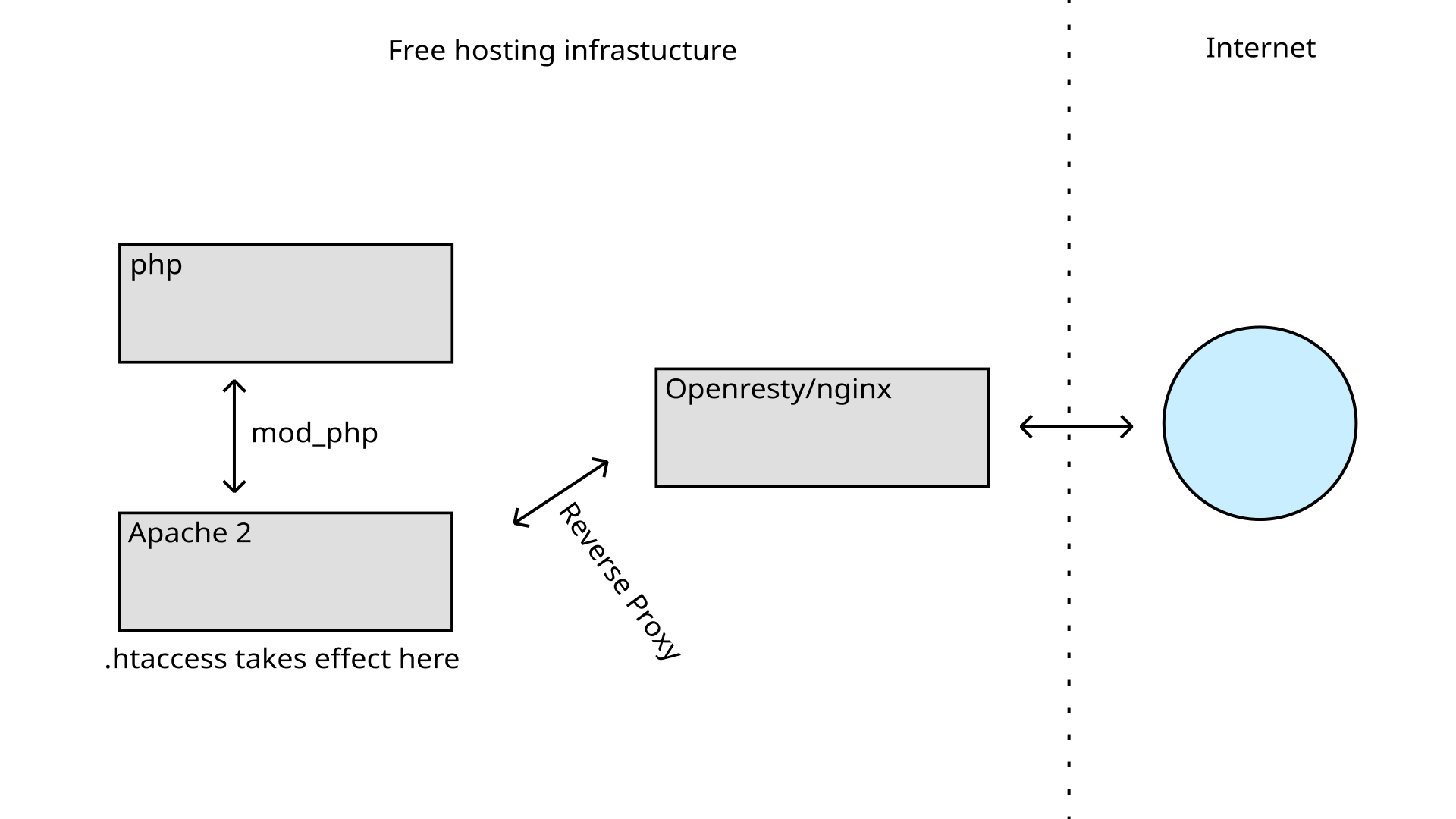
You can just add the security headers with .htaccess rules. We use a combination of NGINX and Apache making that possible.
But as the posts you found are referring to: you may not be able to verify the headers with a security scanning tool, as those are will usually be blocked before reaching your website.
But as the posts you found are referring to: you may not be able to verify the headers with a security scanning tool, as those are will usually be blocked before reaching your website.
I see that, although Mozilla Observatory does work after a bit of propagation takes effect. I was using Security Headers initially.
Very interested in the stack you guys are using. How in the world are you running OpenResty and Apache???
So, it can still be setup as a reverse proxy/load balancer, just with Lua included for dynamic content and custom web apps.
I see