Est-il possible de limiter l’accès au site à un certain public, en imposant un identifiant et un mot de passe ? J’ai essayé avec un .htaccess et un .htpasswd, mais ça ne fonctionne pas. Est-ce une limitation normale ou peut-on passer par des fichiers .php ?
Other Information
Si c’est possible , je souhaiterais connaître la marche à suivre.
Translation
Is it possible to limit access to the site to a certain audience, by imposing a username and password? I tried with a.htaccess and a.htpasswd, but it doesn’t work. Is this a normal limitation or can we go through .php files?
Welcome to the InfinityFree community forum! Good to have you here.
Most people answering here are volunteers. They’re often the fastest source of help. Admin (the only staff member) checks in about once a day for issues on our end.
Volunteers can’t see your account or website. Share what you actually see, like error messages and what happens when you try something. That’s more useful than your theory of what’s wrong.
AI tools often get InfinityFree wrong. If a volunteer’s advice differs from what an AI told you, please try the volunteer’s suggestion first.
Solving an issue is a joint effort. Try the suggestions you get and report back what happened.
Please get advised this is an english-speaking forum so please translate future messages using a tool like Google translate or an AI to translate your message is acceptable.
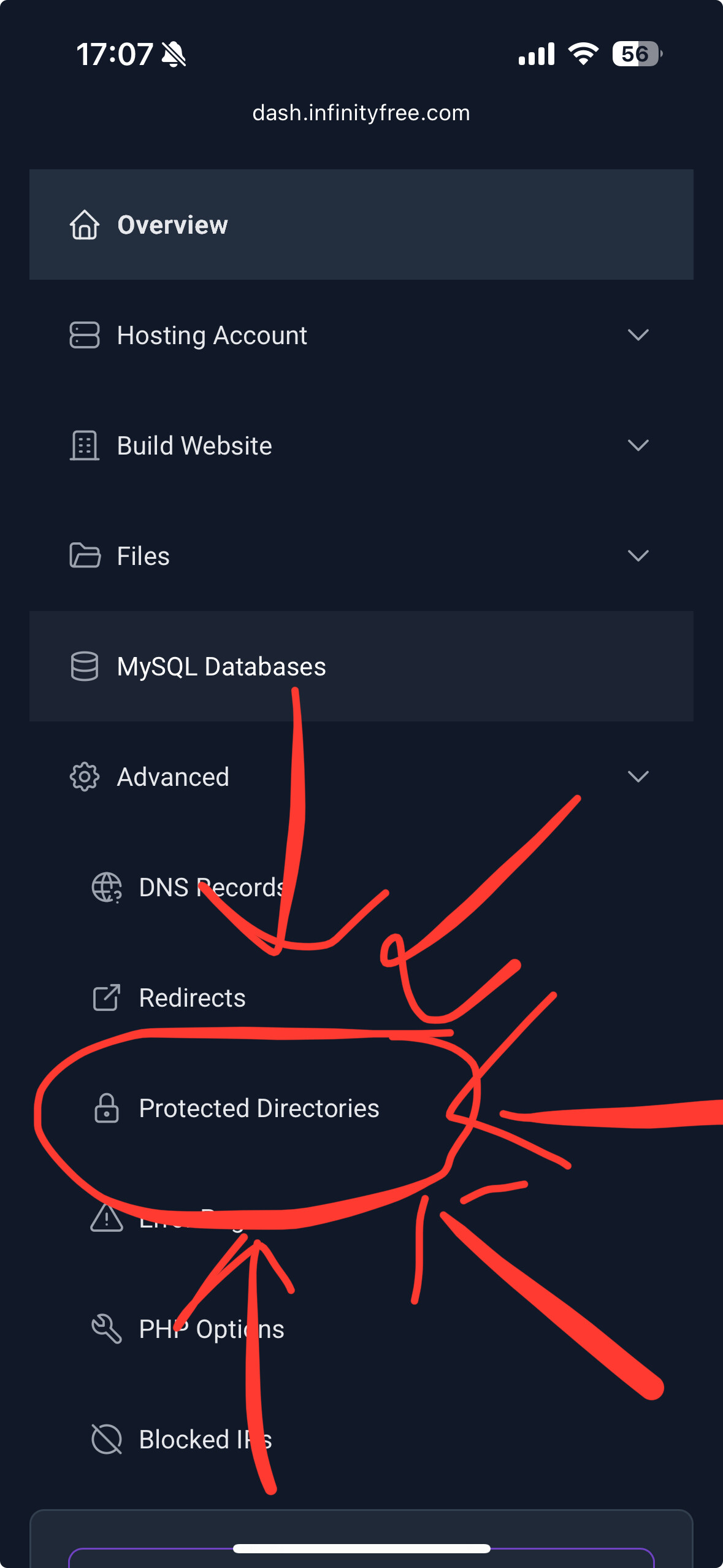
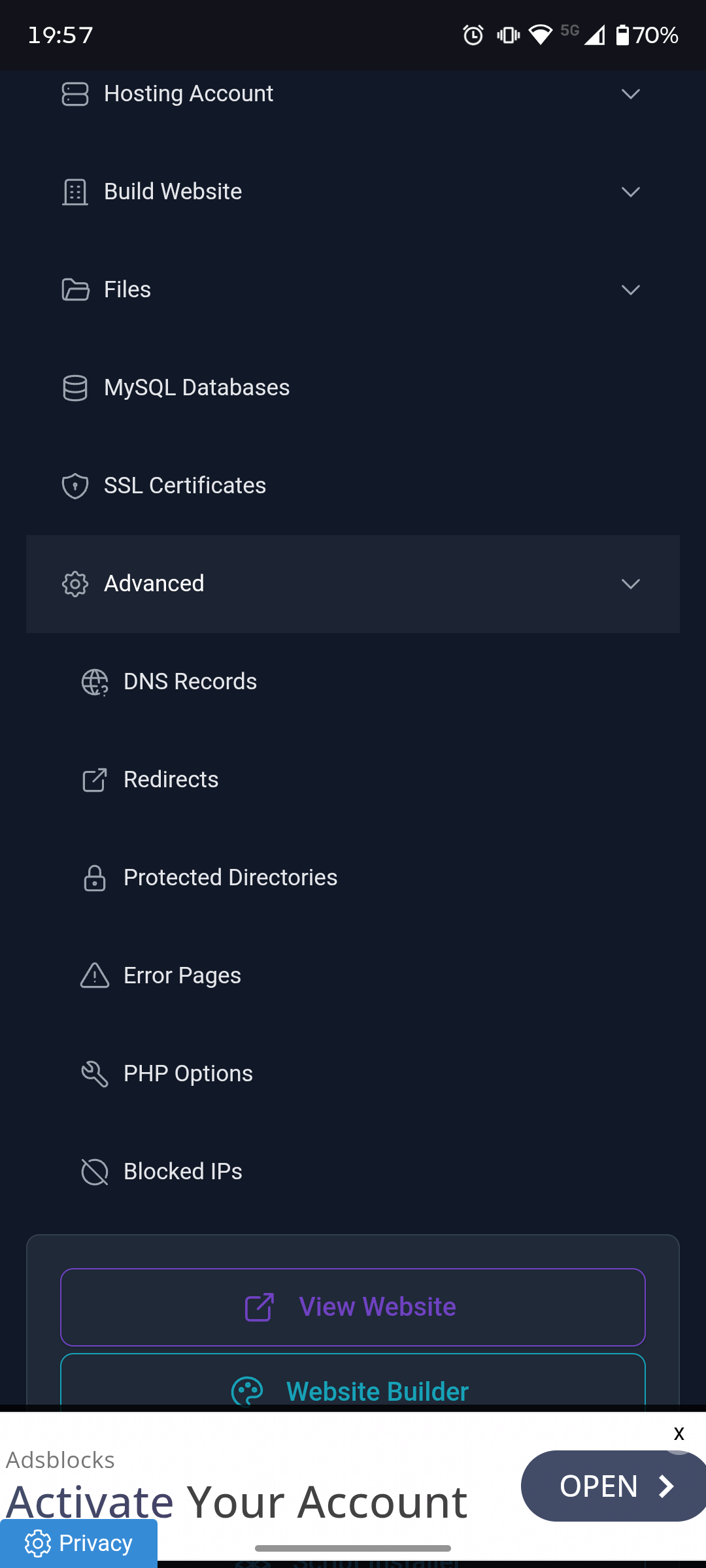
To password protect your site you can use the protected directories at all within the dashboard. This sets up the .htaccess and .htpassword files for you
Hello, and thank you for your prompt reply. Please forgive my initial clumsy phrasing; I will avoid it in the future. Your assistance is proving invaluable, so I will likely need to call upon it again. Best regards,
The “Advanced → Protected Directories” option doesn’t seem to exist in the free version—which makes sense, in a way. Could you confirm this or let me know where I can find it? Alternatively, is this option included in the Premium version?
I don’t see what has changed, as I can access the site without using a username and password… I’m missing some information, and I probably didn’t go about it the right way.
 Hope that all worked for you.