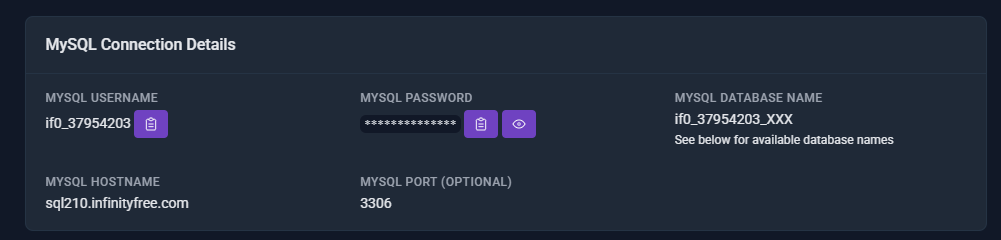
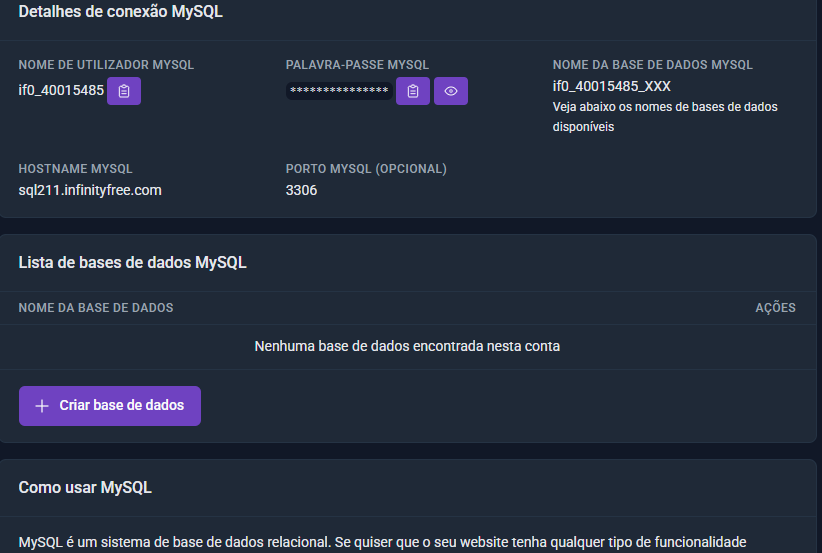
Hello, can anyone guide me on how to resolve this?
The database does not appear.
Website URL
Error Message
An error occurred while connecting to the hosting platform. Please try again later or use the control panel.
tnx,
Hello!
Sometimes there are issues with connecting to the Control Panel, as evident by the message.
| If you did not change your Password in the Control Panel | If you did change your Password in the Control Panel |
|---|---|
| Open the Control Panel, then go back to the Client Area and try to perform the action you tried. | Keep note: When you change the password in the Control Panel, the Client Area falls out of sync, breaking Client Area functions. |
| Simply, Try Again Later. | In the Client Area, in the Hosting Account’s Settings, change your Hosting Account Password there. When you change your Password there, the Client Area syncs to the Control Panel again. |
You could try resetting the password for the hosting account in case it’s a client area sync issue. But if the database is gone, then it really is gone I’m afraid. Unless you’ve taken a backup of it that you can restore of course.
Okay. I do have a backup from last month. But there’s no point in uploading it if I don’t know what caused that error.
If the problem is actually a database permissions issue, then you might be able to recover the database. To do that, simply attempt to create a new database with the exact same name as the old database. If the system encounters an existing database, it will just link it to your account, it won’t delete it and recreate it.
Of course, if the database is actually gone, then there is nothing else we can really do.
And if it is really gone, then I cannot really tell you why it’s gone. We don’t record database deletions, so I cannot tell you when it was deleted, how it was deleted or who deleted it.
Could it have been from another account?
My current account is if0_40015485
but I had another account with the same email if0_39811347
weirdlog.infy.uk
Due to problems with infy.uk I changed the address, but I imagined the database wouldn’t be affected.
Is there any way to verify this?
The backup I have is quite old, I lost a lot of things here.
Please help me.
If the database does not appear in the database list, it is almost certainly gone. IF does not take backups unfortunately
I had a quick look at your website’s configuration file, and that’s indeed the issue.
You created the website on one account, and then migrated it to a new account. But while migrating the website, you didn’t migrate the database (or your copied the database but didn’t update the connection details in your website’s configuration). So the website itself is on one account, but the database is on another account.
This itself works fine… until it doesn’t.
We gauge account activity by website traffic, not database usage. So that other account was marked as inactive even while the database was still in use. That account was suspended in late November and was deleted a month later. Along with all data on it, including the associated database.
In short: the database was on the deleted account, so that database is gone. Deleted accounts are really deleted, and cannot be recovered in any way. So we sadly have no way to recover your database.
I know that this is too late for you, but I want to state it anyway for future reference: you can just add an extra subdomain to your account, you don’t need to create a brand new account for it. Then you would just have been able to move the htdocs folder to use the same website on a different domain and never have to bother with the database at all.