404 Randomly

404 Randomly

Original website https://dikagg007.in

I am sorry for re creating this but the last issue was fixed, then I migrated my website completely and parked this new domain to dikagg007.wuaze.com as already known changed everything as it needed to be.

Now it’s working on my end but on certain servers it’s showing 404 I don’t even know why.

I did everything as told earlier fixed the htacess to default and no redirects but still 404 on certain stuff why.

I’m sorry, but I don’t really know what this means.

Where exactly do you see these 404 errors. Is there any way you can help us reproduce the issue?

3 Likes

So you mean on your end it worked smoothly?

This is the error I am getting from my other device, I tried clearing the cache and incognito tab but nothing seem to change.

But on the other end the device from where I do everything it works smooth no issues or errors. Is it something from my end?

Your website is working fine from there. The 404 page would suggest an issue on the server, but I don’t see anything that could explain that behavior.

4 Likes

So what do i do? Wait a while, thinking it would fix itself or believe its working for everyone just that one specific device is an issue?

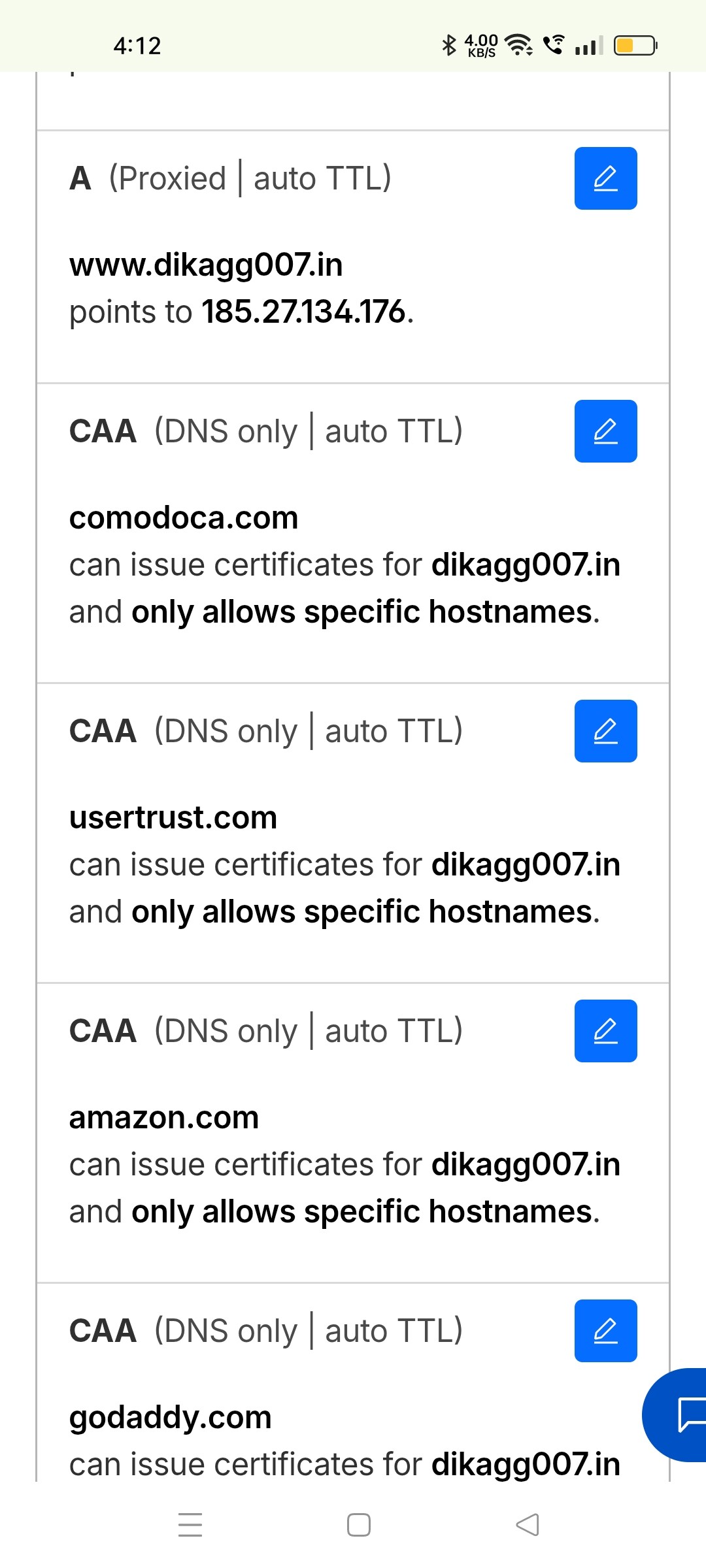
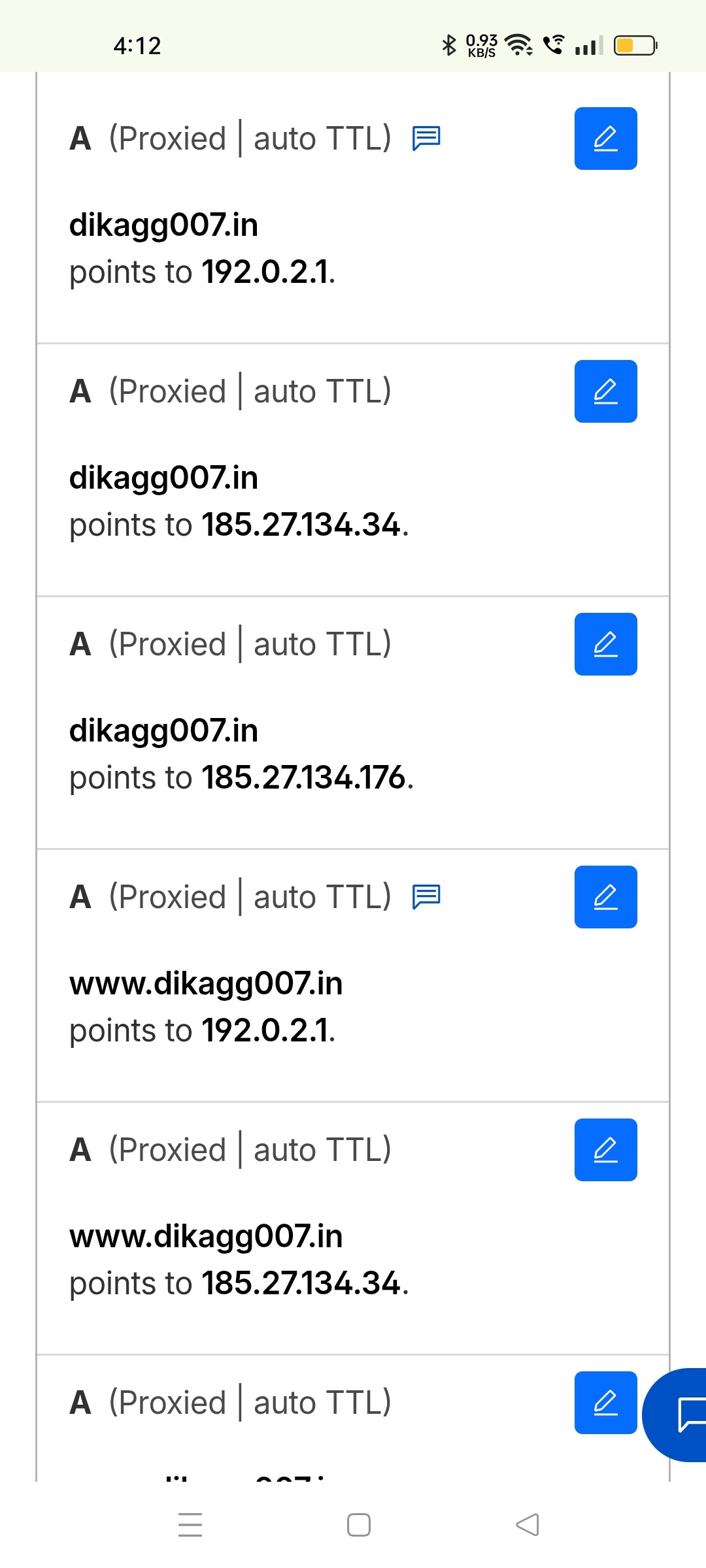
Can you please screenshot the DNS settings in your Cloudflare settings?

4 Likes

You want all DNS records?

I think I understand.

You have multiple A records configured for your domain which is NOT correct. You should only have one IP specified in the client area.

When Cloudflare pulls from the correct IP address, visitors get the correct page. When if pulls from the wrong IP though, visitors will get the 404 you are seeing right now.

7 Likes

Hell nah I never noticed that I had to remove profreehost from the DNS

Thank you so much :slight_smile: Fixed

3 Likes

This topic was automatically closed 7 days after the last reply. New replies are no longer allowed.