You are still not carrying out the troubleshoot steps we gave you. You just kept repeating yourself about the issue and hope that someone fix it for you.
No, nobody will fix this for you. If you don’t do the steps people tells you, you will never get your issue solved.
Wait, now you seem to be contradicting yourself. How can you see both an XML parsing error and a 404 error at the same time? A single URL can either do one or the other.
What do you see exactly one which URL? And which exact URL is redirecting you to the 404 page?
Start by going back and re-reading previous posts. We already gave you more information and steps to try.
Are you using AI to write your posts? There are some telling signs.
If so, maybe try asking your AI for help instead. Your website is working fine, the WordPress sitemap URL is returning a sitemap URL with errors. As far as I know, there is nothing on the hosting side that could cause this, so my guess is that it’s a problem with your website.
And AI can help with that. It can give you troubleshooting instructions, as well as check and debug your website code directly. And it can do so faster than we can.
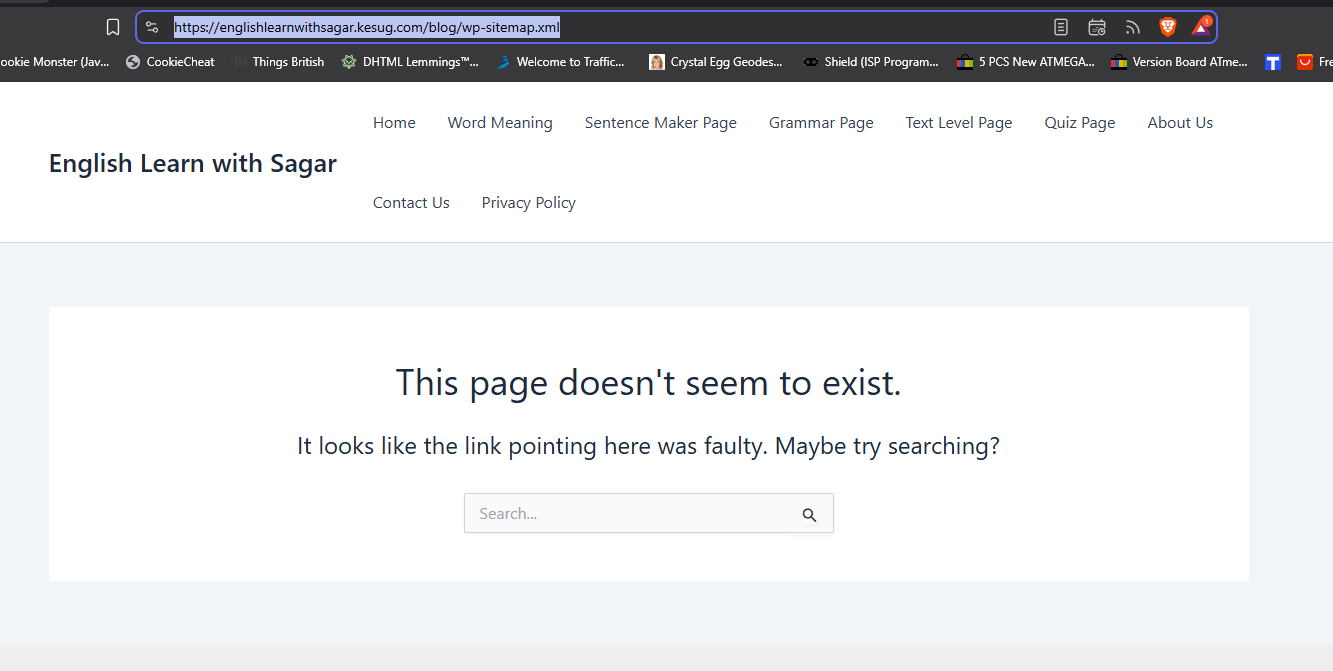
My WordPress sitemap is returning a 404 error on InfinityFree hosting.
My homepage and WordPress dashboard are accessible, but the sitemap does not work.
I tested the same WordPress installation on my local XAMPP server, where the sitemap works correctly. I also saved the Permalinks settings again, but the issue remains.
What do you think we’ve been trying to do in the last few days?
So I’m inclined to answer that question with “no”.
Not because this issue cannot be fixed, but since when we ask you for more information or to check things, you then just repeat the same question and the same information.
Please reread the topic, and all the information and instructions that you’ve been given, and try them. Then report back here with what you tried and what it turned up, and don’t repeat what you have already said, either as additional messages or to pad out your message.
When you’re ready to actually work together to fix this, I’ll be back. Until then, my requests stands that you should do your troubleshooting first.
Current result: It displays the InfinityFree “404 Not Found” page, not an XML parsing error.
I understand that I need to follow the troubleshooting steps already provided. I will check the earlier instructions and report the results of those specific tests without repeating previous information.
Which is repeating exactly what I just wrote before. So clearly, you don’t understand, or you wouldn’t have posted that.
Please put some critical thinking into your posting, try to make sure that you (the person, not the AI) actually understands what going on. And that you (again, not the AI) put in some critical thinking into this process instead of blindly pasting here whatever your AI has barfed up.