# Website & WP Dashboard not working after adding SSL Certificate from Cloudflare, Really simple SSL
**URL:** https://forum.infinityfree.com/t/website-wp-dashboard-not-working-after-adding-ssl-certificate-from-cloudflare-really-simple-ssl/70164
**Category:** Hosting Support
**Created:** [December 23, 2022, 11:16pm UTC](https://forum.infinityfree.com/t/website-wp-dashboard-not-working-after-adding-ssl-certificate-from-cloudflare-really-simple-ssl/70164 "2022-12-23T23:16:20Z")
**Posts on this page:** 20
**Page:** 1
### Author:  [@Bellowrld](https://forum.infinityfree.com/u/Bellowrld)
#### Post date: [December 23, 2022, 11:16pm UTC](https://forum.infinityfree.com/t/website-wp-dashboard-not-working-after-adding-ssl-certificate-from-cloudflare-really-simple-ssl/70164/1 "2022-12-23T23:16:20Z")
### Username (e.g. epiz\_33253632) or [softwarify.com](http://softwarify.com)
( After Connecting SSL’s my wp-admin page refused to open)
### Error Message -
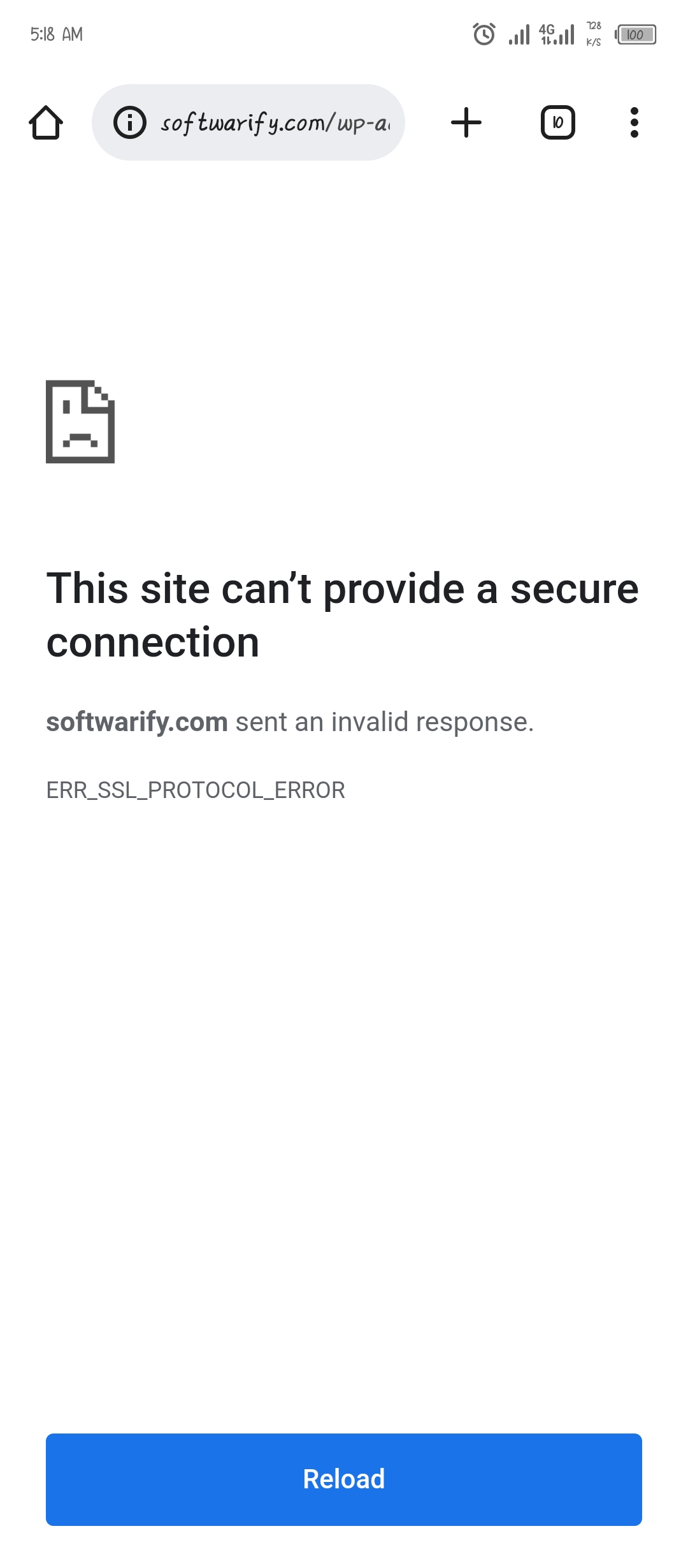
ERR\_SSL\_PROTOCOL\_ERROR
(This site can’t provide a secure connection [softwarify.com](http://softwarify.com) sent an invalid response.
ERR\_SSL\_PROTOCOL\_ERROR)
### Other information - I’m stuck in this loop ever since when i created an account on this website… This is going like maybe 15 - 20 times now
( When i reinstall the wp to overwrite the not-working one, it works with not ssl certificate buh when i add the ssl certificate the website will stop work when.. Am using Really Simple SSL.)
I am fed up gonna give up on this platform soon 😫
---
### Author:  [@Greenreader9](https://forum.infinityfree.com/u/Greenreader9)
#### Post date: [December 23, 2022, 11:47pm UTC](https://forum.infinityfree.com/t/website-wp-dashboard-not-working-after-adding-ssl-certificate-from-cloudflare-really-simple-ssl/70164/2 "2022-12-23T23:47:06Z")
The problem is that you are forcing HTTPS with the Really Simple SSL Plugin, but there is not a certificate installed on your website.
Before forcing HTTPS, _always_ make sure your site can actually be loaded over HTTPS first.
* * *
Can you screenshot the client area page with the certificate for me?
---
### Author:  [@Bellowrld](https://forum.infinityfree.com/u/Bellowrld)
#### Post date: [December 24, 2022, 4:19am UTC](https://forum.infinityfree.com/t/website-wp-dashboard-not-working-after-adding-ssl-certificate-from-cloudflare-really-simple-ssl/70164/3 "2022-12-24T04:19:46Z")
This is what am seeing
---
### Author:  [@KangJL](https://forum.infinityfree.com/u/KangJL)
#### Post date: [December 24, 2022, 4:46am UTC](https://forum.infinityfree.com/t/website-wp-dashboard-not-working-after-adding-ssl-certificate-from-cloudflare-really-simple-ssl/70164/4 "2022-12-24T04:46:27Z")
You still do not get it
> [@Greenreader9](#):
>
> Can you screenshot the client area page with the certificate for me?
Did you do this?
> [@How to get Free SSL (HTTPS) on InfinityFree](https://forum.infinityfree.com/t/how-to-get-free-ssl-https-on-infinityfree/49323):
>
> If you’re using free hosting with your own domain or a subdomain, you’ll want to make your website work over HTTPS (SSL). Fortunately, InfinityFree provides all the tools you need to make it so. If you like videos better then text guides, scroll on down to the bottom of this guide. This guide uses the control panel functions and the Free SSL Certificates tool provided by InfinityFree to get SSL up and running on your site. This article only applies to custom domains Free subdomains (like your…
> [@How to install an SSL certificate](https://forum.infinityfree.com/t/how-to-install-an-ssl-certificate/49324):
>
> In order to get a padlock in the address bar in your website, you need to install an SSL certificate on your website. This article describes how to do that. If you would rather watch a video, scroll down to the bottom of this article. Installing an SSL certificate The first step to install an SSL certificate is of course to get the SSL certificate. You will need to get your SSL certificate from a certificate vendor of your choice. InfinityFree also provides free SSL certificates in the [client …](https://app.infinityfree.net/sslCertificates)
Perhaps you need to consider this as well
> [@How to make Cloudflare Flexible SSL work with WordPress](https://forum.infinityfree.com/t/how-to-make-cloudflare-ssl-work-with-wordpress/49362):
>
> WordPress is a great and very popular website building tool, and Cloudflare is a great way to get HTTPS on your website for free. Thanks to Cloudflare’s Flexible SSL system, you don’t even need to manage SSL certificates to use it! However, getting WordPress to show a padlock and make all pages work can be a bit tricky. This article explains a good way to configure your website correctly with Cloudflare Flexible SSL. Heads up! Instead of making WordPress work with Flexible SSL, you can also c…
Take note as well
> [@How to install, setup and update WordPress correctly](https://forum.infinityfree.com/t/how-to-install-setup-and-update-wordpress-correctly/68099):
>
> Do you often see this on your WordPress website? [image] If so you may need to change some of the installation settings. Installing WordPress For Fresh Installation Make sure you are using the following settings when using Softaculous Install Existing Installation You can access your existing installation via Followed by Make sure these are the settings used On the WordPress config To play safe, add this line to the wp-config.php …
---
### Author:  [@Bellowrld](https://forum.infinityfree.com/u/Bellowrld)
#### Post date: [December 24, 2022, 5:06am UTC](https://forum.infinityfree.com/t/website-wp-dashboard-not-working-after-adding-ssl-certificate-from-cloudflare-really-simple-ssl/70164/5 "2022-12-24T05:06:56Z")
I have paid ssl on… Is this type of problem I’ll be coming across when I upgrade my plan to premium…?
But why is it not working…?
---
### Author:  [@KangJL](https://forum.infinityfree.com/u/KangJL)
#### Post date: [December 24, 2022, 5:18am UTC](https://forum.infinityfree.com/t/website-wp-dashboard-not-working-after-adding-ssl-certificate-from-cloudflare-really-simple-ssl/70164/6 "2022-12-24T05:18:15Z")
> [@Bellowrld](#):
>
> I have paid ssl on
Did you install it on the hosting account?
Please show proof…
---
### Author:  [@Bellowrld](https://forum.infinityfree.com/u/Bellowrld)
#### Post date: [December 24, 2022, 7:33am UTC](https://forum.infinityfree.com/t/website-wp-dashboard-not-working-after-adding-ssl-certificate-from-cloudflare-really-simple-ssl/70164/7 "2022-12-24T07:33:06Z")

This is it from Cloudflare
---
### Author:  [@KangJL](https://forum.infinityfree.com/u/KangJL)
#### Post date: [December 24, 2022, 8:02am UTC](https://forum.infinityfree.com/t/website-wp-dashboard-not-working-after-adding-ssl-certificate-from-cloudflare-really-simple-ssl/70164/8 "2022-12-24T08:02:29Z")
What mode (flexible or full mode) is CloudFlare running on?
Do you have https redirect in the .htaccess at the same time?
---
### Author:  [@Bellowrld](https://forum.infinityfree.com/u/Bellowrld)
#### Post date: [December 24, 2022, 8:07am UTC](https://forum.infinityfree.com/t/website-wp-dashboard-not-working-after-adding-ssl-certificate-from-cloudflare-really-simple-ssl/70164/9 "2022-12-24T08:07:55Z")
I don’t remember maybe on full mode. And the .htaccess
---
### Author:  [@Bellowrld](https://forum.infinityfree.com/u/Bellowrld)
#### Post date: [December 24, 2022, 8:08am UTC](https://forum.infinityfree.com/t/website-wp-dashboard-not-working-after-adding-ssl-certificate-from-cloudflare-really-simple-ssl/70164/10 "2022-12-24T08:08:32Z")
Is this gonna work or i should just reinstall wp. And guide me through the ssl certificate process
---
### Author:  [@KangJL](https://forum.infinityfree.com/u/KangJL)
#### Post date: [December 24, 2022, 8:17am UTC](https://forum.infinityfree.com/t/website-wp-dashboard-not-working-after-adding-ssl-certificate-from-cloudflare-really-simple-ssl/70164/11 "2022-12-24T08:17:56Z")
> [@Bellowrld](#):
>
> don’t remember maybe on full mode
> [@Bellowrld](#):
>
> And the .htaccess
Then I do not know how to help you
> [@Bellowrld](#):
>
> or i should just reinstall w
This would not help. I cannot help you if you do not have the details
---
### Author:  [@Bellowrld](https://forum.infinityfree.com/u/Bellowrld)
#### Post date: [December 24, 2022, 8:18am UTC](https://forum.infinityfree.com/t/website-wp-dashboard-not-working-after-adding-ssl-certificate-from-cloudflare-really-simple-ssl/70164/12 "2022-12-24T08:18:56Z")
How about this
---
### Author:  [@Bellowrld](https://forum.infinityfree.com/u/Bellowrld)
#### Post date: [December 24, 2022, 8:19am UTC](https://forum.infinityfree.com/t/website-wp-dashboard-not-working-after-adding-ssl-certificate-from-cloudflare-really-simple-ssl/70164/13 "2022-12-24T08:19:42Z")
Let check the . htaccess file
---
### Author:  [@Bellowrld](https://forum.infinityfree.com/u/Bellowrld)
#### Post date: [December 24, 2022, 8:21am UTC](https://forum.infinityfree.com/t/website-wp-dashboard-not-working-after-adding-ssl-certificate-from-cloudflare-really-simple-ssl/70164/14 "2022-12-24T08:21:15Z")

This is what i have on htaccess file
---
### Author:  [@Bellowrld](https://forum.infinityfree.com/u/Bellowrld)
#### Post date: [December 24, 2022, 8:22am UTC](https://forum.infinityfree.com/t/website-wp-dashboard-not-working-after-adding-ssl-certificate-from-cloudflare-really-simple-ssl/70164/15 "2022-12-24T08:22:58Z")
I have remove my website from Cloudflare
---
### Author:  [@Admin](https://forum.infinityfree.com/u/Admin)
#### Post date: [December 24, 2022, 11:45am UTC](https://forum.infinityfree.com/t/website-wp-dashboard-not-working-after-adding-ssl-certificate-from-cloudflare-really-simple-ssl/70164/16 "2022-12-24T11:45:31Z")
If your domain is using Cloudflare and you get an ERR\_SSL\_PROTOCOL\_ERROR error, it either means that Cloudflare hasn’t installed an SSL certificate for your domain yet on their platform, or that you’re not connected to Cloudflare at all due to DNS caching. In either case, waiting for 24 hours usually solves it. Just, whatever you do, don’t touch the DNS settings of your domain or the settings at Cloudflare, because you’ll likely only make things worse.
Note that the SSL mode in Cloudflare doesn’t affect this. That setting only controls how traffic is secured between your hosting account and Cloudflare, but this issue is between you and Cloudflare.
If you don’t want to use Cloudflare’s, that’s OK too. But then please note that you’ll need to install an SSL certificate on your hosting account for your domain if you want to use HTTPS. You can use our Free SSL Certificates tool for that.
---
### Author:  [@Bellowrld](https://forum.infinityfree.com/u/Bellowrld)
#### Post date: [December 24, 2022, 5:18pm UTC](https://forum.infinityfree.com/t/website-wp-dashboard-not-working-after-adding-ssl-certificate-from-cloudflare-really-simple-ssl/70164/17 "2022-12-24T17:18:26Z")
I want to reinstall everything and using paid ssl from namecheap…
When connect the ssl how will I check to know if the ssl has connect before forcing it with ssl
---
### Author:  [@Greenreader9](https://forum.infinityfree.com/u/Greenreader9)
#### Post date: [December 24, 2022, 5:35pm UTC](https://forum.infinityfree.com/t/website-wp-dashboard-not-working-after-adding-ssl-certificate-from-cloudflare-really-simple-ssl/70164/18 "2022-12-24T17:35:15Z")
> [@Bellowrld](#):
>
> When connect the ssl how will I check to know if the ssl has connect
By loading your site over HTTPS
---
### Author:  [@Bellowrld](https://forum.infinityfree.com/u/Bellowrld)
#### Post date: [December 24, 2022, 5:38pm UTC](https://forum.infinityfree.com/t/website-wp-dashboard-not-working-after-adding-ssl-certificate-from-cloudflare-really-simple-ssl/70164/19 "2022-12-24T17:38:26Z")
Or what if I use infinityfree ssl certificate is my problem going to be reduce…?
Using the paid doesn’t seems working either
---
### Author:  [@Greenreader9](https://forum.infinityfree.com/u/Greenreader9)
#### Post date: [December 24, 2022, 5:44pm UTC](https://forum.infinityfree.com/t/website-wp-dashboard-not-working-after-adding-ssl-certificate-from-cloudflare-really-simple-ssl/70164/20 "2022-12-24T17:44:13Z")
Sure? I mean you don’t have any certificates installed right now, so I can’t give you a definite answer.
If you already have a certificate, upload it to the control panel under SSL/TLS.
[Next page](https://forum.infinityfree.com/t/website-wp-dashboard-not-working-after-adding-ssl-certificate-from-cloudflare-really-simple-ssl/70164.md?page=2)