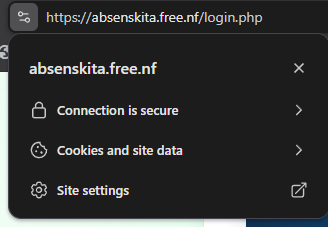
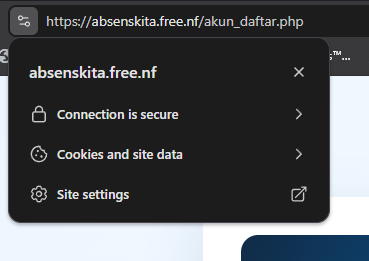
Google Chrome displays “Your connection is not private” when accessing my website using HTTPS.
The SSL certificate appears to be invalid or not trusted. Sometimes the login page shows “Connection is secure”, but when I open the registration page (akun_daftar.php), the SSL certificate warning appears again.
My hosting account is active. Please check the automatic SSL certificate for absensikita.free.nf.
Welcome to the InfinityFree community forum! Good to have you here.
Most people answering here are volunteers. They’re often the fastest source of help. Admin (the only staff member) checks in about once a day for issues on our end.
Volunteers can’t see your account or website. Share what you actually see, like error messages and what happens when you try something. That’s more useful than your theory of what’s wrong.
AI tools often get InfinityFree wrong. If a volunteer’s advice differs from what an AI told you, please try the volunteer’s suggestion first.
Solving an issue is a joint effort. Try the suggestions you get and report back what happened.
Beep boop, I’m a bot! I dug through the forum to get you started. I sometimes get things wrong though, so do with this what you will until a human has a look.
Which address are you opening: absenskita.free.nf (the one in your title and URL field) or absensikita.free.nf (the one in your description)? They differ by one letter, an “i” after “absens”. The only free subdomain on your hosting account is absenskita.free.nf, so I’d check that you’re using that spelling everywhere, including in links and redirects inside your site’s code.
The two spellings might explain why only some pages show the warning. If the login page loads from one spelling and the link to akun_daftar.php points to the other, you’d see a secure connection on one page and the warning on the next.
If you’re sure you’re using absenskita.free.nf on both pages, tell me the full address of the page where the warning appears. Also tell me whether it still appears in a private browser window.
Yes, SSL for your domain is also working fine from here.
If you’re still getting this issue, that could mean that someone or something is intercepting the connection between you and your website, and trying to spy on the connection by serving up their own SSL certificate.
On the certificate warning page, there should be some way to view the certificate details, either on the warning page itself or through the address bar. The certificate details might contain clues as to who is doing this. Please do share a screenshot of the certificate details if you’re not completely sure as to what it means.