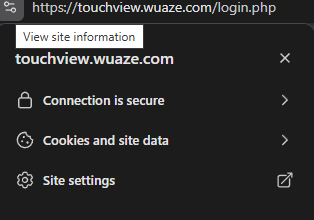
Certificate Error — expired certificate.
Certificate name: wuaze.com
Issuer: ZeroSSL ECC Domain Secure Site CA
Status: expired
Server IP: 185.27.134.24
Other Information
I recently created hosting account if0_43164512. When accessing my website through my organization’s network, the security gateway reports that the SSL certificate is expired.
Could you please check the shared SSL certificate for wuaze.com and advise how to resolve this? Screenshot attached.
Welcome to the InfinityFree community forum! Good to have you here.
Most people answering here are volunteers. They’re often the fastest source of help. Admin (the only staff member) checks in about once a day for issues on our end.
Volunteers can’t see your account or website. Share what you actually see, like error messages and what happens when you try something. That’s more useful than your theory of what’s wrong.
AI tools often get InfinityFree wrong. If a volunteer’s advice differs from what an AI told you, please try the volunteer’s suggestion first.
Solving an issue is a joint effort. Try the suggestions you get and report back what happened.
Beep boop, I’m a bot! I dug through the forum to get you started. I sometimes get things wrong though, so do with this what you will until a human has a look.
Does the expired certificate also show up when you open the site from a different network, like your phone on mobile data? And could you tell me the “valid from” and “valid to” dates shown in your screenshot? That would show whether this is the shared wuaze.com certificate really being expired, or something your organization’s gateway is doing.
Someone reported something similar in August 2026. They said the wildcard certificate served for wuaze.com, issued by ZeroSSL, had expired:
I couldn’t find an answer in that topic, so I can’t say it’s the same problem as yours. It might be.
Your account if0_43164512 has the website IP 185.27.134.139, but the gateway reported 185.27.134.24. The gateway may be resolving or intercepting the connection differently, so the dates are worth checking.
If the certificate really is expired when you test from outside your organization, nothing on your account changes that, and a person needs to look at it.
Looking at your site it seems to be working for me. Can you try with a different device on a different network to make sure something like a firewall isn’t blocking the certificate request
How recent was that? Because the issue you’re having sounds like a DNS caching issue. If it was less than 24 hours ago, I’m very sure it’s the reason. If it was more than 24 hours and less than 72 hours, it’s less likely but could still be possible.
Are you able to see the expiration date of the certificate you’re getting?