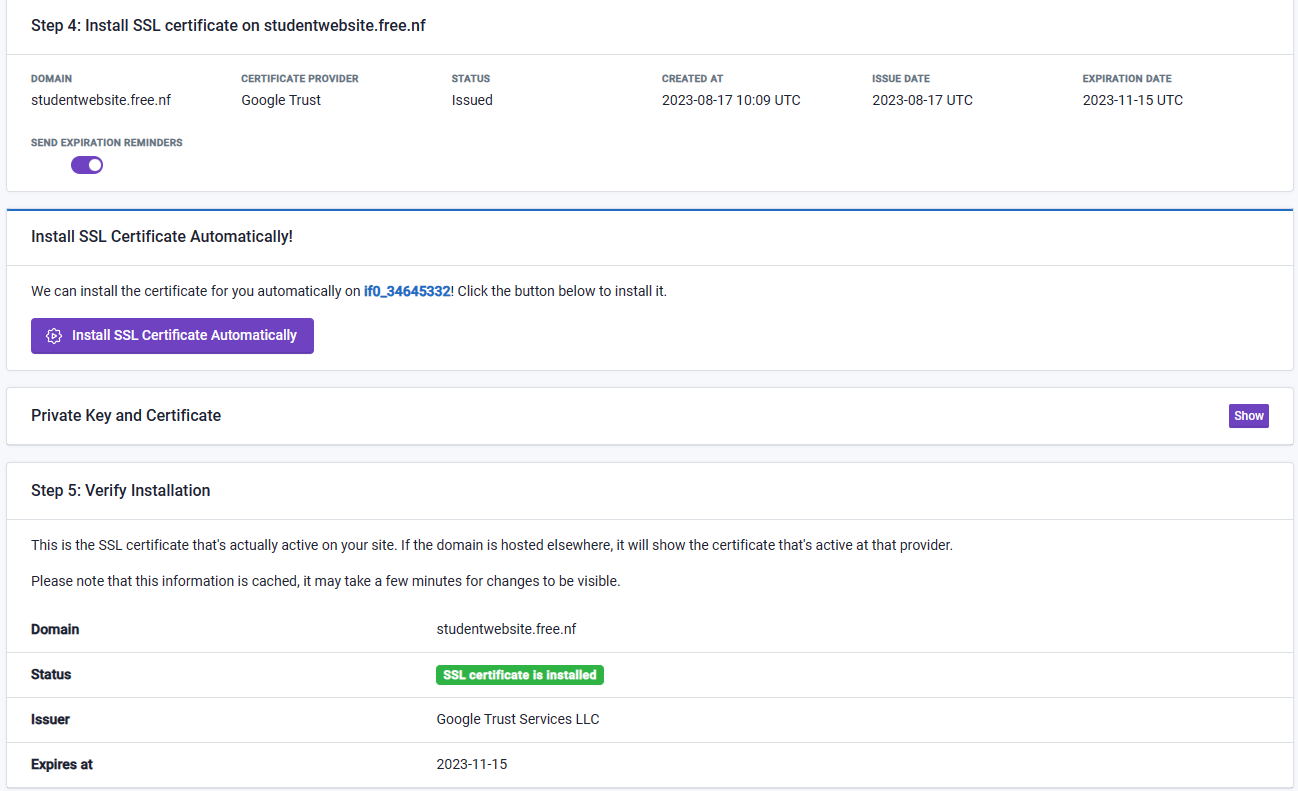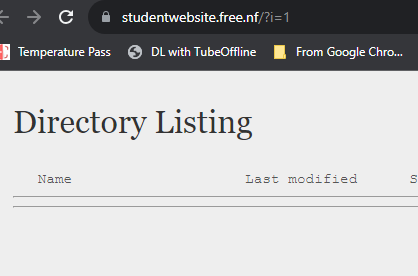
No issue
No issue
and now i got the same problem again, even when i delete the history of my browser
This issue is likely on your end.
Please wait at least 72 hours before posting about this problem update
okey
Clear your DNS cache.
how you do this and where can i find the DNS cache?
While for a different issue, this article explains DNS caching and how you can clear it, as well as some alternative solutions which have been mentioned in previous posts as well:
i clear the DNS cache from my computer but the problems keeps coming
Because DNS cache has nothing to do with SSL certificates. The domain studentwebsite.free.nf/ is loading securely for me, and has no files uploaded to it.\
If you are not seeing this, please using a different browser/device/network or an incognito window.
oh! that is strange because i uploaded all my files this morning with FileZilla to the htdocs … so there is no any file to see ?
You may have uploaded to the wrong htdocs folder. If there is a folder in the root directory (When you login to FTP) called studentwebsite.free.nf, you need to upload your files to studentwebsite.free.nf/htdocs instead of htdocs
i uploaded all files again, is there a change in it now?
yes that was the fault i did before, i saw it just a minute ago 
index file is the main file , main.html
oh great ! finaly its working now 
You need to call it “index.html”, or create an .htaccess file to allow for the “main.html” file to be recognized as the index file.
okey i will change it to index.html
okey i changed it to index.html, can you please check it?